31
3. Put the orange on the
pan, and press hotkey
‘Orange’
Add item [Orange]
to gift basket [Gift
Basket]
4. Put the grape on the pan,
and press hotkey ‘Grape’
Add item [Grape] to
gift basket [Gift
Basket]
5. Press ‘Gift Basket’ key
Note: This function can only be used in Label Scale Mode and Self-Service Scale Mode.
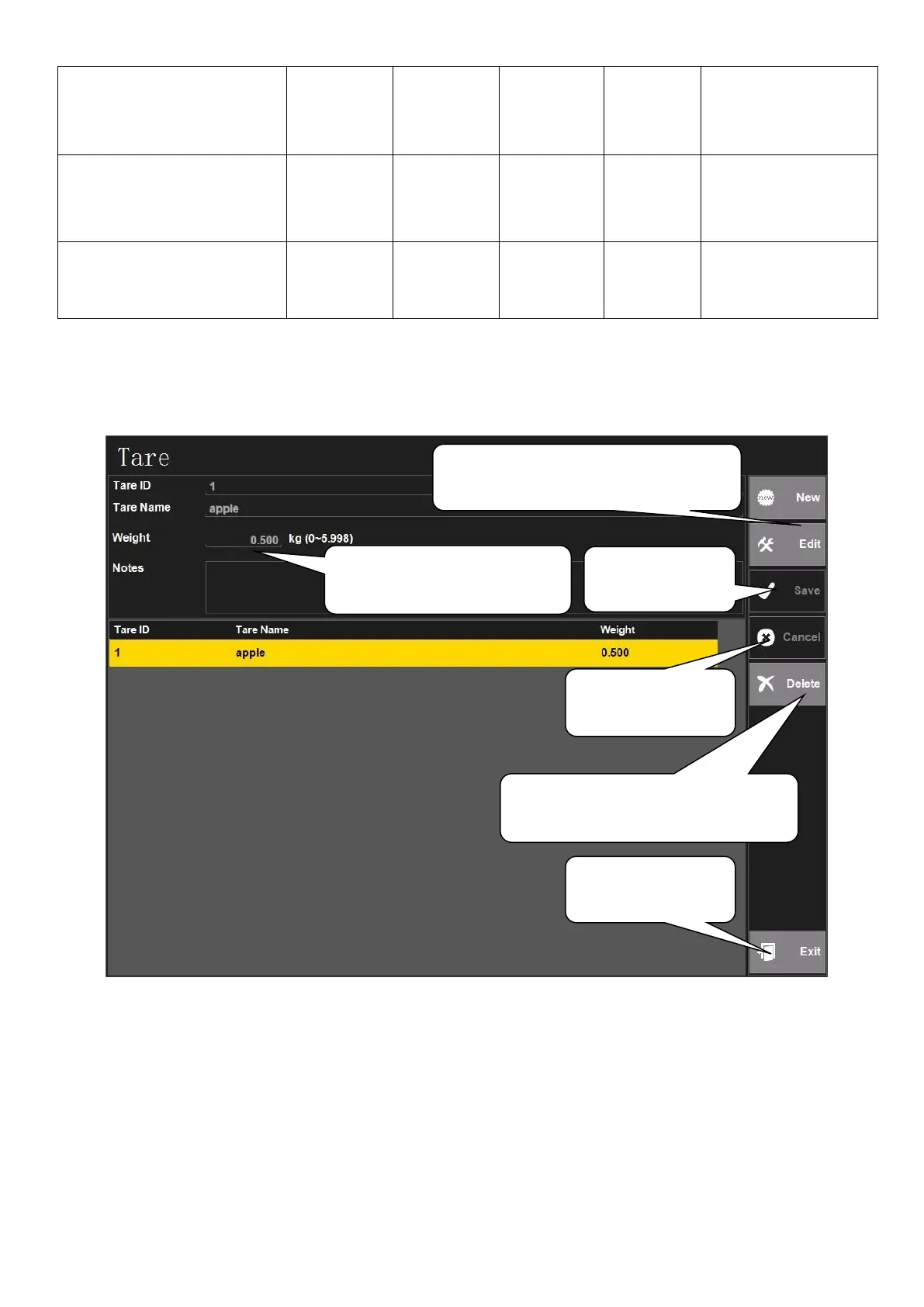
5.2.1.3. Tare Setting
Note: the operation of using this tare table can be seen in chapter ‘4.3 Tare Operation’, the
third method: ‘Presetting tare value’. Or see the chapter ‘4.6.7 Long Click to Choose Tare’
as for reference.
1. Click ‘New’ to add tare or click
‘Edit’ to modify tare existed
2. Set Tare ID, Tare Name,
Weight and Notes here
3. Click ‘Save’
after setting
4. Click ‘Cancel’
to cancel setting
5. Choose one tare first and then
click ‘Delete’ to delete this tare
6. Click ‘Exit’ to
exit tare setting



 To Next Page