<Reference>
Relation between the display value of each range, and output voltage
DISPLAY VALUE(dB) OUTPUT VOLTAGE(V)
RANGE
AC OUT
DC OUT
40~130
30~120
20~110
20~100
20~90 20~80
120 110 100 90 80 70 0.31623 2.25000
90 80 70 60 50 40 0.01000 1.50000
80 70 60 50 40 30 0.00316 1.25000
60 50 40 30 20
-
0.00032 0.75000
50 40 30 20
- -
0.00010 0.50000
40 30 20
- - -
0.00003 0.25000
3-2 Calibration using pistonphone
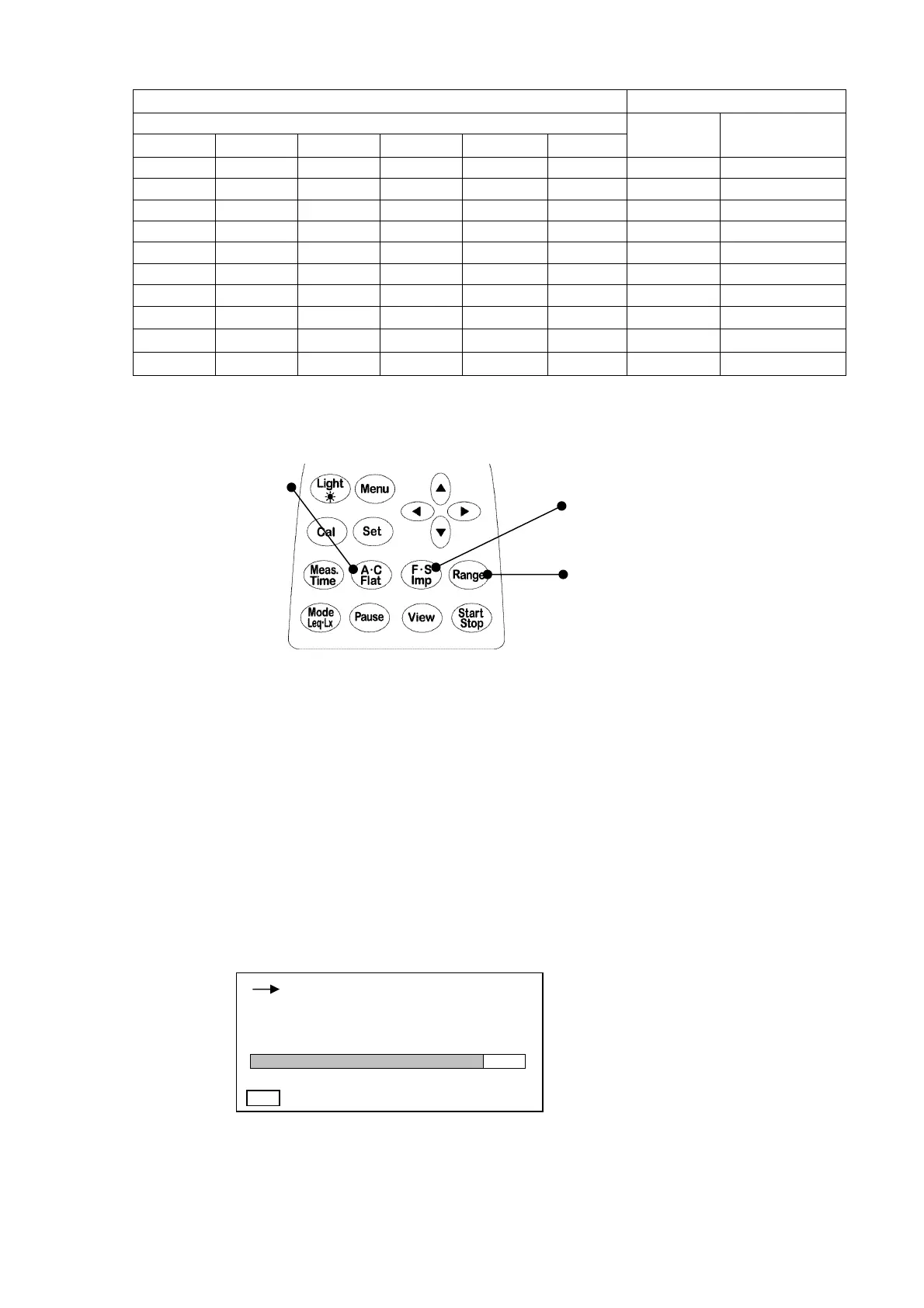
Frequency weighting key
Time weighting key
Range key
1) Turn on the POWER switch and check basic setting is
Manu
. When peak is on display,
change it to
Manu
mode (to change the setting ,see page P.23〈Display〉).
2) Set the frequency weighting to
C
with
Frequency weighting
key.
3) Set the time weighting to
Fast
with
Time weighting
key.
4) Set the range to
40~130dB
with
Range
key.
5) Switch on the pistonphone.
6) Adjust the calibration potentiometer on the side panel until the display shows a output level
of the pistonphone (standard value is 124.0dB).
For the detail of pistonphone output level, please see shipping inspection data sheet of
the pistonphone.
< Calibration display >
※
After the calibration of the pistonphone, perform calibration per 3.1 “Calibration using
internal generator” in Page 15. If there is a difference of more than ±0.5 dB for 94.0 dB,
the instrument shall be checked. Please contact ACO or authorized dealer.
00h 000h00m00s
FAST
L
C
dB
40 130
124.0
Menu



 To Next Page