Section 6 Data Transfer to a Personal Computer
After or during measurement, you can transfer the data to a personal computer.
●Operating system software: Microsoft Windows 98SE/2000/XP/Vista/7
* Windows 7 supports 32bit, 64bit.
1) Data transfer after measurement
You can transfer the data to a personal computer with an optional cable and a software.
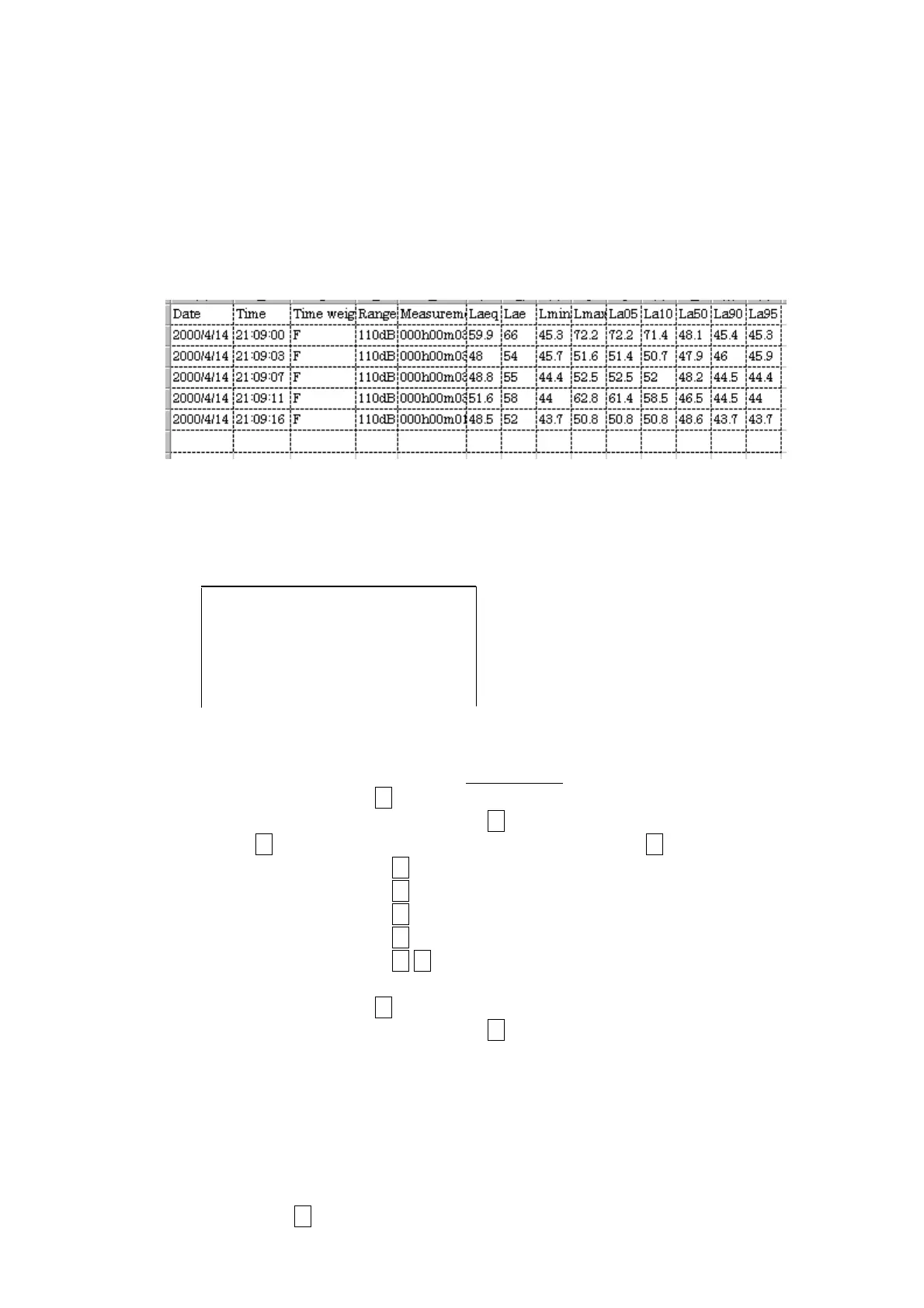
You can open the data directly with spreadsheet software.
<Data>
2) Data transfer during measurement
If you set the parameter in the following display, you can transfer the data to a personal
computer in every
Meas Time
by pressing
Start
key.
(You cannot save the data to built-in memory.)
<menu> 1/2
**** : **
Interval : OFF
I/O : OFF
**** : **
<Output form>
Explanation
00/01/05_02:15:16_F_130dB
LF
Starting date and time, Time weighting and Range
(+
LF
) : Starting point of the first measurement.
000h00m10s
LF
Measurement time (+
LF
)
Laeq:_130.0___La05:_130.0
LF
data
Lae_:_130.0___La10:_130.0
LF
〃
_______________La50:_130.0
LF
〃
Lmin:_130.0___La90:_130.0
LF
〃
Lmax:_130.0___La95:_130.0
LF
LF
〃
00/01/05_02:15:27_F_130dB
LF
Starting date and time, Time weighting and Range
(+
LF
) : Starting point of the second measurement.
The results of every
MeasTime
are transferred to a computer in the above form.
In the first line, Starting date and time, Time weighting and Range are transferred.
In the second line, Measurement time is transferred.
In the third to seventh line, the calculated data are transferred.
You can stop measurement by pressing
Stop
key.
If you press
Stop
key in measurement, Measurement time shows the elapsed time.
Imperfect results are shown as ***.
_:Space
LF
:Line feed character



 To Next Page