6. C-weighted waveform peak hold measurement (LCPeak)
Lcpeak is measured on “Peak measurement” setting.
At first, change the basic setting from Manu (default) to Peak.
1. Press Menu key once to call <Menu>1/2 screen and check the cursor is on the top
line of “Meas Mode”.
2. Move to the right column with key.
3. Change “Manu” to “Peak” with key and press
SET
key to enter.
4. Return to the normal display from <Menu> screen by pressing
View
key and check
the display shows Peak under the figures.
< Parameter setting >
Range
key: Select a range that Bar display indicates approximately 2/3 of the full scale.
Time weighting
key: N/A
Frequency weighting
key: C
Measurement time
key: 1s, 3s, 5s, 10s, 1m, 5m, 10m, 15m, 30m, 1h, 8h, 24h,
and ***.
(***: Measurement continues until
Stop
key is pressed.)
Measurement mode
key: N/A (fixed to L
Cpk
)
< Display >
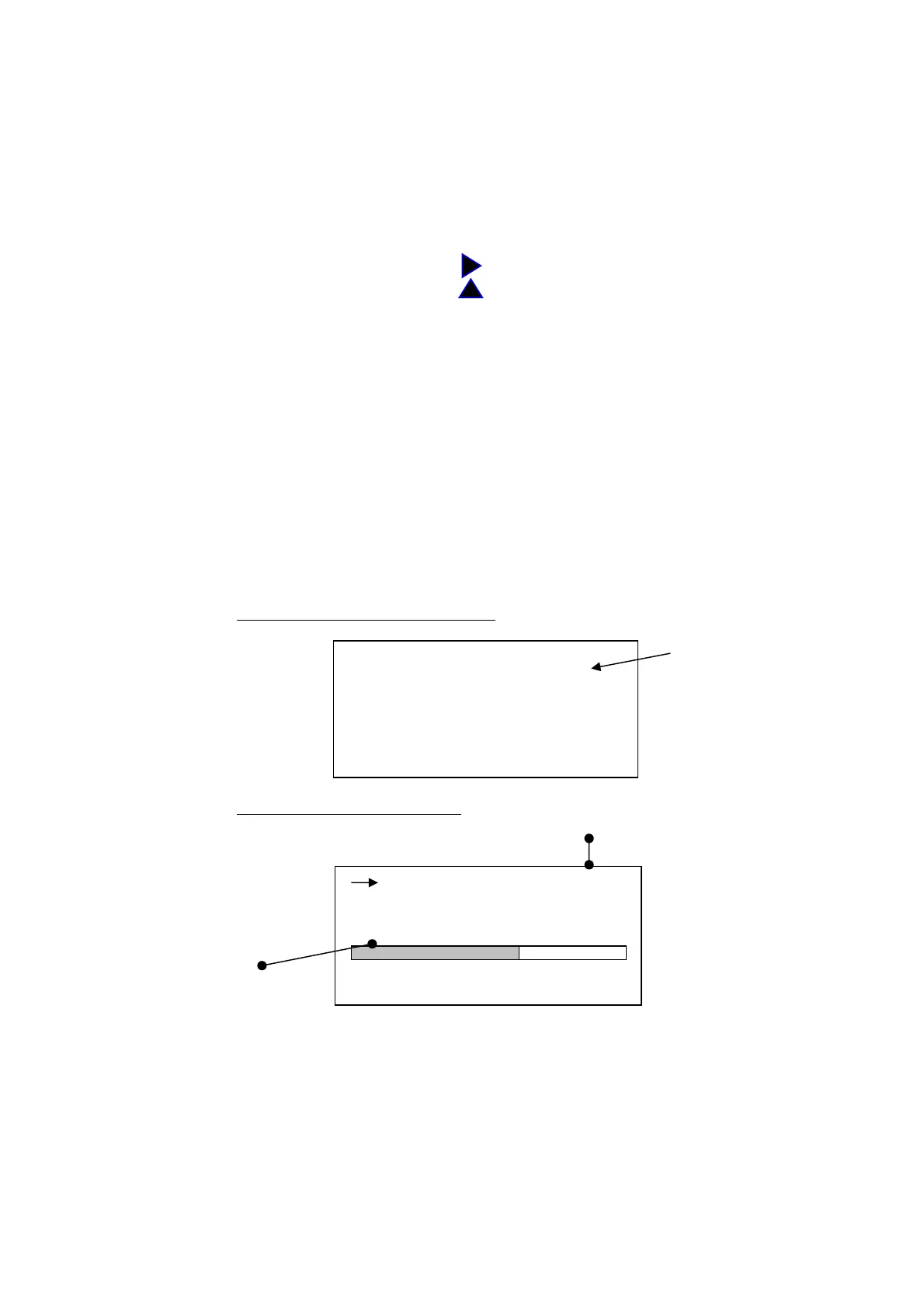
<Mode Set> screen (for example)
<menu> 1/2 ③
Meas Mode : Peak
Interval : Single
I/O : Off
Data delet : Off
LCD cont : ****
date y/m/d : 02/04/19
time : 11: 16: 58
Normal display mode
screen
Indicates
Measurement time
・ Measurement starts by pressing
Start
key, and automatically stops in the measurement
time ( is displayed during measurement). Digital display indicates a calculated data at
that time.
・ If you press
Stop
key in measurement, the digital display indicates the calculated data at
that time.
・ When *** is selected, the digital display indicates the calculated data at the time when Stop
key is pressed. If Stop key is not pressed, the measurement continues in 199 hours 59
minutes 59 second.
00h 000h00m00s
FAST
L
Cpk
dB
30 120
Peak
86.0
By pressing
Measurement
mode
key, toggles:
A→C→F→A→…



 To Next Page