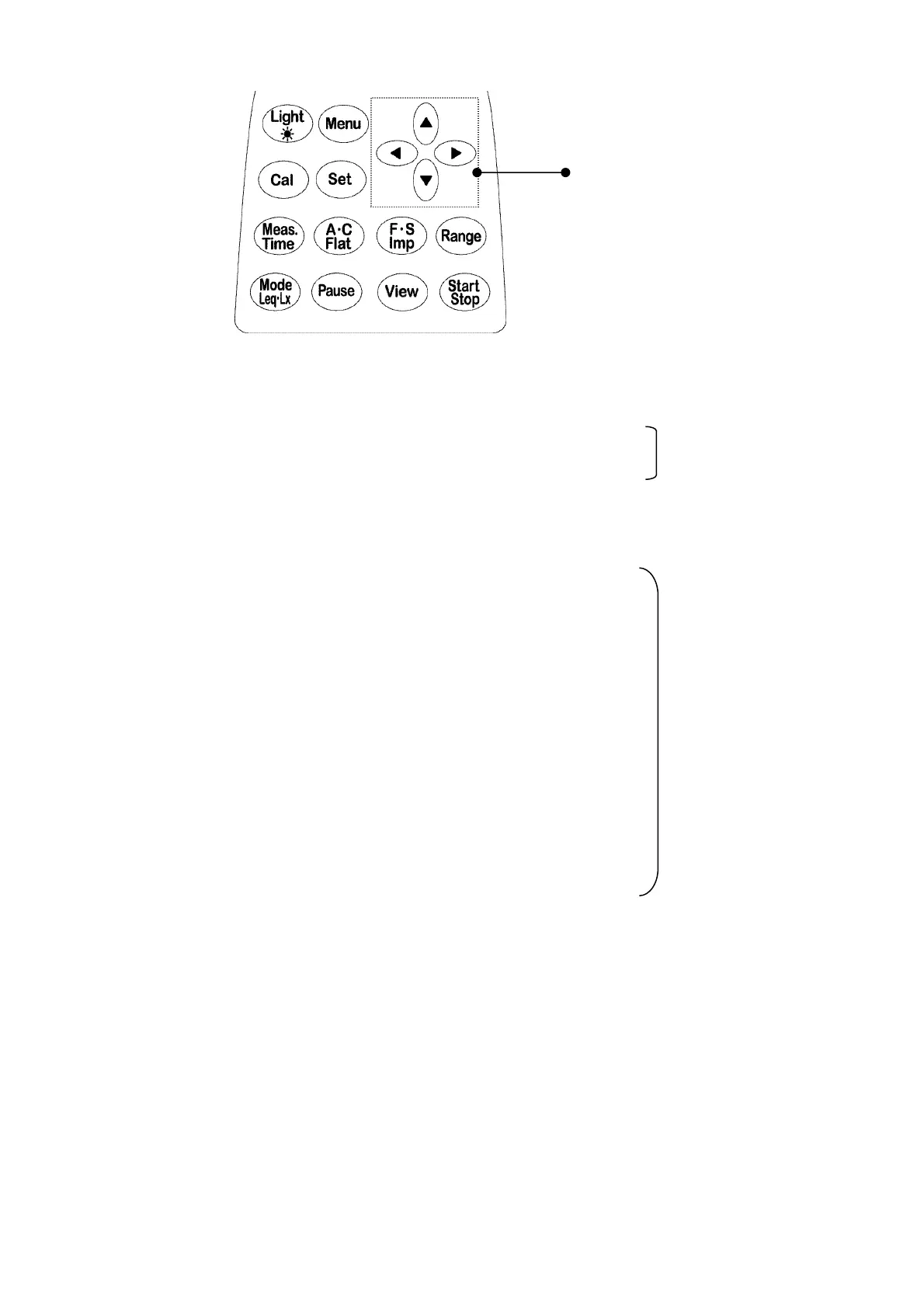
2. Operation of panel switches and their function
Cursor key
●
Light :
LCD back-light key
See “LCD adjustment” on Page 11.
●
Menu :
Menu key
●
Set :
Set key
●
Cursor
key : is used to move a cursor to select a item.
●
Cal :
Calibration key
See “Calibration“ on Page 16.
●
Meas. Time :
Measurement time selection key
●
A ・C , Flat :
Frequency weighting key
●
F ・S , Impulse
: Time weighting key
●
Range :
Range selection key
●
Mode :
Mode selection key
●
Pause :
Pause key
●
View :
Display mode key
●
Start Stop :
Start and Stop key
View
key is used to switch displays or return to normal display from Menu screen.
See “Section 2, 1-1 How to change the display mode” for detail.
See “Section 4 Menu”
on Page **.
See “Section 3
Measuring procedure”
on Page **.



 To Next Page