Section 3 Measuring Procedure
This meter has two major basic settings. One is “General measurement” which is for general
environmental noise measurement; the other is “Peak measurement” which indicates waveform
peak hold. The 1
st
to 5
th
section of following measurements is on “General measurement”
setting. Only 6
th
section is measured on “Peak measurement” setting.
Factory default is “General measurement” and the screen shows
Manu
under the level figures.
It shows
Peak
when “Peak measurement” is selected. For changing the basic setting, see “6.
C-weighted waveform peak hold measurement.”
1. A-weighted sound pressure level (L
A
) measurement
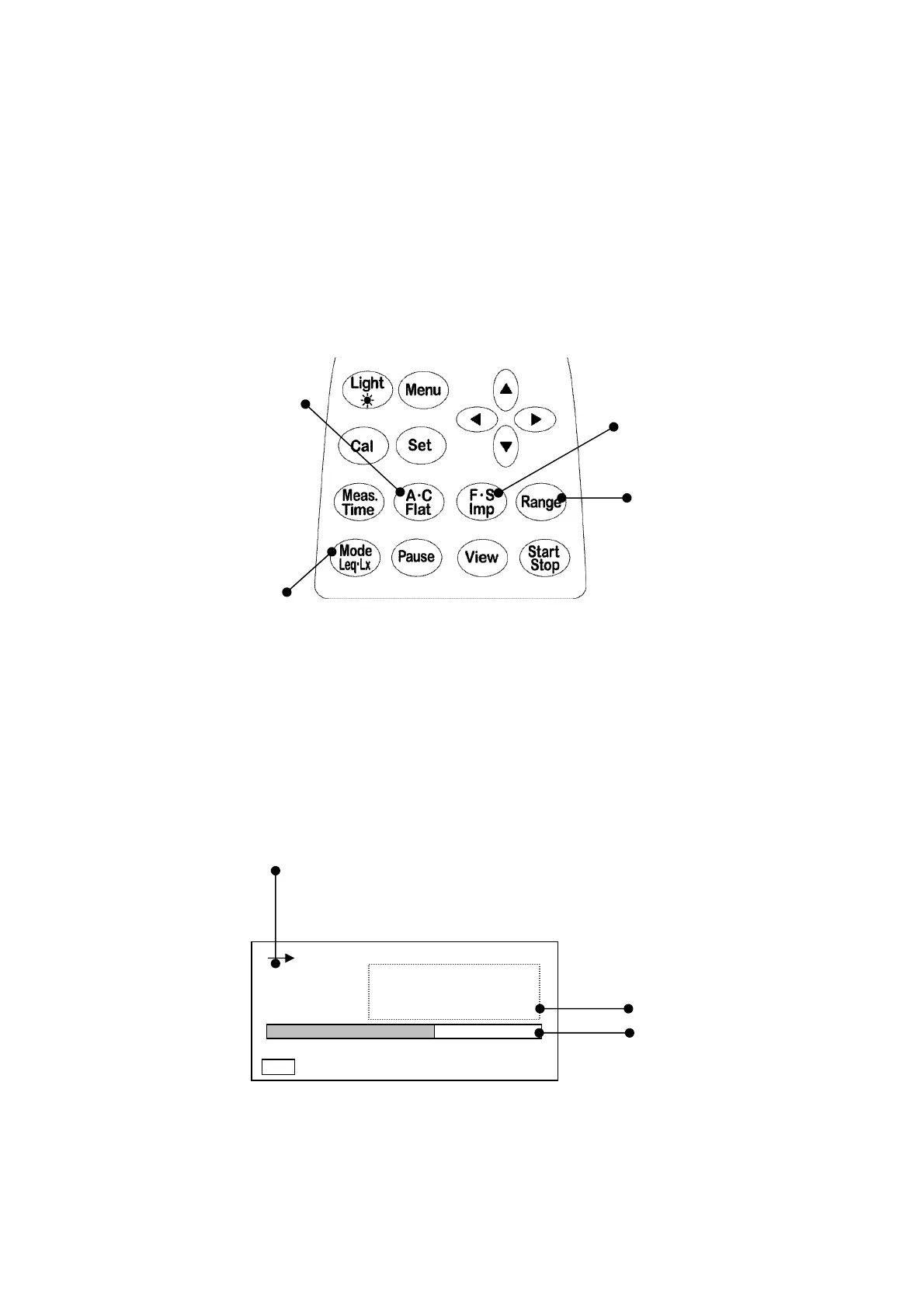
Frequency weighting key
(A ・C , Flat) Time weighting key
(Fast ・Slow, Impulse)
Range key
Measurement mode key
< Parameter setting >
Turn on the POWER switch and check basic setting is
Manu.
When peak is on display,
change it to
Manu
mode (to change the setting ,see page P.23〈Display〉).
Range
key: Select a range that Bar display indicates approximately 2/3 of the full scale.
Time weighting
key: Fast or Slow
Frequency weighting
key: A
Measurement mode
key: L
A
< Display >
Indicates
Time weighting
.
(Fast or Slow)
Digital display
Bar display
1) Displayed L
A
level is updated once per second.
2) Bar display is updated 10 times per second.
3) You don’t need to press
Start
key.
00h 000h00m00s
FAST
L
A
dB
30 120
Manu
66.0



 To Next Page