In this sound level meter, L
A
eq computation is
made at high sampling rate (20.8μs) for input
pressure waveform, which then offers high
precision short-term measurement with least
influence of dynamic response.
3. Equivalent continuous A-weighted sound pressure level (L
A
eq) measurement
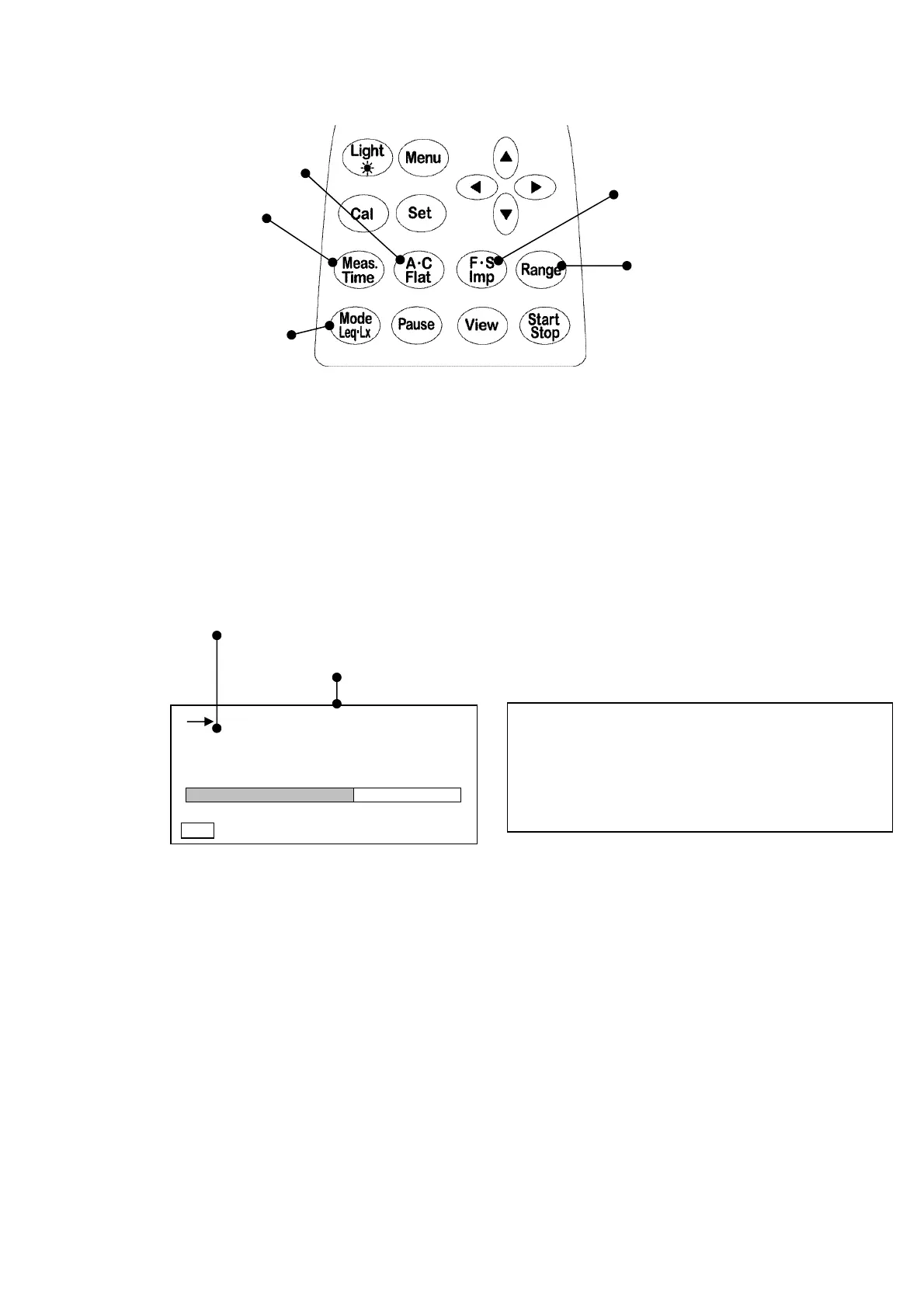
Frequency weighting key
(A ・C , Flat) Time weighting key
Measurement time (Fast ・Slow, Impulse)
Range key
Measurement mode key
< Parameter setting >
Range
key: Select a range that Bar display indicates approximately 2/3 of the full scale.
Time weighting
key: Fast or Slow
Frequency weighting
key: A(C,F)
Measurement time
key: 1s, 3s, 5s, 10s, 1m, 5m, 10m, 15m, 30m, 1h, 8h, 24h,
and ***.
(***: Measurement continues until
Stop
key is pressed.)
Measurement mode
key: L
A
eq
< Display >
Indicates
Time weighting
.
(Fast or Slow)
Indicates
Measurement time
.
・ Measurement starts by pressing
Start
key, and automatically stops in the measurement
time. Digital display indicates a calculated data at that time
・ If you press
Stop
key in measurement, the digital display indicates the calculated data at
that time.
・ When
Interval
is set to
Repeat
in <Menu>
display, the measurement is repeated in every
measurement time
.
(This function is useful for printings and data transfer to computer.)
・ If you press
Pause
key in measurement, the digital display indicates the calculated data
from start to 3 or 5 seconds before that time. This function deletes preceding 3 or 5 sec.
Data when
Pause
key is pressed.
・ To set this function, See the description of
data delete
in “Section 4 Menu 2.Menu(1/2) ” on
Page **.
・ When *** is selected, the digital display indicates the calculated data at the time when
Stop
key is pressed. If
Stop
key is not pressed, the measurement continues in 199 hours 59
minutes 59 second.
00h 000h00m00s
FAST
L
Aeq
dB
30 120
Manu
66.0



 To Next Page