15
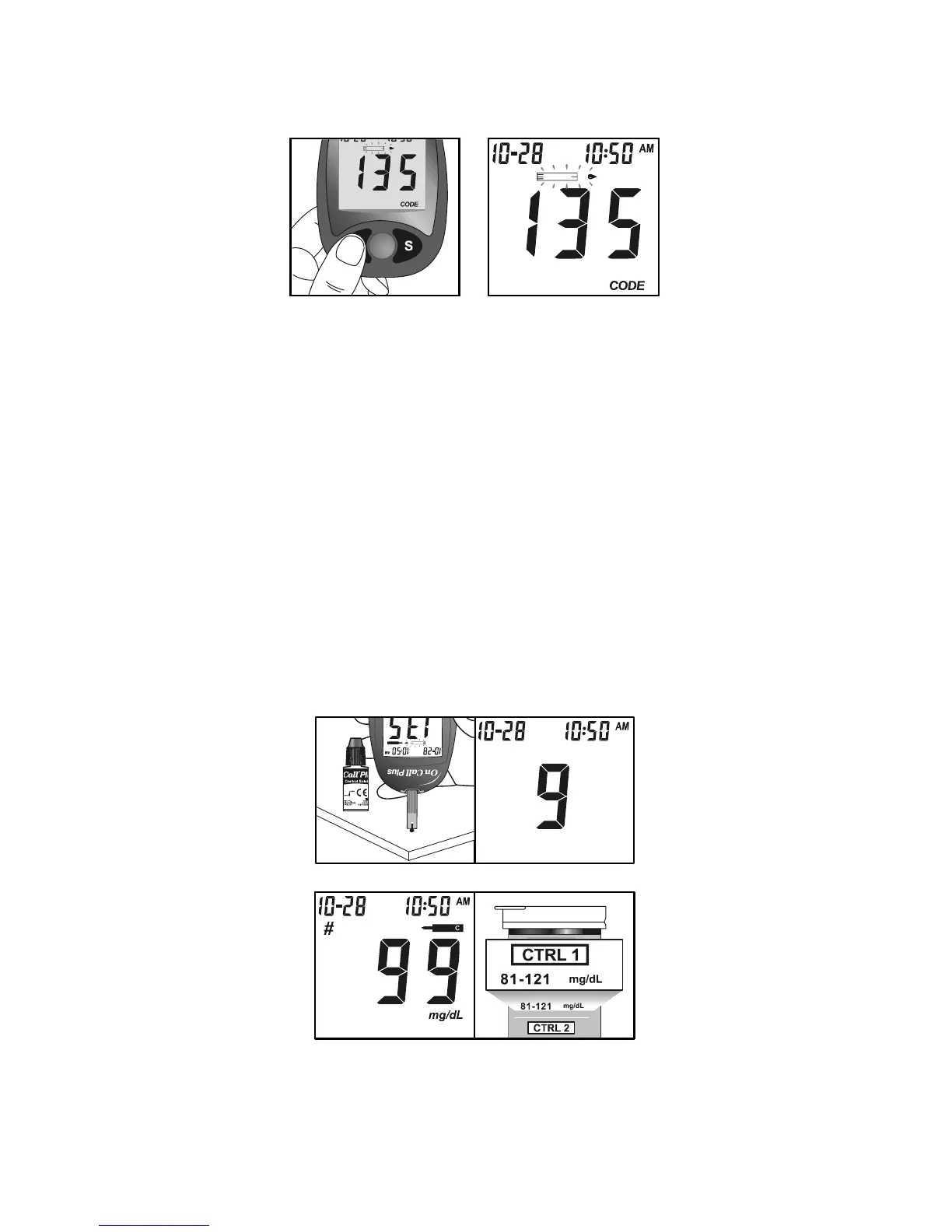
4. Press the M button to mark the test as a control solution test. Once the M
button is pressed, the control solution symbol will appear on the display.
5. Shake the control solution bottle well, then squeeze it gently and discard the
first drop. If the tip clogs, tap the tip gently on a clean, hard surface, shake
again and then use. Squeeze out a second small drop on a clean
nonabsorbent surface. Touch the sample tip of the test strip to the control
solution drop. If the audio option is turned on, the meter will beep to indicate a
sufficient sample has been applied.
Notes:
• Do not apply control solution to the test strip directly from the bottle.
• If the control solution sample does not fill the check window, do not add a
second drop. Discard the test strip and start over with a new test strip.
6. Once a sufficient sample has been applied, then the meter display will count
down from 9 to 1 and then display the result. The control solution test results
should be within the control range (CTRL 1) printed on the test strip vial (or on
foil pouch). This means that your blood glucose monitoring system is working
properly and that you are performing the procedure correctly.
Test results are disp layed eit her in mmol/L or mg/dL depending on the unit of
measure most common in your country. The meter will be set to mg/dL by
default when sold in the United States.


 To Next Page