ii
Table of Contents
Getting Started………………………………………………………………………… 1
Component Descriptions………………………………………………………
2
On Call
®
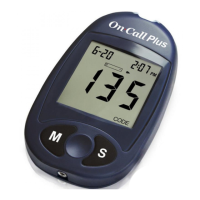
Plus Blood Glucose Meter…………………………………………. 3
Meter Display…………………………………………………………………… 4
On Call
®
Plus Blood Glucose Test Strips………………………….………… 5
On Call
®
Plus Glucose Control Solution…………………………….………. 8
Installing the Battery…………………………………………………………………. 10
Meter Setup Before Testing…………………………………………………………
11
Step 1 – Coding the Meter…………………………………………………….
11
Step 2 – Adjusting the Meter Settings………………………………………
12
Performing a Quality Control Test…………………………………………………
14
Testing Your Blood…………………………………………………………………… 17
Step 1 – Getting a Drop of Blood……………………………………………
17
Step 2 – Testing Blood Glucose……………………………………………… 22
"HI" and "LO" Messages………………………………………………………
24
Using the Meter Memory…………………………………………………………….. 26
Viewing Stored Records……………………………………………………….
26
Clearing the Memory…………………………………………………………
27
Transferring Records………………………………………………………………… 28
Maintenance……………………………………………………………………………
29
Replacing the Battery…………………………………………………………
29
Caring for Your On Call
®
Plus Blood Glucose Monitoring System………
29
Suggested Testing Times and Target Goals……………………………………
30
Comparing Meter and Laboratory Results……………………………………….. 31
Troubleshooting Guide………………………………………………………………
32
Specifications…………………………………………………………………………
34
Warranty………………………………………………………………………………
35
Index……………………………………………………………………………………


 To Next Page