©2018 ACP, Inc.
Cedar Rapids, IA 52404 Page 19 of 80
Part No. 16400033
Original Instructions
Power On Oven,
Preheat
This oven can be set to a
preheat temperature between
200°F (95°C) and 520°F (270°C).
Oven must be plugged in.
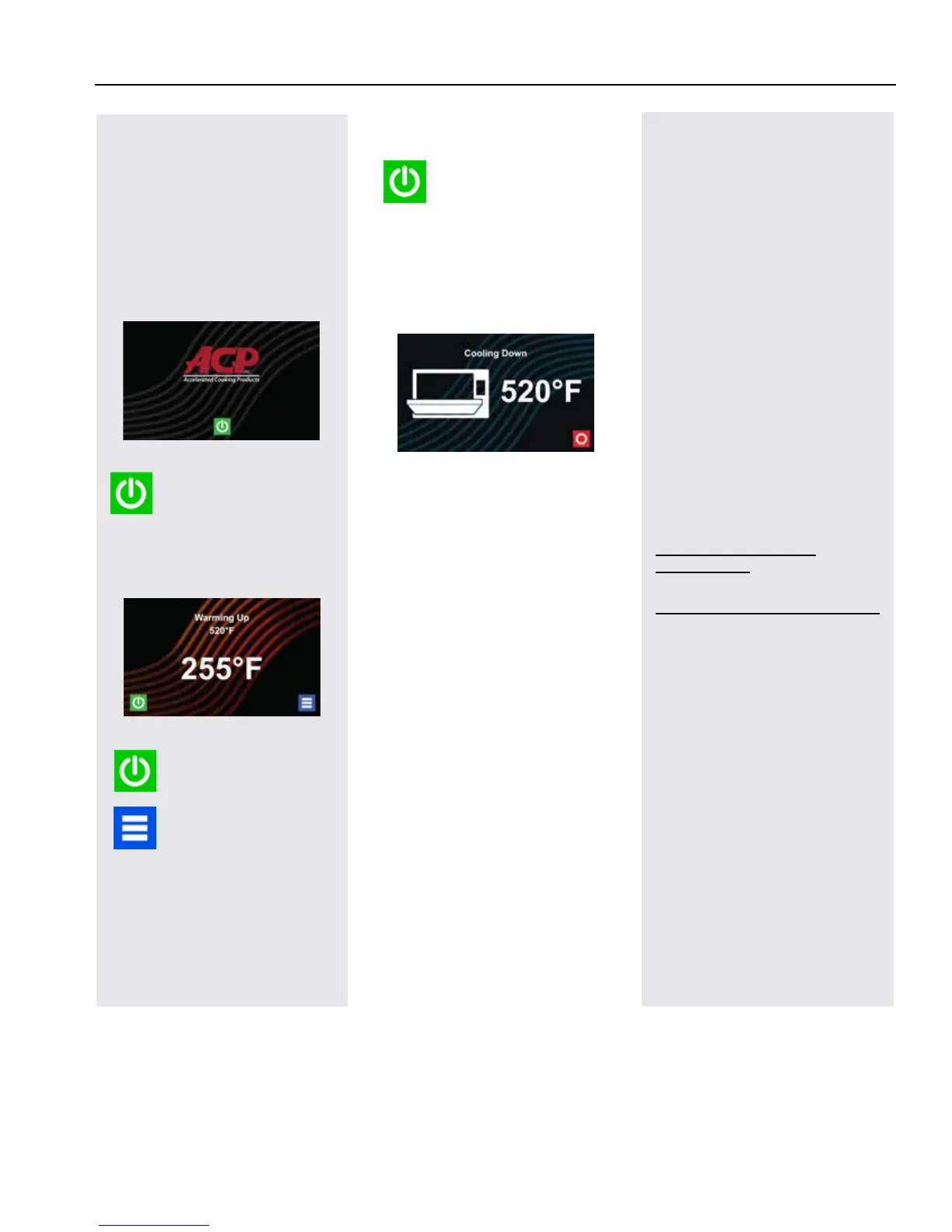
(Screen will power on to “Standby
Mode” within approximately 30 seconds.)
Press Green
Power Icon
Preheat temperature of oven
will appear in display.
Press the Power Icon
again to interrupt
preheating, or press the
Blue Menu Icon to
access Main Menu and
User Options.
Basic Oven Operation
Methods of Cooking
and Programming
• Cooking with Preprogrammed
Menu Items
• Manual Cooking and Oven
Programming
• Recipe and Menu creation via
ACP Programming Application
• USB Programing
• Wi-Fi Programming
• Ethernet Programming
You may add and organize
recipe information by creating
new recipes, folders and
tabs. See Section – Manual
Programming.
To download and view example
menus, please visit
acpsolutions.com/oven-
programming/
First Time Use
Set User Options
There are several options you
can change to customize the
operation of the oven for your
business. To access and edit
user options, see Section –
User Manual.
Set Time and Date settings
for current local time. This
oven maintains a data log
which is used to diagnose and
troubleshoot errors. An accurate
date and time are important for
the data log.
Power Off Oven
At the end of the day,
turn the oven o by
pressing the Green
Power Icon on the screen. The
oven will begin cooling down.
The Oven Fan will continue to
run to cool the oven.
Cooling Down Screen appears
and stays on until oven
temperature is below 200°F
(95°C)
⚠
Caution: To avoid
damage to the convection
motor DO NOT turn o power
by unplugging the oven or
shutting o the power breaker
until the fan stops.





 To Next Page