©2018 ACP, Inc.
Cedar Rapids, IA 52404 Page 57 of 80
Part No. 16400033
Original Instructions
Magnetron TCO
Magnetron TCO
⚠
DANGER
All High Voltage Capacitors must be discharged before performing this procedure.
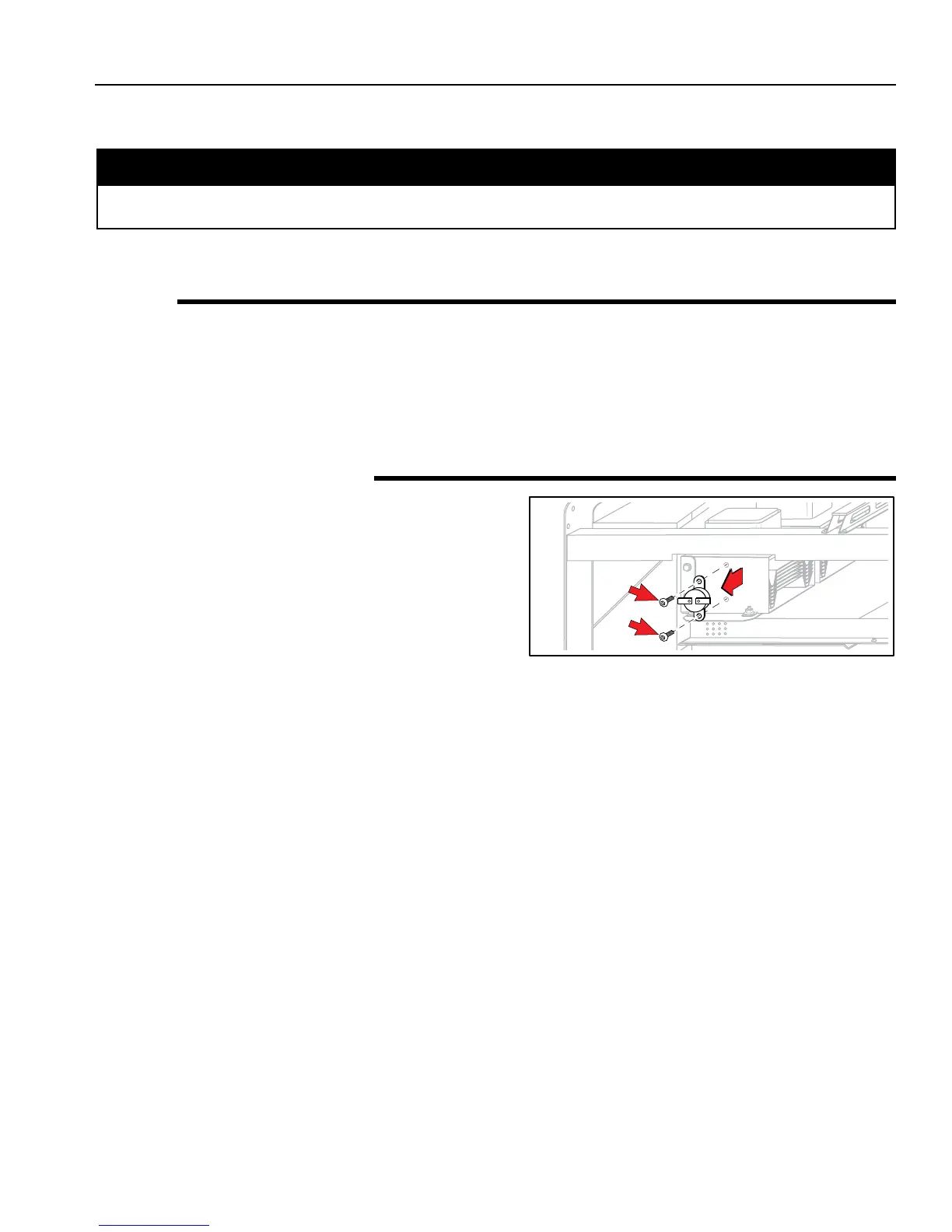
The Magnetron TCO protects the Magnetron from an overheat situation.
Testing
Remove Wires from device.
Across Terminals = Continuity @ < 300°F (320°C)
Opens @ 300°F (149°C)
Resets @ 275°F (125°C)
Removal and Replacement
1. Disconnect oven from Power Supply.
2. Remove Top and Right or Left Side Panel.
(see Panel Removal).
3. Remove Wires from device.
4. Remove two (2) Torx-head Screws using a T-15 Driver.
5. To replace, reverse these steps.
⚠
DANGER





 To Next Page