-
20 -
OMNIVERSA
®
ULTRASOUND / ELECTROTHERAPY SYSTEM USER MANUAL
COPYRIGHT © 2017-2020, ACCELERATED CARE PLUS CORP., ALL RIGHTS RESERVED
Electrotherapy Indications Protocol List
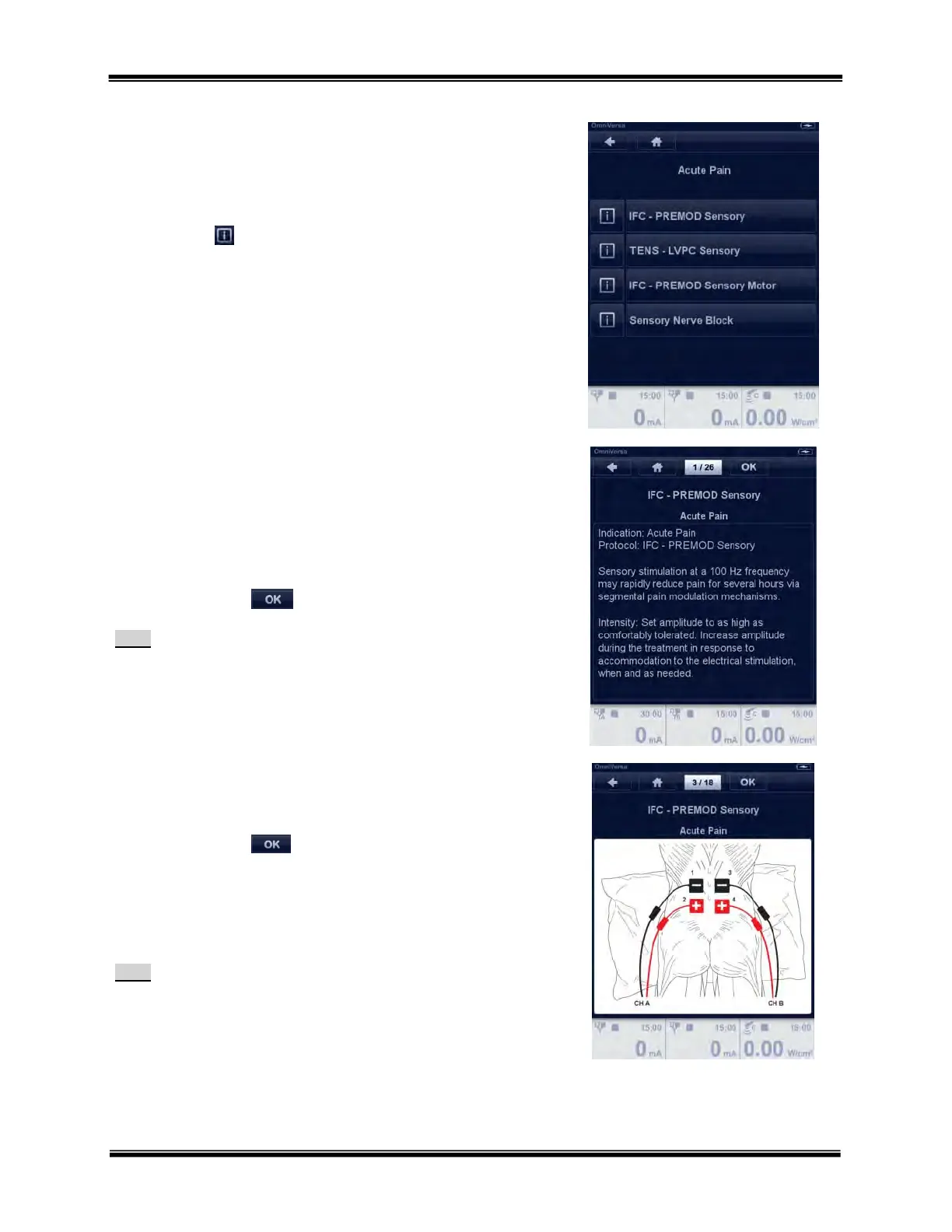
Select the desired protocol by touching the button.
Each protocol has an embedded clinical library of reference material
and a library of electrode placement illustrations accessed by touching
the information
button.
Electrotherapy Protocol Information
The embedded clinical library includes protocol and setup information
with example electrode placement illustrations.
Use the Rotary Selector Dial to scroll through the pages.
Touch the OK button in the navigation bar to proceed to
channel selection or the parameter menu.
Note:
Preset 2-channel programs will proceed to the parameter menu.
Electrotherapy Protocol Electrode Placement Illustrations
Use the Rotary Selector Dial to scroll through the illustration pages.
Touch the OK button in the navigation bar to proceed to
channel selection or the parameter menu.
The embedded pictures have squares to represent 2” x 2” electrodes
and rectangles to represent 2” x 4” electrodes, large rectangles to
represent 3” x 5” electrodes.
Note:
Preset 2-channel programs (e.g. PENS) will proceed to the parameters
menu.



 To Next Page