OMNIVERSA
®
ULTRASOUND / ELECTROTHERAPY SYSTEM - 21 -
COPYRIGHT © 2017-2020, ACCELERATED CARE PLUS CORP., ALL RIGHTS RESERVED
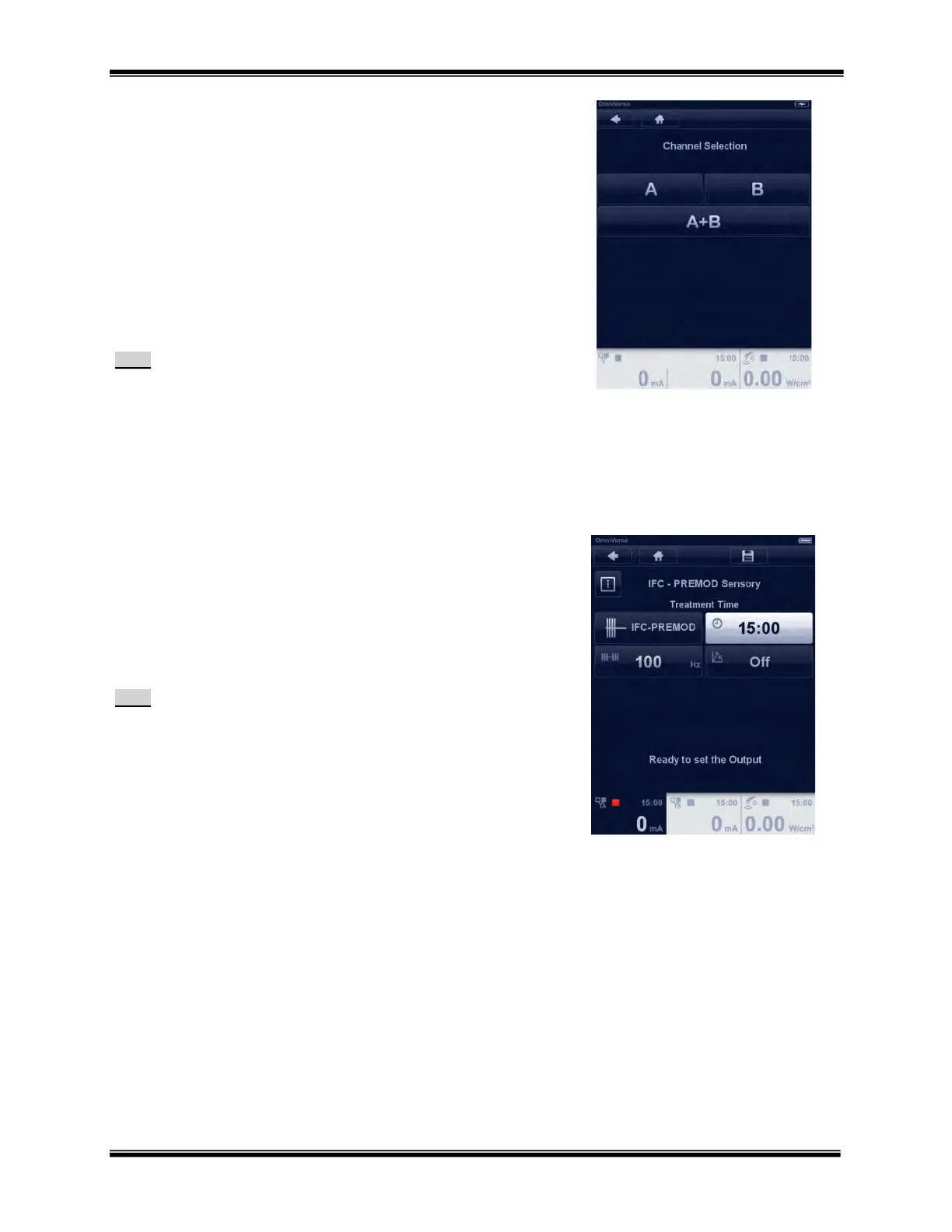
Channel Selection
After a protocol is chosen select the channel(s) for use. When Ch. A is
selected, Ch. B is still available for another therapy.
When Ch. A+B are selected both channels have the same parameters
and only the intensity can be set differently.
When both channels are already activated, additional protocol
parameter screens can not be selected; attempting to do so will result
in a beep sound. If two different protocols have been selected one
channel may still be running. Always check that the channel output on
the display is zero prior to removing electrodes.
Note:
PENS will default automatically to two channel mode (A+B).
Electrotherapy Parameter Adjustment – Changing
parameters
All parameter settings are changed by the same two-step process.
1. Select/touch the parameter which will then illuminate bright
white. The example shown is Treatment Time
2. Changes are made using the Rotary Selector Dial. Within 12
seconds of making the change the highlighted setting will
fade back to blue.
Repeat this process for all other parameters.
Note:
To access the embedded clinical library, press the information
button.
All parameters can be changed before starting a treatment.
Some parameters may not be changed during active
treatment; attempting to do so will result in a beep sound.
A complete list of all program settings and ranges can be
found in the OmniVersa Program section of the operations
manual



 To Next Page