- 36 - OMNIVERSA
®
ULTRASOUND / ELECTROTHERAPY SYSTEM USER MANUAL
COPYRIGHT © 2017-2020, ACCELERATED CARE PLUS CORP., ALL RIGHTS RESERVED
Combination Therapy Protocol Information
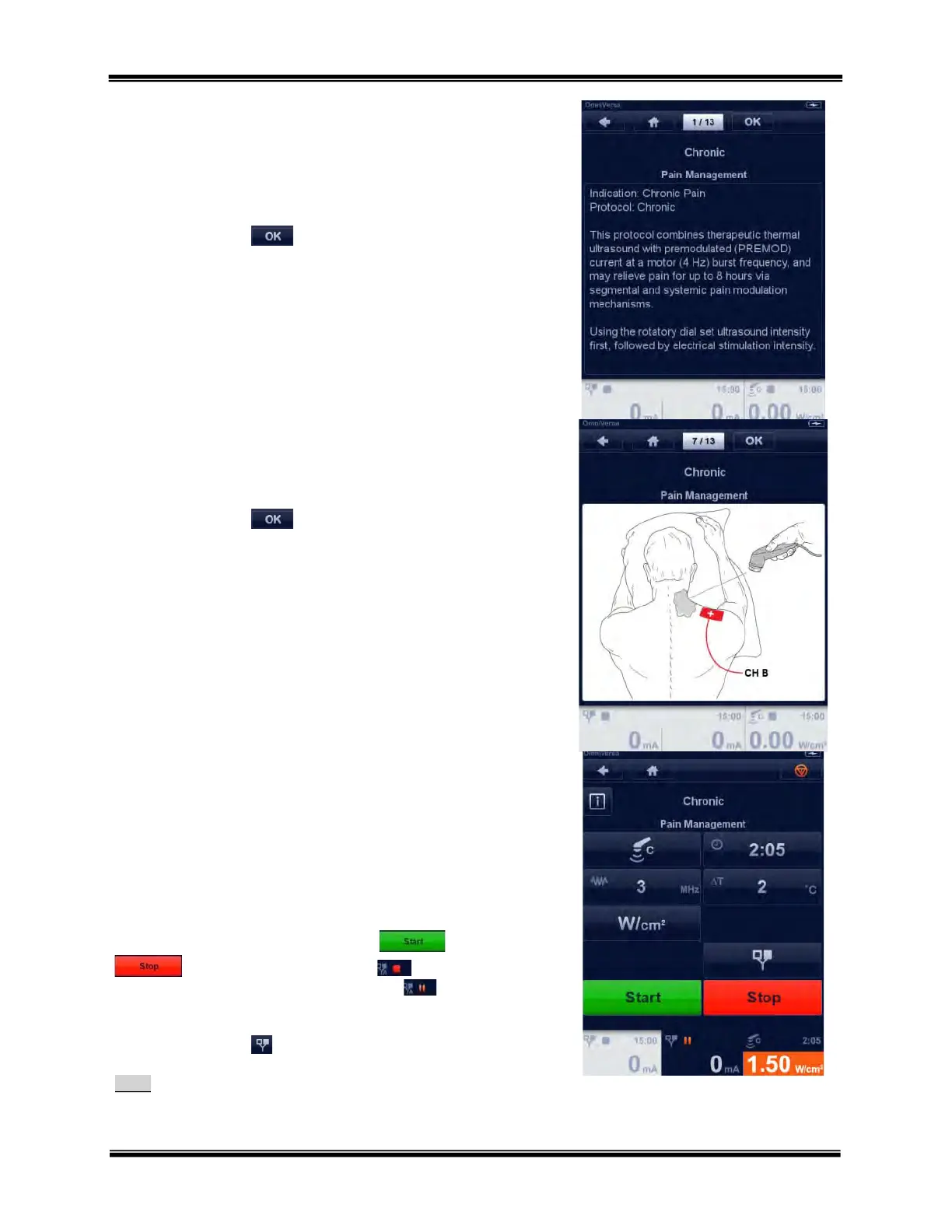
The embedded clinical library includes protocol and setup information
and with example application illustrations.
Use the Rotary Selector Dial to scroll through the pages.
Touch the OK button in the navigation bar to proceed to the
protocol parameters menu.
Indication Information – illustration
Use the Rotary Selector Dial to scroll through the illustration pages.
Touch the OK button in the navigation bar and the
Combination Therapy parameter menu appears.
Combination Therapy Menus – Ultrasound and
Electrotherapy
Ultrasound
Ultrasound output intensity is set first, use the Rotary Selector Dial to
set output intensity.
Screen text saying “Ready to set the output” appears during initial setup.
As soon as intensity is increased the START and STOP
buttons appear, and the red Stop square at the top of the
channel tab becomes the two bar orange PAUSE Icon.
To access the electrotherapy therapy parameters, touch the
electrotherapy button .
Note:
The Ultrasound section provides detailed ultrasound setup information.



 To Next Page