OMNIVERSA
®
ULTRASOUND / ELECTROTHERAPY SYSTEM - 37 -
COPYRIGHT © 2017-2020, ACCELERATED CARE PLUS CORP., ALL RIGHTS RESERVED
Electrotherapy
Use Channel B for electrotherapy.
Output intensity can be set using the Rotary Selector Dial only when
the selected channel tab is illuminated orange.
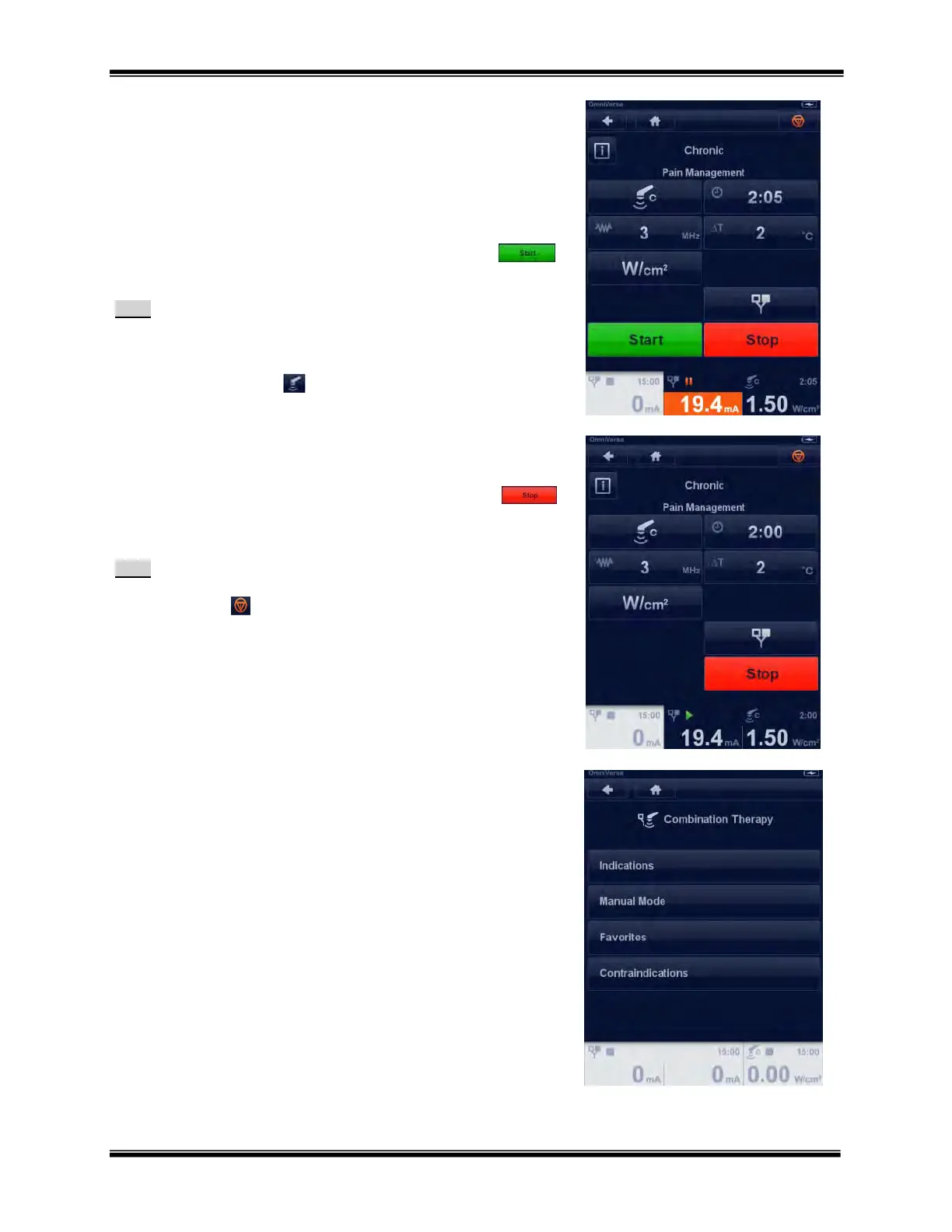
After setting the electrotherapy output intensity press START
to begin the treatment.
Note:
The Electrotherapy section provides detailed electrotherapy
setup information.
To return to the ultrasound parameters menu press the
ultrasound button
Stopping a Combination Therapy Treatment
After the treatment is started to stop the treatment press the STOP
button.
Note:
The treatment can also be stopped by pressing the emergency
stop icon
.
Pressing this button stops the output on all
channels in use
Combination Therapy - Manual Mode Operation
The Combination Therapy menu provides access to the ways you can
navigate and the Combination Therapy Contraindications library.
Indications
Manual Operation
Favorites
Contraindications
Select “Manual Operation” by touching the button and the
Combination Therapy Manual Mode menu.



 To Next Page