-
38 -
OMNIVERSA
®
ULTRASOUND / ELECTROTHERAPY SYSTEM USER MANUAL
COPYRIGHT © 2017-2020, ACCELERATED CARE PLUS CORP., ALL RIGHTS RESERVED
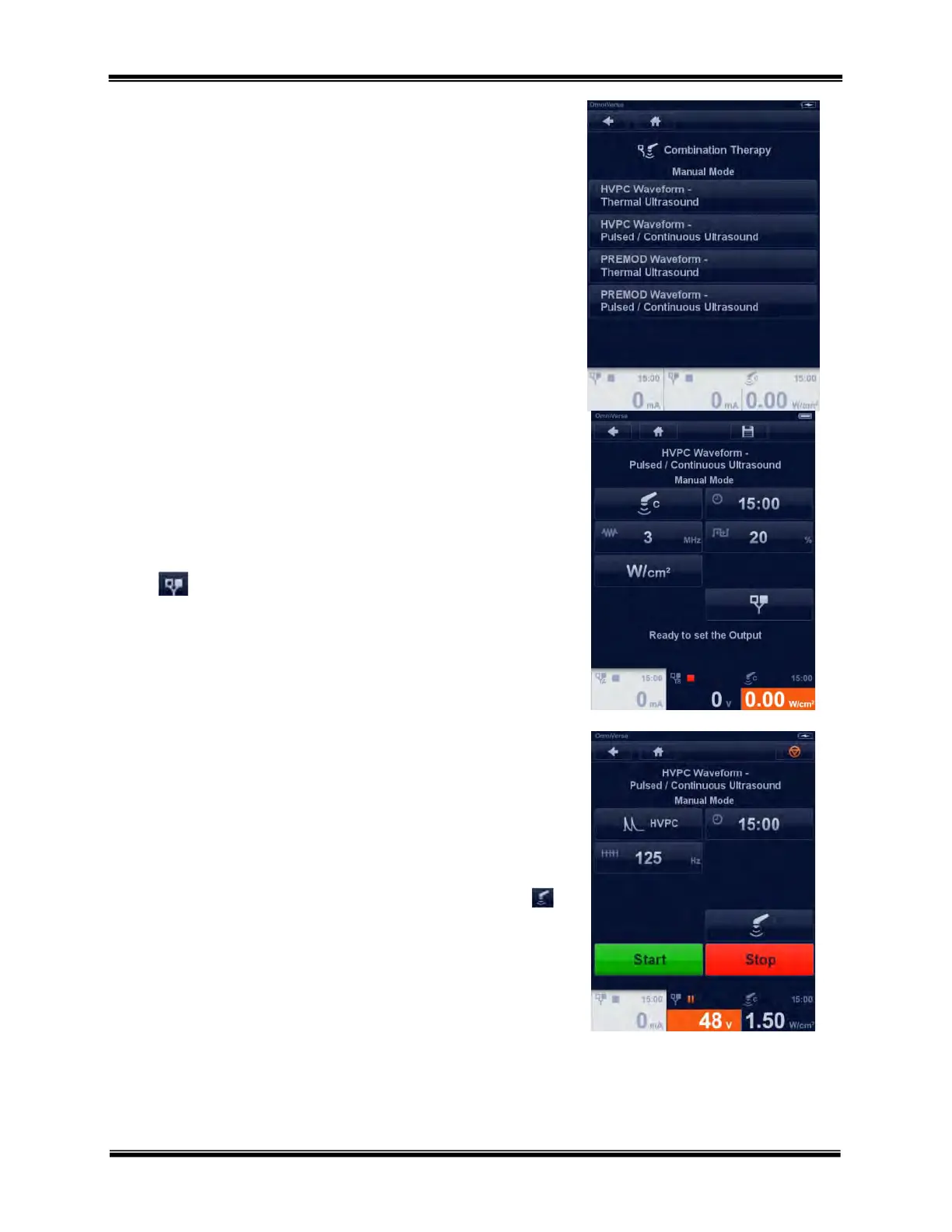
Combination Therapy Manual Mode Menu
The manual mode menu provides access to the common Combination
Therapy modes of use. Press the box of the desired mode to advance to
the ultrasound parameter menu.
Combination Therapy - Ultrasound Menu
Ultrasound
In this screen the user can adjust the intensity or change the ultrasound
parameters by touching the button and changing the value with the
Rotary Selector Dial.
To access the electrotherapy parameters, touch the electrotherapy
button at the bottom left of the screen.
Combination Therapy - Electrotherapy Menu
Electrotherapy
In this menu the user can adjust the intensity or change the
electrotherapy parameters by touching the button and changing the
value with the Rotary Selector Dial.
To return to the ultrasound parameters touch the ultrasound button
at the bottom left of the screen.



 To Next Page