Revision: 1.23
13
2 Procedures of Assembly/Disassembly
2.1 DDR3 Memory Installation
The following instructions will guide you to install DDR3 memory step-by-step.
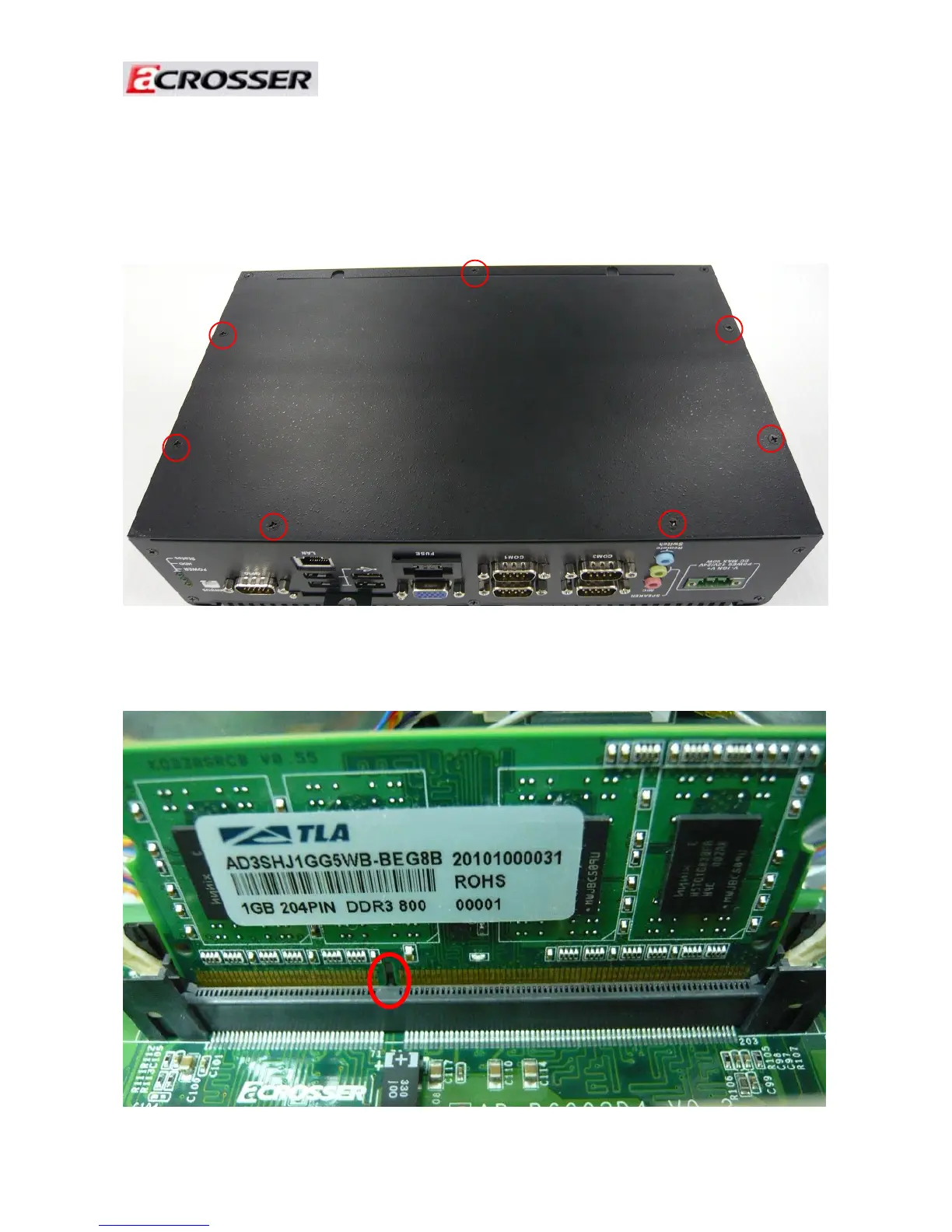
1. Unfasten seven screws of chassis bottom cover.
2. Install the DDR3 memory module into the DDR3 socket.
Align the memory module's cutout with the DDR3 slot notch.



 To Next Page