Revision: 1.23
39
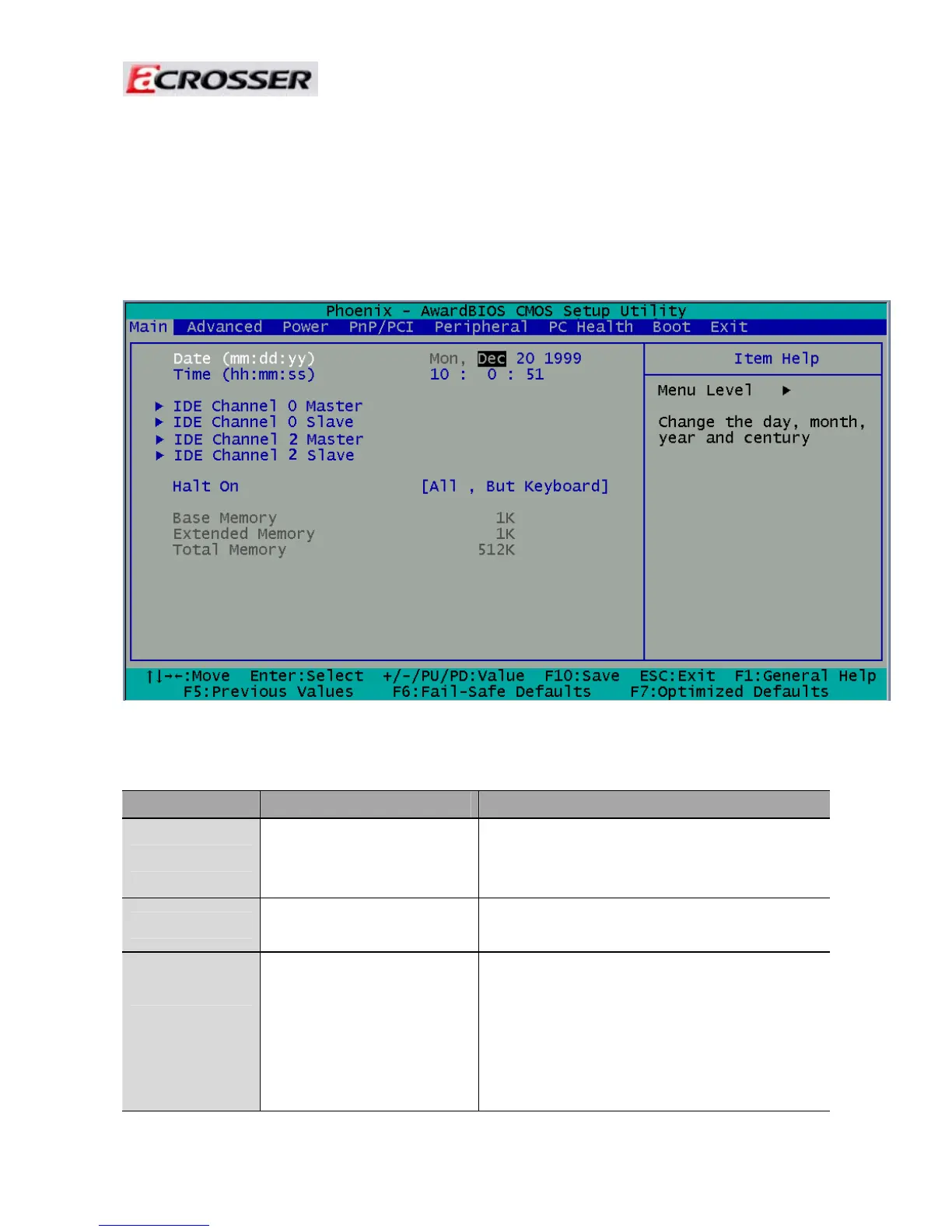
3.1 Main Setup
The BIOS setup main menu includes some options. Use the [Up/Down] arrow key to
highlight
the option, and then press the [Enter] key to select the item and configure the functions.
Note: The control keys are listed at the bottom of the menu. If you need any help with the item fields,
you can press the <F1> key, and the relevant information will be displayed.
Item Option Description
System Date
Format : MM/DD/YYYY
(month/day/year)
Set the system date. Note that the ‘Day’
automatically changes when you set the
date.
System Time
Format: HH:MM:SS
(hour:minute:second)
Set the system time.
IDE Channel 0
Master/Slave
N/A
The onboard SATA Ports support user
connecting up to 2 SATA HDD.
The first SATA Port is the “IDE Channel 0
Master” and the second is “IDE Channel 1
Master”. BIOS will auto-detect the HDD
type.



 To Next Page