Revision: 1.23
48
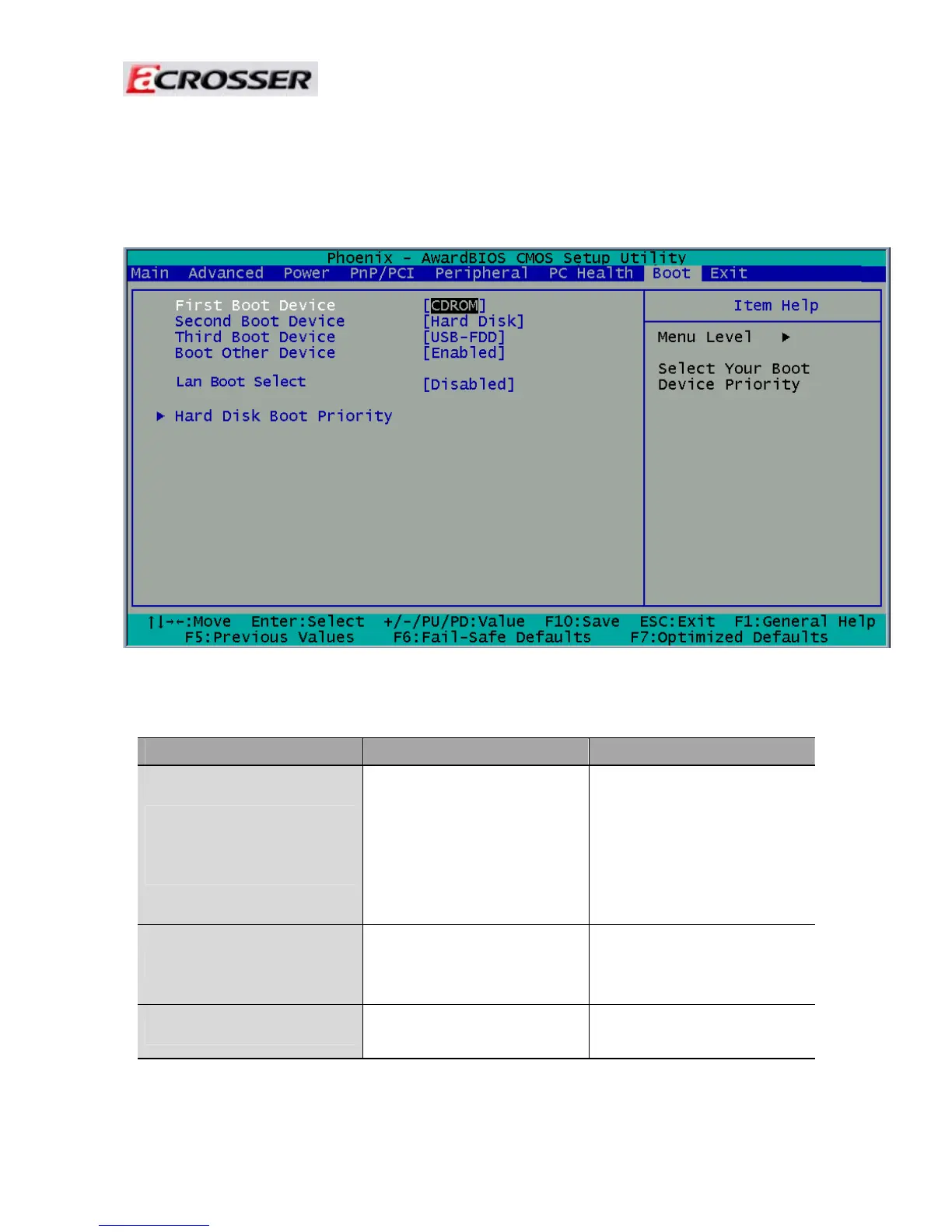
3.7 Boot Setup
This option allows user to select sequence/priority of boot device(s) and Boot from
LAN.
Note: The control keys are listed at the bottom of the menu. If you need any help with the item fields,
you can press the <F1> key, and the relevant information will be displayed.
Option Choice Description
First / Second / Third
Boot Device/Other Boot
Device
Hard Disk
CDROM
USB-FDD
USB-CDROM
LAN
Disabled
The BIOS attempts to load
the operating system from
the devices in the selected
sequence.
LAN Boot Select
Enabled
Disabled
These fields allow the
system to search for an
OS from LAN.
Hard Disk Boot Priority
N/A
These fields set the Boot
Priority for each Hard Disk.



 To Next Page