Revision: 1.23
46
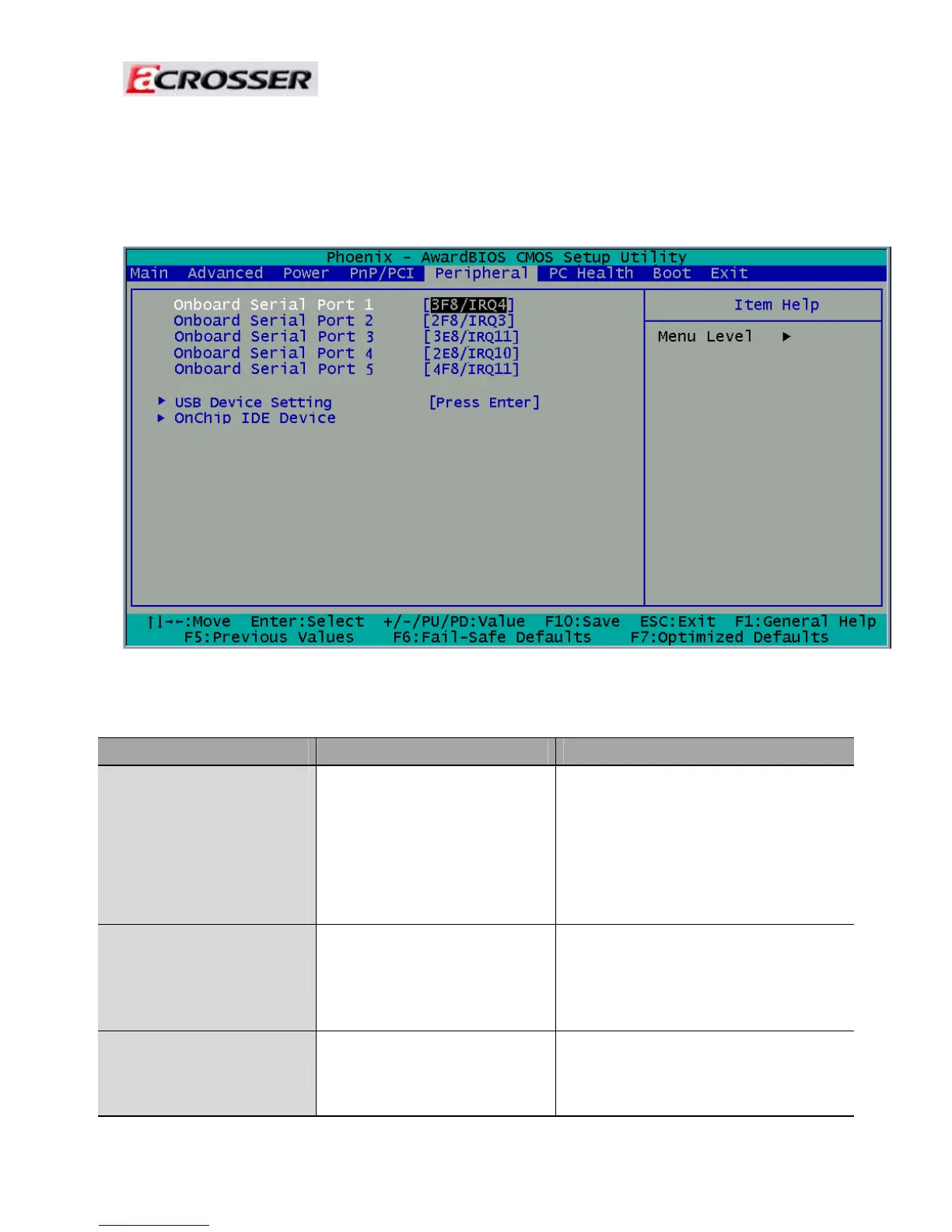
3.5 Peripherals Setup
This option controls the configuration of the board’s chipset. Control keys for this
screen are
the same as for the previous screen.
Note: The control keys are listed at the bottom of the menu. If you need any help with the item fields,
you can press the <F1> key, and the relevant information will be displayed.
Option Choice Description
Onboard Serial Port 1
Onboard Serial Port 2
Onboard Serial Port 3
Onboard Serial Port 4
Onboard Serial Port 5
Serial Port 1: 3F8 / IRQ4
Serial Port 2: 2F8 / IRQ3
Serial Port 3: 3E8 / IRQ11
Serial Port 4: 2E8 / IRQ10
Serial Port 5: 4F8 / IRQ11
Select an address and the
corresponding interrupt for each
serial port.
USB Device Setting
Select your system contains a
Universal Serial Bus (USB)
controller and you have USB
peripherals.
On chip IDE DEVICE
The integrated peripheral controller
contains an IDE interface with
support for two IDE channels.



 To Next Page