Copyright © 2016 Access Control Technology Ltd. Part No. 18-00099 Issue 1.0
13
ACTpro 1520e and ACTpro 1500e Operating & Installation Instructions
Option2: Manually add controllers
ACT Install | Advanced Setup | Controller/Hub Groups | Add controllers
(on the top right of screen).
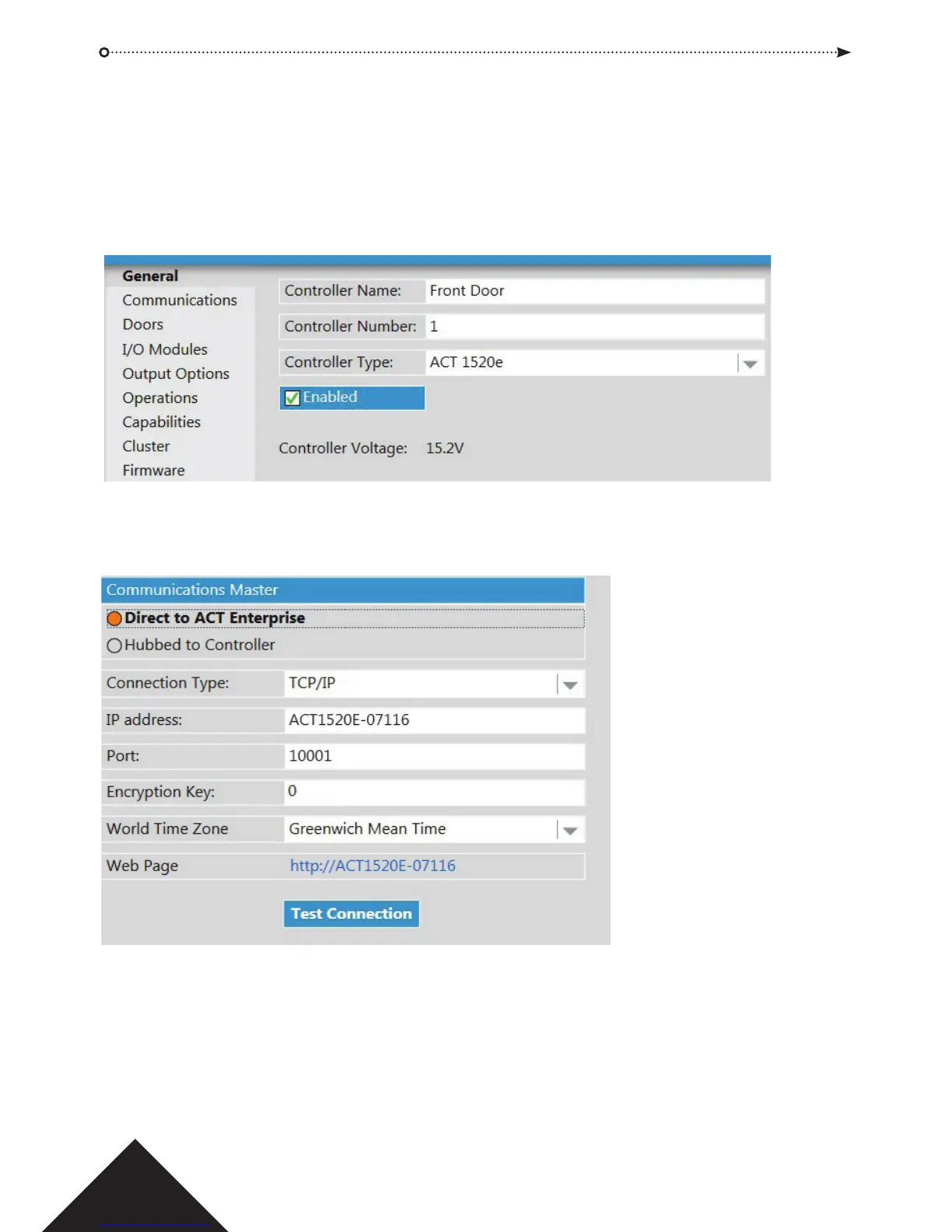
1. General Tab: ensure the controller is enabled and named appropriately. ACT
recommends a name that describes the location of the controller.
2. Communication Tab: enter the IP address or NetBIOS name of the controller
and click Test Connection.
Press SAVE.
Perform a system synchronise ACT Install | Tools | System Synchronise.



 To Next Page