Copyright © 2016 Access Control Technology Ltd. Part No. 18-00099 Issue 1.0
ACTpro 1520e and ACTpro 1500e Operating & Installation Instructions
9.0 Backup/Restore from ACT Enterprise
Caution: Before any major change always perform a full system backup.
14
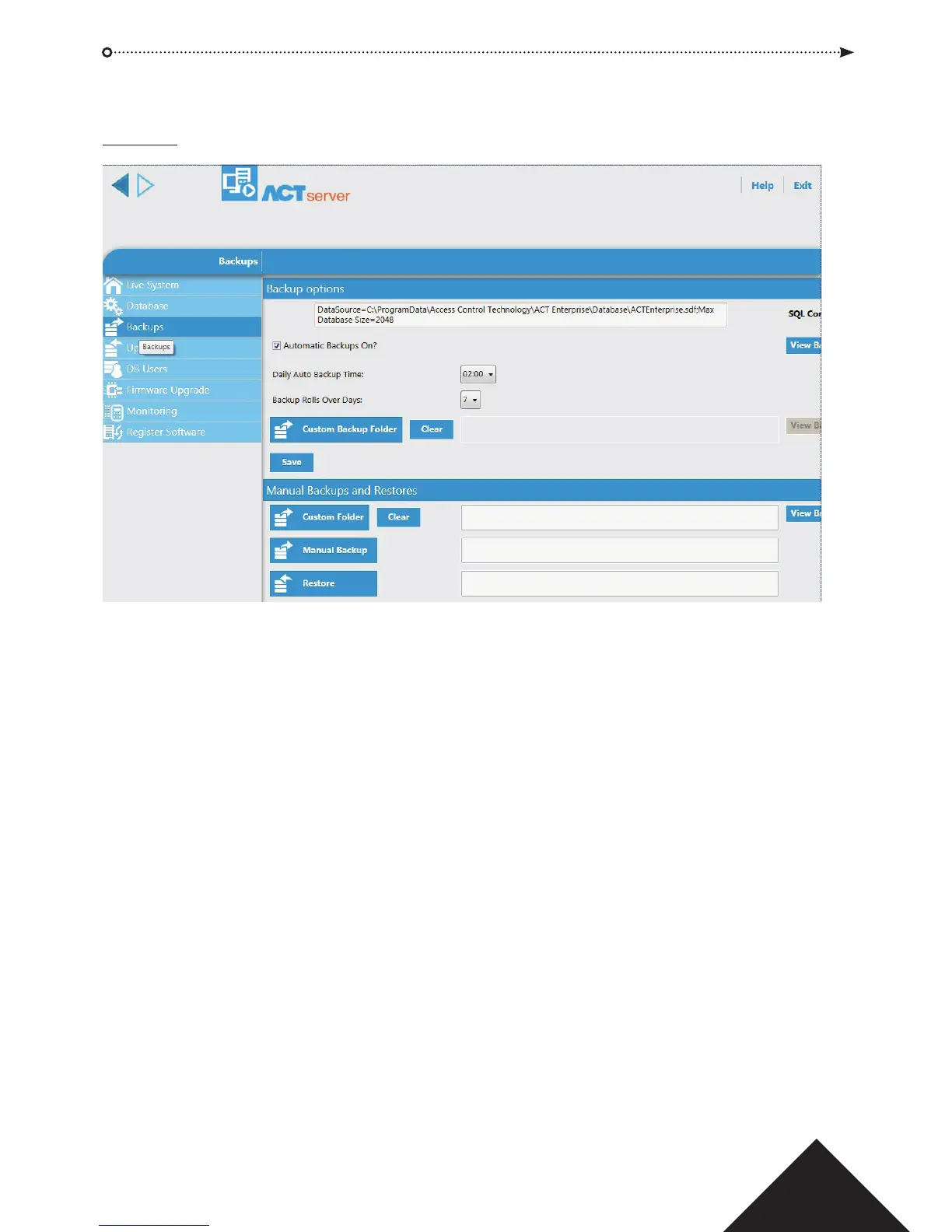
Database Backup and Restore are performed from the Server Client application,
Backups tab.
Launch ACT ServerClient application from “Start | All programs | Access Control
Tech nology | ACT Enterprise” or launch from the ACT ServerClient icon on the desktop.
Note: If the access control database is a Microsoft SQL server, ACT recommend you use
the native SQL backup and restore tool.
Manual Backup performs an instant backup.
Automatic Backups performs a backup at the scheduled time.



 To Next Page