SWITCHING ON / OFF THE SYSTEM
3.1 SWITCHING ON
To turn the system ON, proceed as follows:
• Ensure that the system is properly connected to the power supply.
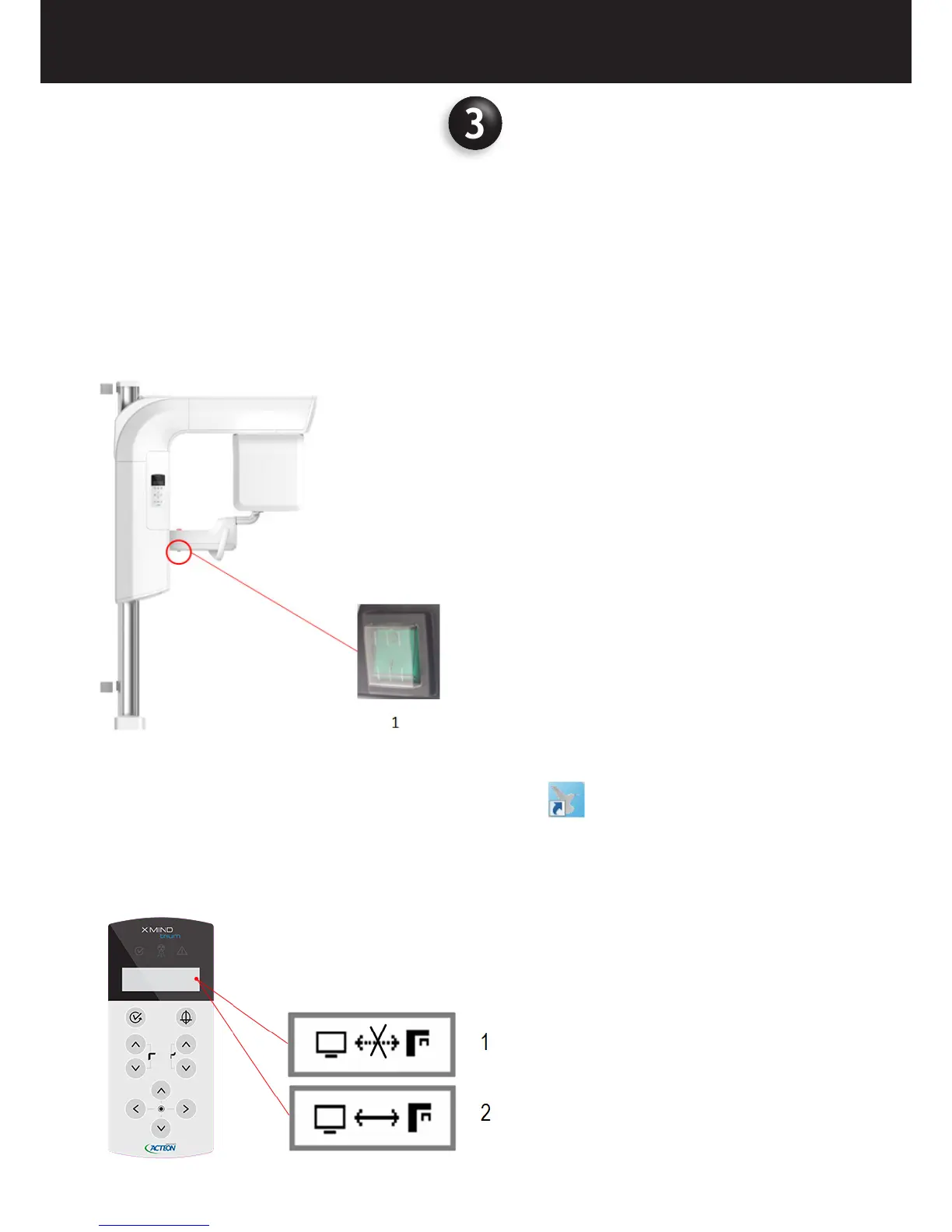
• Switch the medical device by setting the Main switch to ON position (I). The main switch is located below the patient support.
1 Main switch
• Switch on the workstation.
• Log into the operating system and click on the icon of the AIS software.
• Wait for the AIS to be launched.
• Select the language among the available ones, type in the User Name and Password and press OK.
• X-MIND trium automatically loads the software and connects the workstation with the medical device.
• Check connection status between device and workstation referring to the icon shown on the display of the control panel















 To Next Page