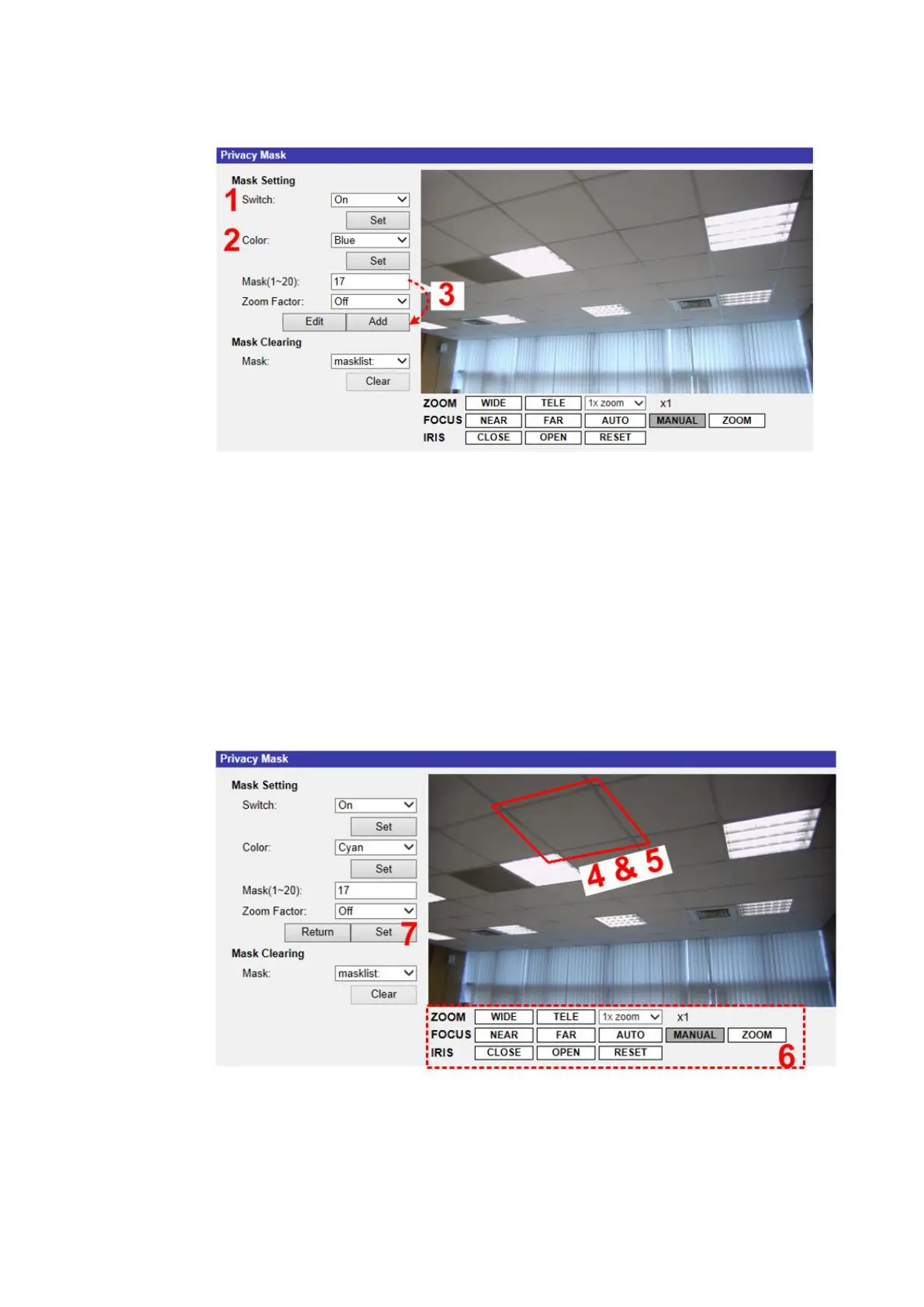
Follow the steps below to setup a privacy mask.
Step 4.Set Switch to <On> and click the <Set> button to turn on the Privacy
Mask function.
Step 5.Select a color for the mask from the <Color> drop-down list and click the
<Set> button to apply the color setting.
Step 6.Specify the mask a number, e.g. 17. If Zoom Factor is needed, select
<On> to enable this function. Then, click the <Add> button and a
privacy mask will be displayed on the Live Video Pane on the right.
Step 7.To shift the mask to the intended location, move the mouse cursor to the
center of the mask and click and drag.



 To Next Page