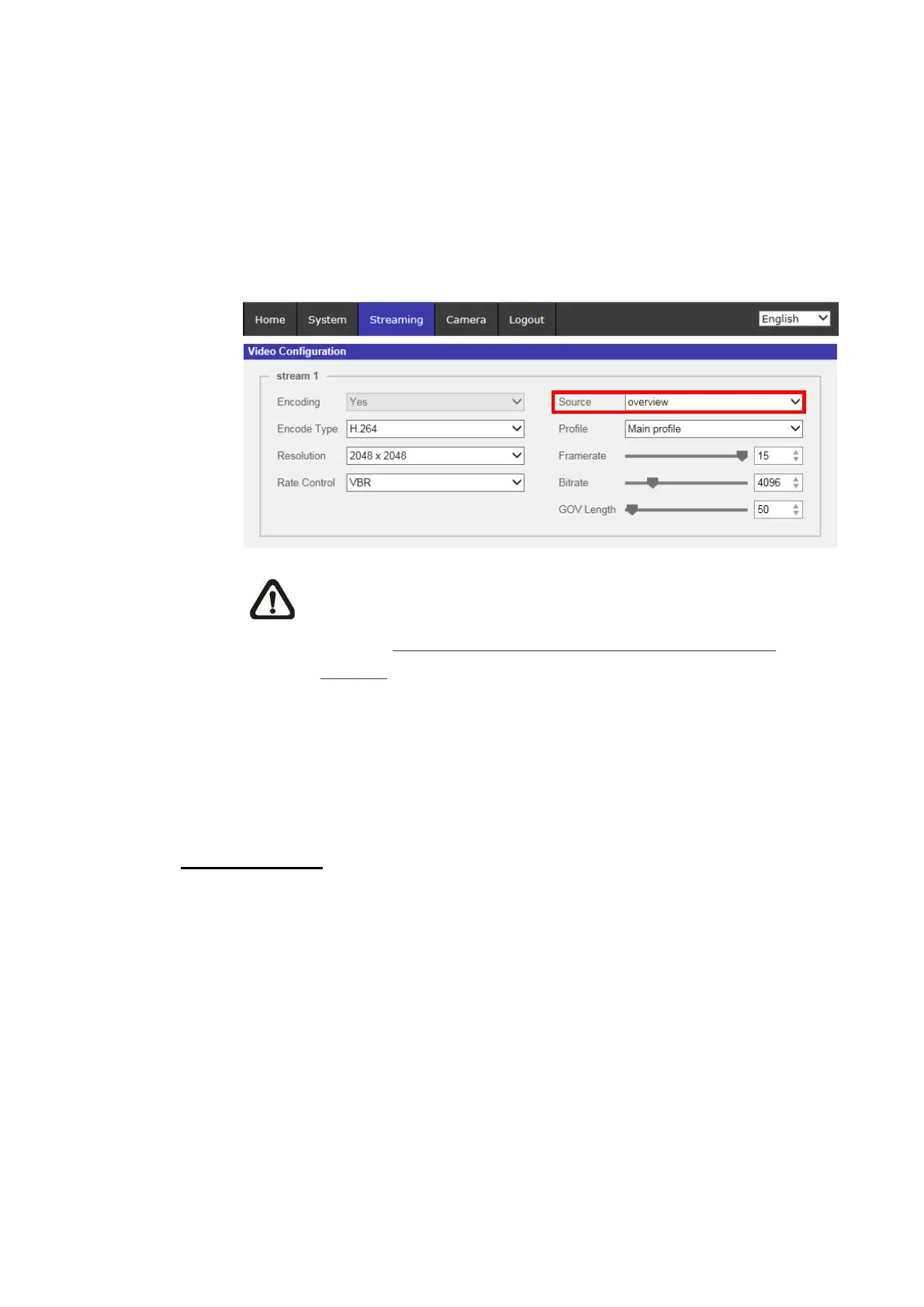
The default setting for Stream 1 & Stream 2 is “stitiched_view” Mode. If
users want to view the unstitched images of each fixed Lens, please
select the viewing mode of Stream 1 as “view_1” or “view_2” Mode
firstly. Then, select the desired unstitched viewing mode for Stream 2.
Fisheye Model (8)
The default setting for Stream 1 is “overview” Mode.
NOTE: This item is only available when Fisheye Dewarping
Type is set as <Front End Camera Dewarping>. Refer to the
section Fisheye Setting (Fisheye IP Camera Only) under
Camera for further details.
Click on <Save> to confirm the setting or click on <Reset> to return to the
previous settings.
2.3.2 Video Rotation
Rotate Function
Users can change video display type if necessary. Selectable video rotate types
include Mirror video and 90/180/270 degree clockwise rotate. Refer to the
following descriptions for the different video rotate type.
Mirror
Select <yes> from the drop-down menu, and the image will be rotated
horizontally.
Rotate Type
Users can choose 0, 90, 180, or 270 degree from the drop-down menu
to rotate the image.
Click on <Save> to confirm the setting.



 To Next Page