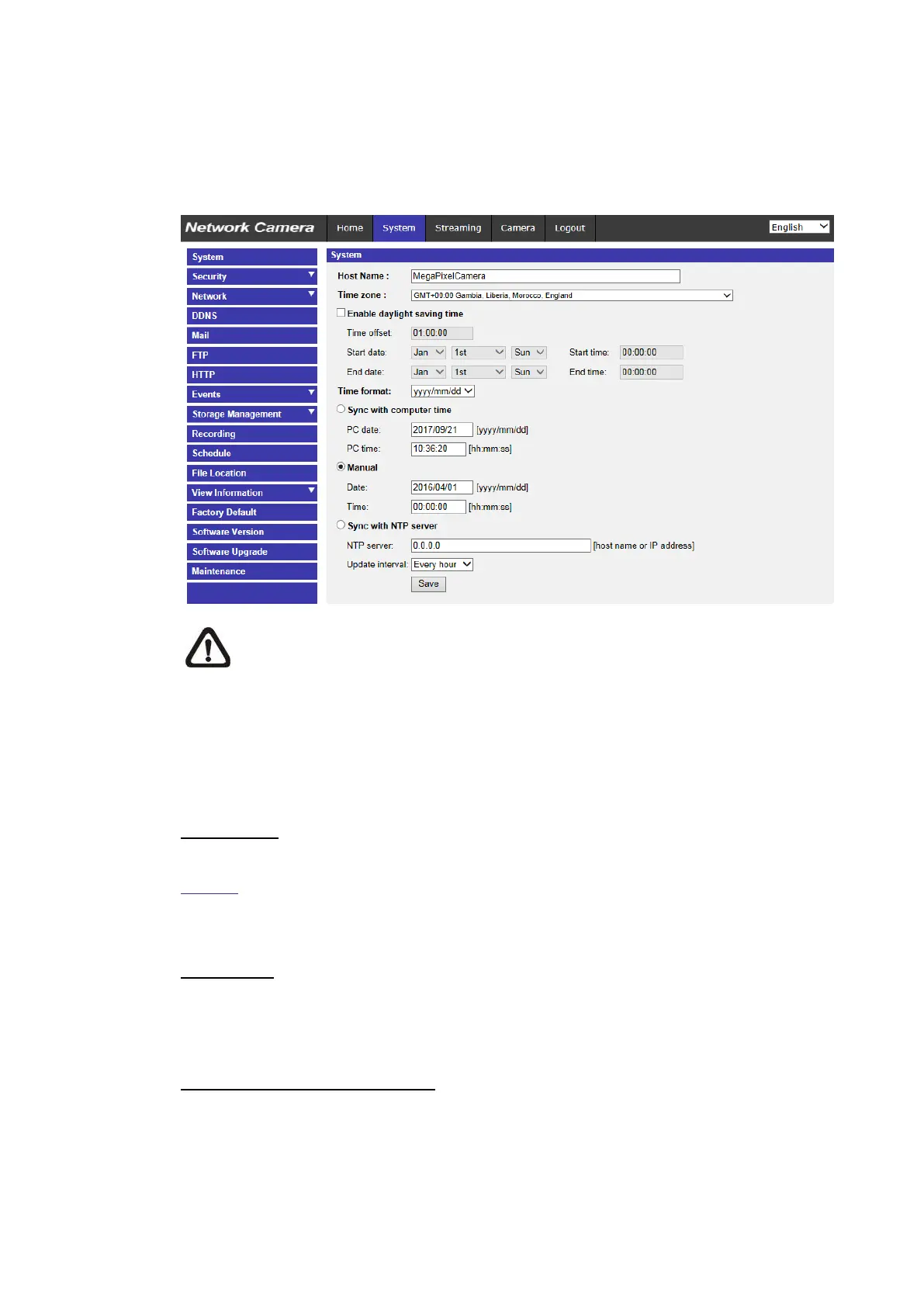
2.2 System
Under the tab <System>, the categories are shown as the configure page
below.
NOTE: Only Administrator can access the <System> configuration
page.
2.2.1 System
The System setting can be found under the path: System> System.
Host Name
The name is for camera identification. If the alarm function (refer to section
Events) is enabled and is set to send alarm messages by Mail / FTP, the host
name entered here will be displayed in the alarm message.
Time Zone
Select the time zone from the drop-down menu according to the location of the
camera.
Enable Daylight Saving Time
To enable DST, please check the item and then specify the time offset and the
DST duration. The format for time offset is [hh:mm:ss]; for instance, if the
amount of time offset is one hour, please enter “01:00:00” into the field.



 To Next Page