Disable Recording Schedule
Select <Disable> to terminate the recording function.
Click on <Save> when finished.
2.2.11 Schedule
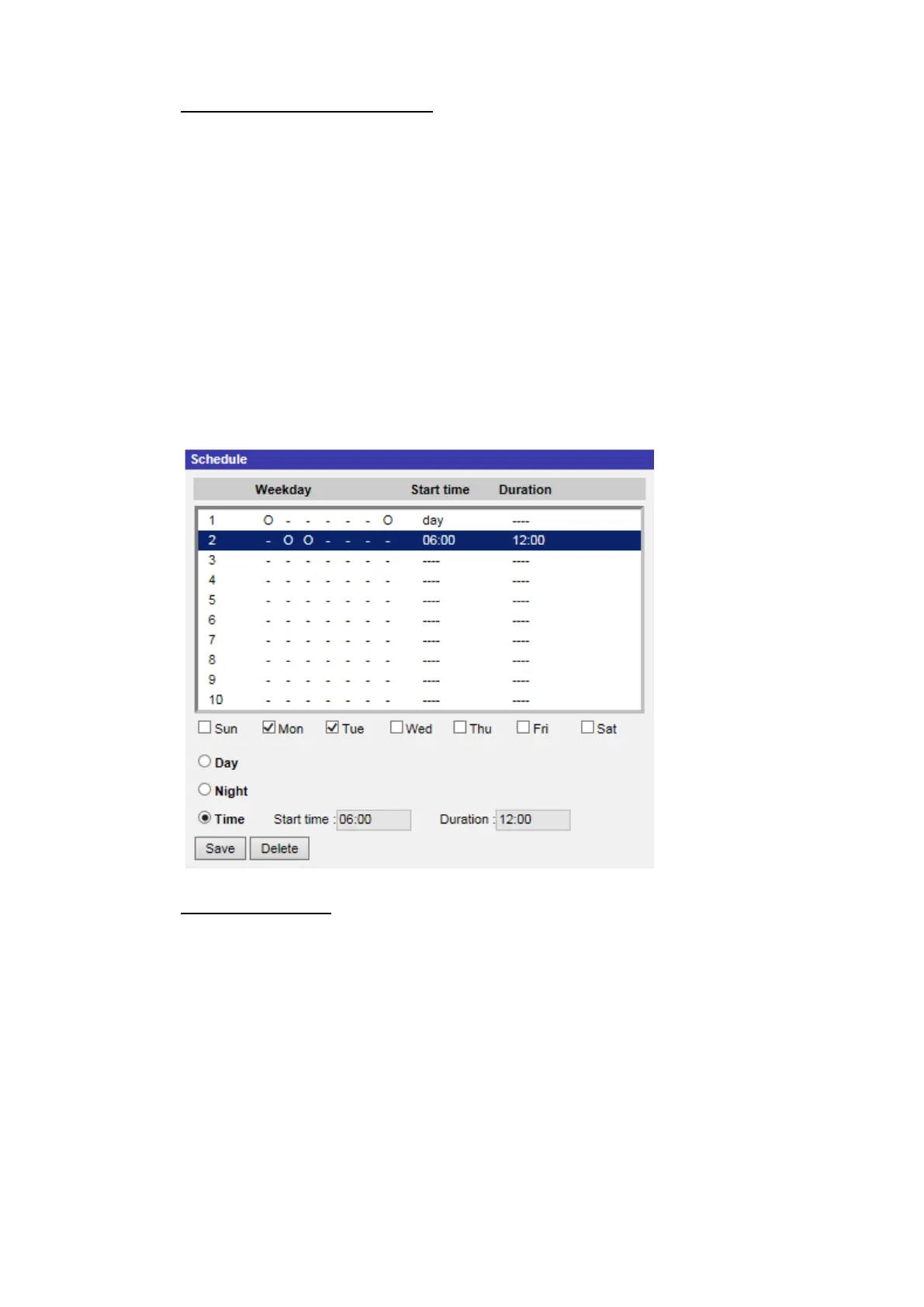
The Schedule setting can be found under this path: System> Schedule.
This function allows users to setup schedules for features including: <Alarm
Switch>, <Motion Detection> and <Network Failure Detection>. The function
supports up to 10 sets of time frames in the time frame list.
Schedules Setup
Step 1. Select a time frame from the time frame list.
Step 2. Check the weekday boxes below to choose the specific weekdays.
Step 3. Select a time mode, Day, Night or Time. Under Time mode, specify
the start time (hour:minute) and the time duration (hour:minute) to
activate the schedule triggered features. The setting range for the
time duration is from 00:00 to 168:59.
Step 4. Click on <Save> to save the setup. Alternatively, click on <Delete> to
delete a chosen time frame.



 To Next Page