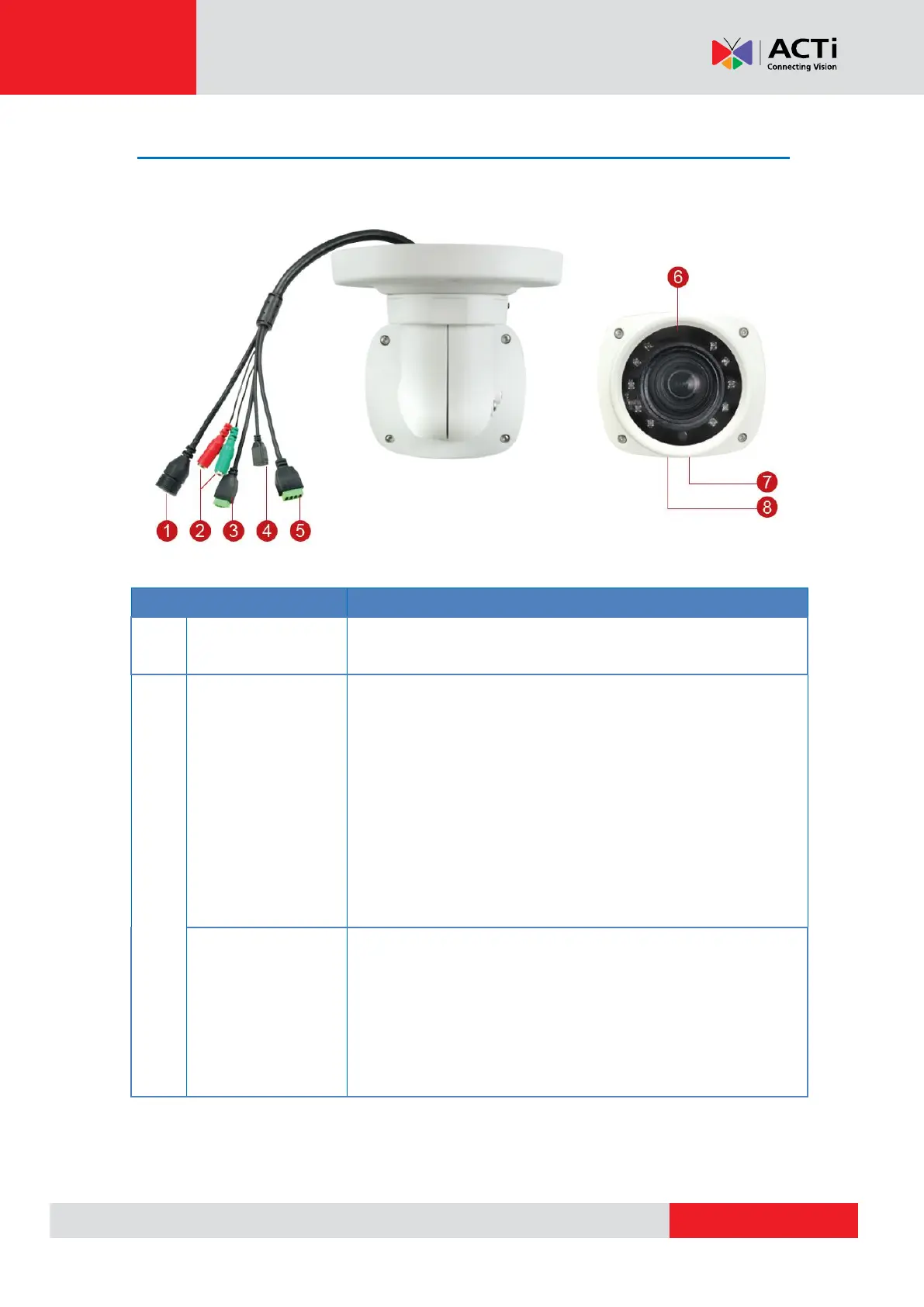
Connects to a microphone with built-in amplifier. See
Connecting Audio Input / Output Devices
(Optional) on page 34 for more information.
NOTE 1: The microphone must have a built-in
amplifier. Connecting an ordinary microphone will
dwarf sounds and will result in inaudible recording.
NOTE 2: If the audio connectors will not be used,
leave the rubber caps on to ensure cables remain
waterproof and eliminate short-circuit hazards.
Connects to audio output devices, such as a speaker,
etc. See Connecting Audio Input / Output Devices
(Optional) on page 34 for more information.
NOTE: If the audio connectors will not be used, leave
the rubber caps on to ensure cables remain
waterproof and eliminate short-circuit hazards.



 To Next Page