Hardware Manual
37
How to Position Camera for Corridor View Format
The camera supports the following viewing format:
Horizontal: The camera has a wider viewing angle horizontally.
Corridor: The camera has wider viewing angle vertically.
The camera is set to horizontal viewing angle, by default. To change between Horizontal and
Corridor format, do the following:
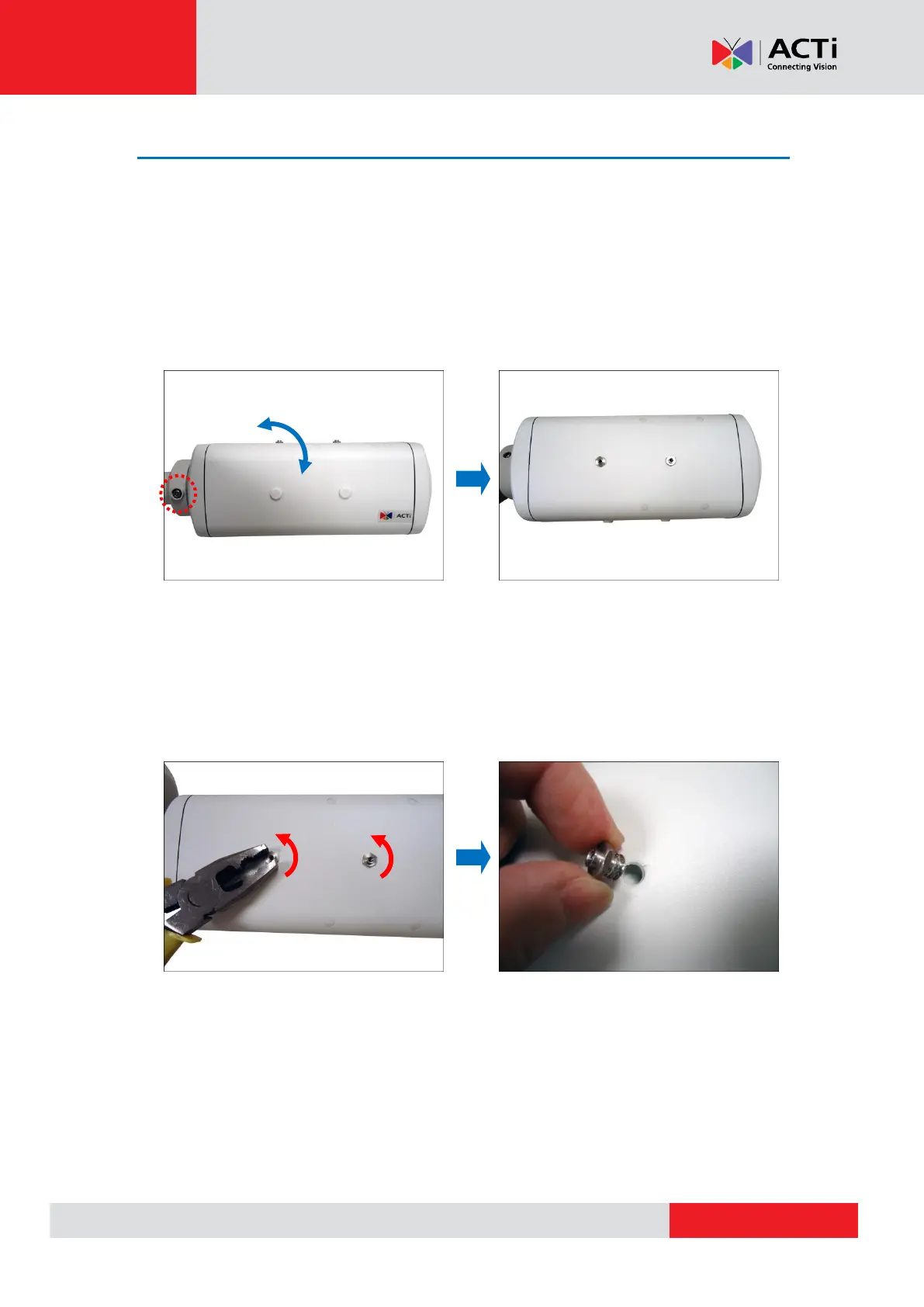
1. Loosen the Rotation Adjustment Screw and adjust the camera body orientation.
2. Tighten the Rotation Adjustment Screw to fix the camera orientation position.
3. Attach the sunshield to its position based on the camera orientation. Since the default
sunshield position is for the camera normal view format, you must move the set screw
position first.
4. Remove the two (2) set screws from its original position.



 To Next Page