Hardware Manual
26
7. Connect the Ethernet connector to the Ethernet port of the camera.
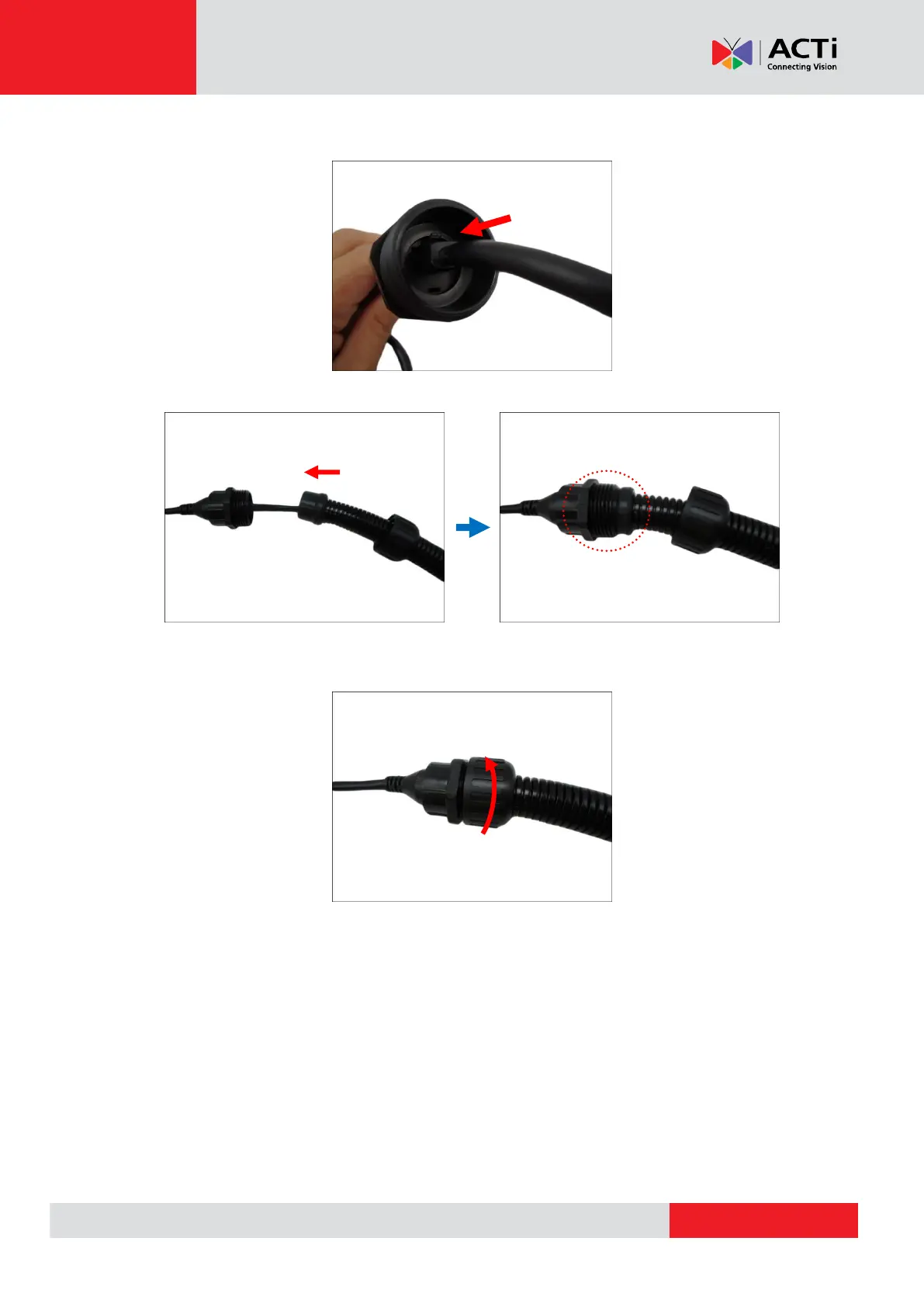
8. Insert the sealing rubber into the conduit gland body.
9. Attach the clamping nut to the conduit gland body. Make sure the clamping nut is tightly
secure to avoid water leakage.
10. If connecting other devices, such as digital input/output, audio, power adapter, etc., connect
the cables according to the instructions in:
a. To connect the power adapter, see Connecting a Power Adapter (Optional) on page
28.
b. To connect digital input or output device, see Connecting Digital Input / Output
Devices (Optional) on page 31.
c. To connect audio input or output device, see Connecting Audio Input / Output Devices
(Optional) on page 34.



 To Next Page