Installation Guide
13
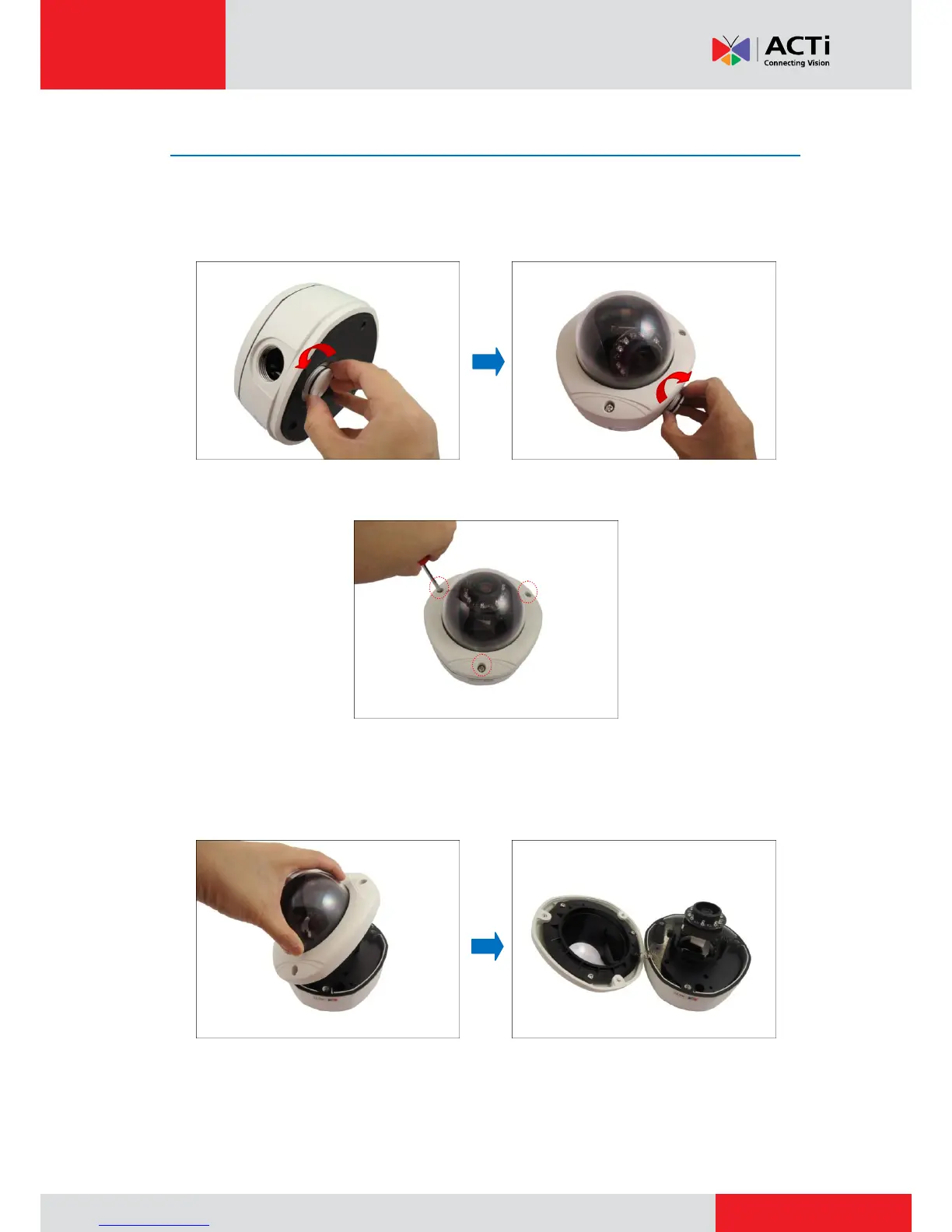
Step 5: Open the Dome Cover
1. Remove the plastic covering the camera.
2. Remove the metal cap covering the bottom conduit hole of the camera, and attach the cap to
the side conduit hole to close it.
3. Loosen the three (3) screws securing the dome cover.
4. Carefully lift to open the dome cover and place it on the side of the camera.
NOTE: Do not abruptly lift the dome cover; it is attached to the camera with a spring wire.
TIP: You may remove the dome cover for convenience until all installations are complete.
See Removing the Dome Cover on page 33.



 To Next Page