Installation Guide
32
Installing Extension Tubes
If the Heavy Duty Mount / Gooseneck is not long enough, add one extension tube (purchased
separately).
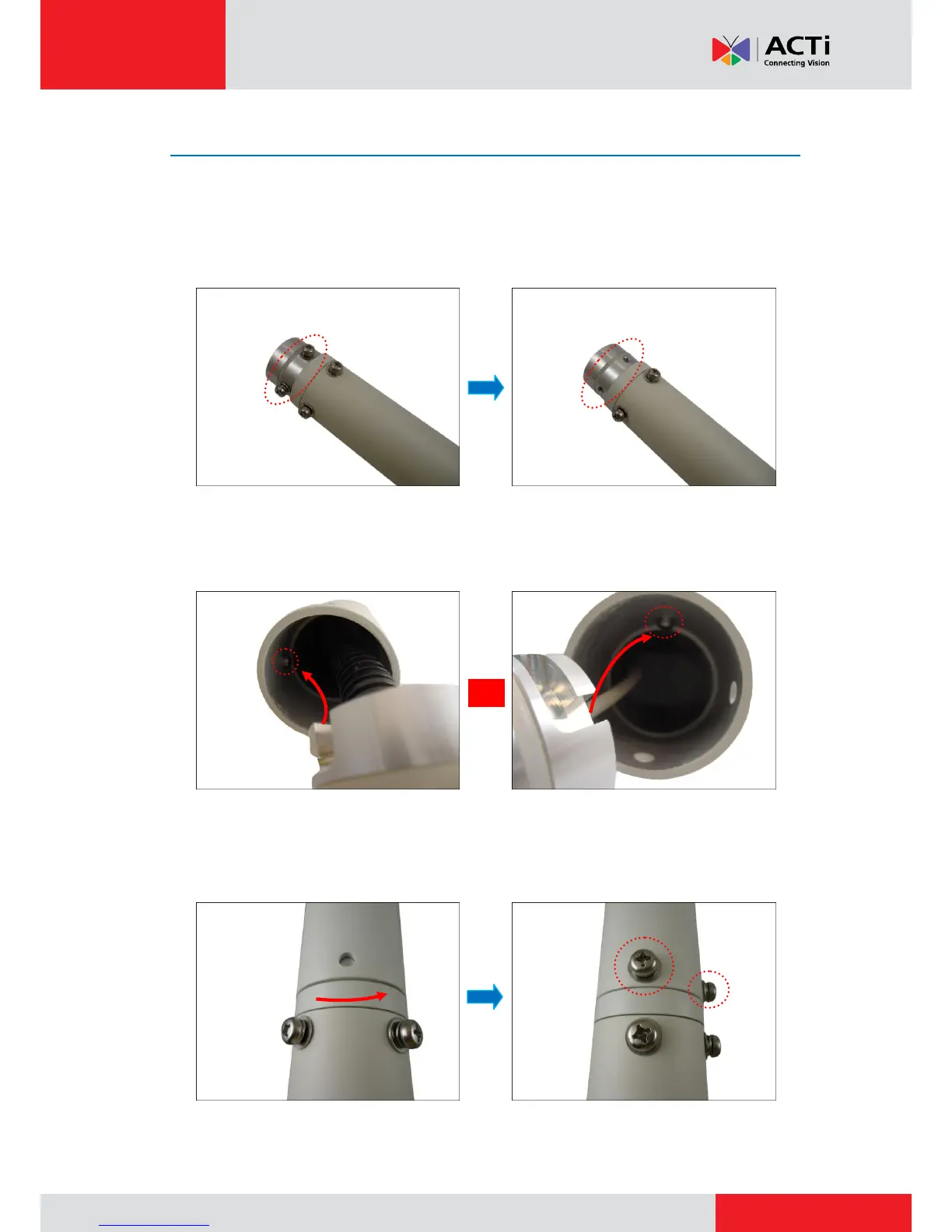
1. Remove the two (2) pre-installed screws on the extension tube.
2. Insert the cable into the extension tube.
3. Align the slot on the extension tube to the tab inside the Heavy Duty Mount / Gooseneck and
install the extension tube.
Cable With Flex Conduit Cable without Flex Conduit
4. Twist the extension tube to align the screw holes and reattach the two (2) mounting screws
removed from step 1.



 To Next Page