Installation Guide
7
Waterproof Solution with Conduit
This section describes the procedures to waterproof the cabling connections using the bundled
conduit gland and flexible conduit. This is the recommended when an exterior-grade Ethernet
cable is not available or if other input/output devices or an external power adapter will be
connected to the camera (select models only).
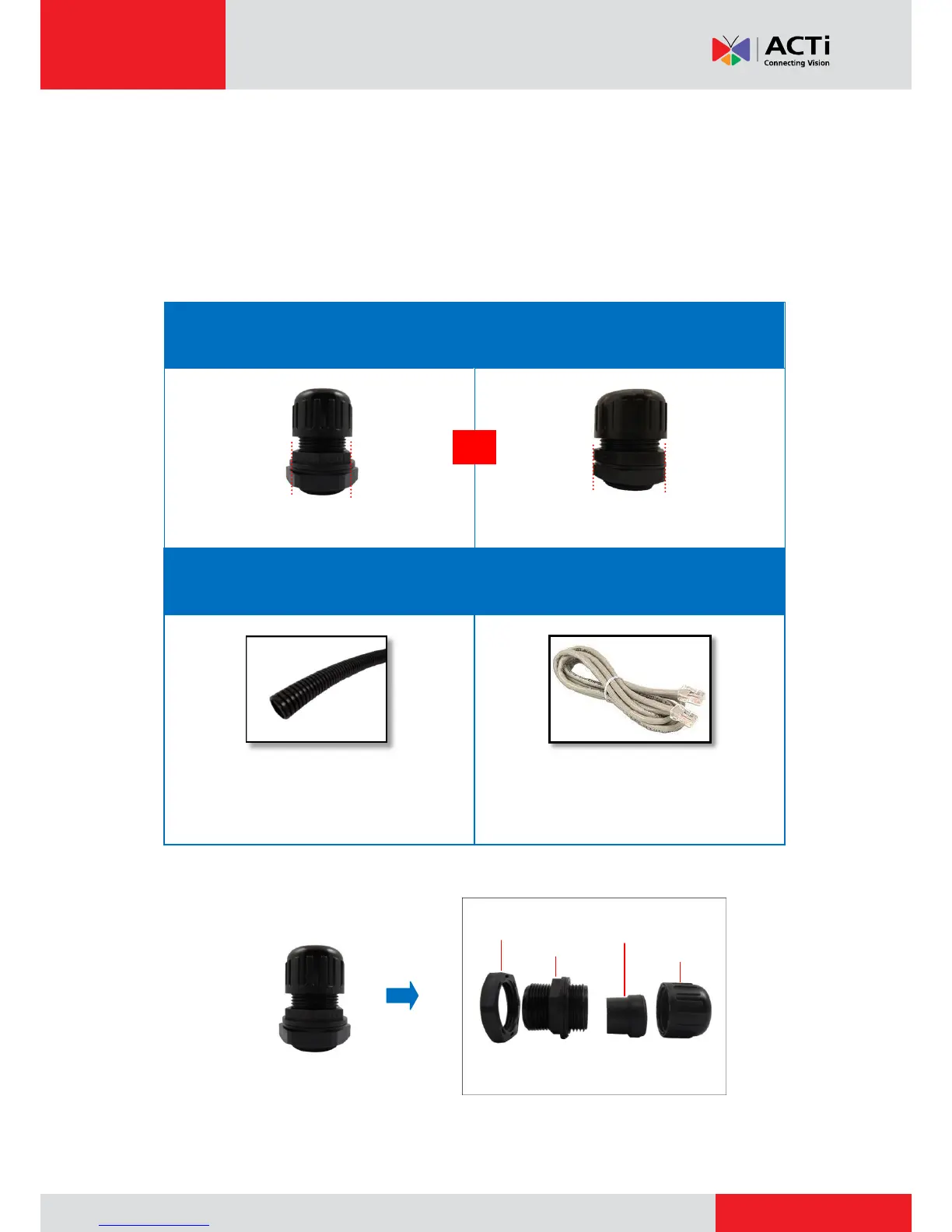
1. Prepare the following materials for waterproof installation:
Conduit Gland
(included in the camera package)
For use with 3/8” flexible conduit
For use with 1/2” flexible conduit
Flexible Conduit
3/8” or 1/2" Trade size
(not included in the package)
Network Cable
CAT 5 or CAT 6
(not included in the package)
NOTE: The bundled conduit gland may vary.
Check the conduit gland that came with your
package to determine if 3/8” or 1/2" is the
suitable flexible conduit size.
2. Disassemble the bundled conduit gland as shown below:
NOTE: In this installation, the conduit gland body can be securely attached to the mount kit;
therefore the use of lock nut is not necessary. Please set the lock nut aside.



 To Next Page