4 5
SETUP
Food Preparation
may increase your risk of food-borne illness, especially if you have certain
preparing meat and seafood. Please adhere to the recommended cooking
temperatures.
USDA Recommended Guidelines
Product
Minimum Internal Temperature
& Rest Time
Beef, Pork, Veal & Lamb
Steaks, chops, roasts
145 °F (62.8 °C) and allow to rest
for at least 3 minutes
Ground meats
160 °F (71.1 °C)
All Poultry
165 °F (73.9 °C)
Fish & Shellfish
145 °F (62.8 °C)
For more information on food preparation safety, visit:
http://www.fsis.usda.gov
Using the Thermometer
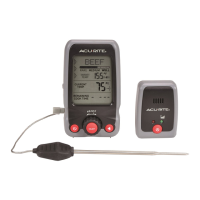
1. Before operating, plug the temperature probe into the thermometer display.
3. Press the “
information can then be viewed.
4. Press the “
” button on the thermometer display to enable or disable the
audio alert. With the function enabled, you will hear a beep each time a
selection is made during setup and when target cooking temperatures are
reached.
5. Magnet-mountable design allows you to stick the thermometer on the oven
door or fridge.
6. To use the Remote Pager, press the “
” button on the pager.
7. Slide the Alert switch, located on the side of the Remote Pager, to select
audio alert or silent vibrate mode. Set to “
“ to enable audio alert. Set to
“
“ to enable silent vibrate mode.
Meat Type Setup
2. To adjust the meat type, turn the rotary dial clockwise to move forward
through the selections and counterclockwise to move backward through the
selections
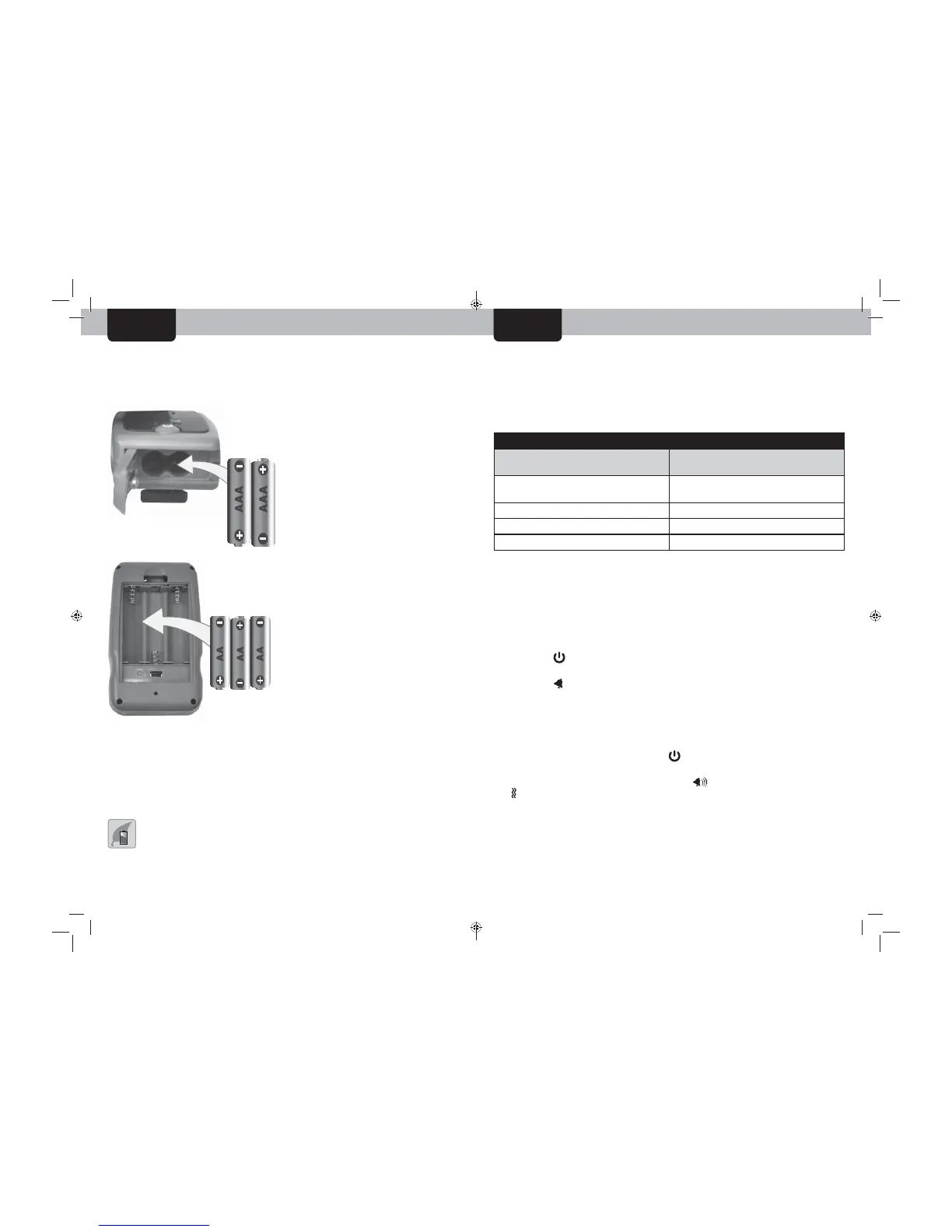
Install or Replace Batteries
AcuRite recommends high quality alkaline batteries for the best product
performance. Heavy duty or rechargeable batteries are not recommended.
Select Degrees Fahrenheit or Celsius
To select between degrees Fahrenheit (ºF) or Celsius (ºC) temperature
units, slide the “ºF/ºC” switch, located in the battery compartment of the
thermometer.
PLEASE DISPOSE OF OLD OR DEFECTIVE BATTERIES IN AN ENVIRONMENTALLY SAFE
WAY AND IN ACCORDANCE WITH YOUR LOCAL LAWS AND REGULATIONS.
BATTERY SAFETY: Clean the battery contacts and also those of the device prior to battery installation. Remove batteries from equipment which is not to be
used for an extended period of time. Follow the polarity (+/-) diagram in the battery compartment. Promptly remove dead batteries from the device. Dispose of used
batteries properly. Only batteries of the same or equivalent type as recommended are to be used. DO NOT incinerate used batteries. DO NOT dispose of batteries in fire,
as batteries may explode or leak. DO NOT mix old and new batteries or types of batteries (alkaline/standard). DO NOT use rechargeable batteries. DO NOT recharge
non-rechargeable batteries. DO NOT short-circuit the supply terminals.
Remote Pager
1. Slide off the battery compartment
cover, located on the bottom of the
unit.
2. Insert 2 x AAA batteries into the
battery compartment. Follow the
polarity (+/-) diagram in the battery
compartment.
3. Replace the battery cover.
Thermometer Display
1. Slide off the battery compartment
cover.
2. Insert 3 x AA batteries into the
battery compartment. Follow the
polarity (+/-) diagram in the battery
compartment.
3. Replace the battery cover.
OPERATION


 To Next Page