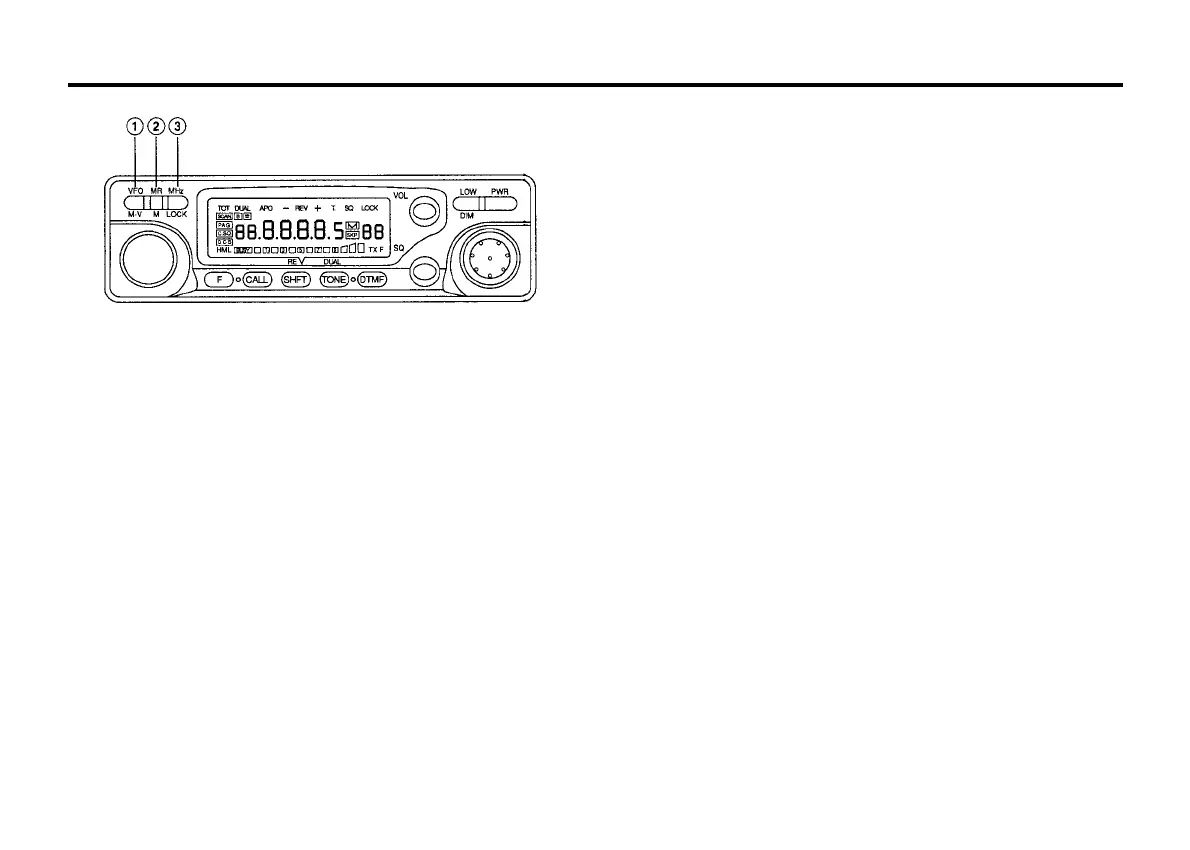
10
VFO/MV key
This key is used to VFO operation after operating in the MR or
CALL channel mode. Pressing this key will allow the turning
control and microphone UP/DN keys to increase or decrease the
operating frequency.
Press and hold the key for longer than 1 second to initiate VFO
scan. Pressing the key after scan has been initiated will cause
scan to stop.
Pressing the key within 10 seconds of pressing the F key will copy
the memory channel or call channel data to the VFO. This allows
you to change parameters of the channel without actually
changing the data that has been stored in memory.
Pressing the key F key for longer than 1 second and then pressing
the VFO key will allow you to set the offset frequency.
If you press and hold the VFO key while you turn on the POWER
switch you will reset the microphone's VFO memory, without
destroying the memory channel or call channel data. (VFO Reset)
MR/M key
This key is used to select MR (Memory Recall) mode from the VFO
mode. The Tuning control can then be used to select the desired
memory channel.
Press the key for longer than 1 second will initiate memory
channel scanning.
Pressing the key within 10 second of pressing the F key will store
the display data into memory.
In the MR channel mode pressing the F key for longer than 1
second and then pressing the MR key will cause the Memory
channel to skip during Memory channel scan mode.
If you hold and press this key while you turn on the PWR
switch you will clear all the microprocessor's operator
programmed
memory section.(system reset)
MHz/LOCK key
This key is used to tell the microprocessor that you wish to turning
the operating frequency in 1 MHz step.If the DTMF board is
installed, you also could enter the frequency with the 16-tone DTMF
keypad directly.
Pressing this key within 10 seconds of pressing the F key will
cause the key lock function to activate, protecting the currently
display data from accidental erasure.
Pressing the F key for longer than 1 second and then pressing
MHz/LOCK key while the indicator is flashing will turn the
AUTOMATIC POWER OFF function on or off.



 To Next Page