15
Note
The frequencies shown above are the default frequencies after a
microprocessor reset. If the display shows incomplete data or
you think the displayed frequency is in error you should reset the
Microprocessor.
Caution
Turn off the transceiver PWR switch before you start or stop your
vehicles engine, or your home power supply.
3. Rotate the VOL control clockwise until a signal or noise is heard
coming from the speaker.
4.Rotate the tuning control or press the microphone UP/DN
switches to select an open channel. Then rotate the SQ control
clockwise until the noise just disappears and the BUSY indicator
turns off. This point is known as the Squelch Threshold point. The
squelch control must be adjusted to this setting for the Scan
functions to operate properly.
5. Select the desired operating frequency using the microphone or
tuning control. When a signal is received the S-meter will deflect
and the BUSY indicator will turn ON.
5-2-3 Frequency Step Selection
The frequency step is indicated in the chart below.
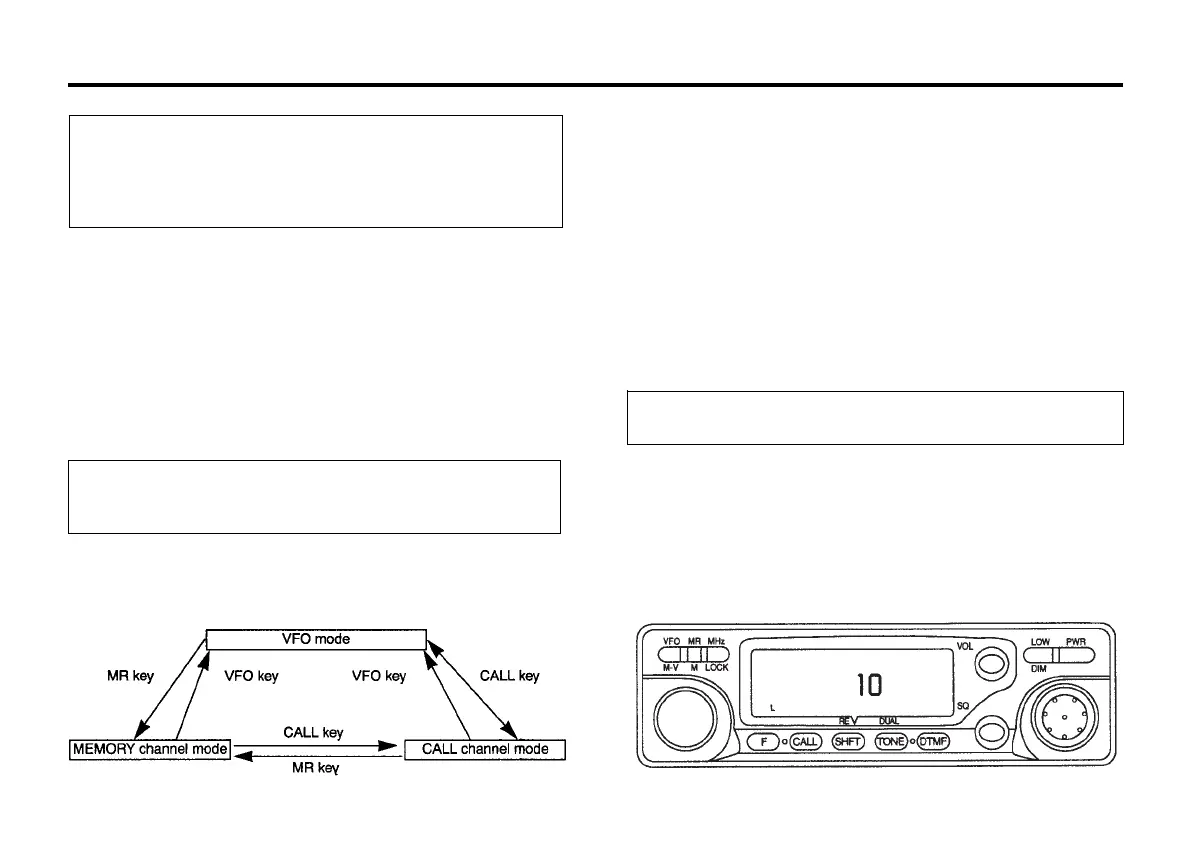
● VFO Mode Operation Frequency Selection
1. Press the VFO/MV key to select the VFO mode.
2. Rotate the tuning control or press the microphone UP/DN
switches to select the desired frequency.
● Memory Channel Selection
1. Press the MR/M key.
2. Rotate the tuning control or press the microphone UP/DN
switches to select the desired memory channel.
● CALL Channel Selection
Press the CALL key to select the Call channel.
To select the desired tuning or scan step size use the following
procedure:
5-2-2 Frequency Selection
You can change the dial frequency while in the VFO mode. The
frequency can then also be stored in memory, or in the call channel
using the techniques that will be described in this manual.
1. Press the VFO/MV key to select the VFO mode.
2. Press the F key for longer than 1 second. The F indicator should
light in the display.
3. Press the SHFT/REV key within 10 seconds of pressing the F key.
The current frequency step size will be displayed.
→
→
Frequency step
(KHz)
5 10
→
→
12.5
→
→
15
→
→
20
→
→
25
→
→
50



 To Next Page