39
5-18 CHANNEL DISPLAY
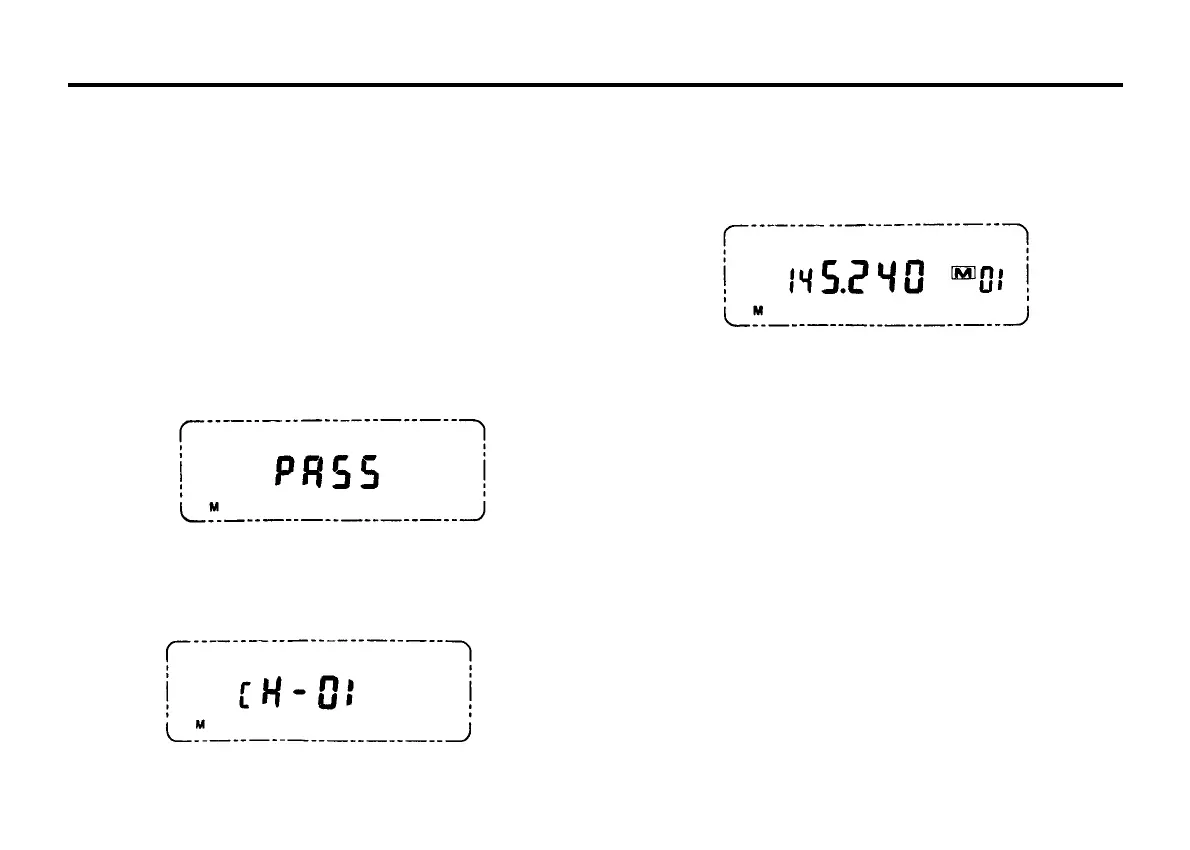
The frequency display can be changed to channel number display.
CH01 is memory channel 1, CH02 is memory channel 2, etc.
5-18-1 Channel display mode
1. Press the MR/M key to select the Memory channel mode.
2. Turn OFF the Transceiver by pressing the POWER switch.
3. Press both the PTT and CALL key of microphone, press the
MHz/LOCK and hold these 3 keys depressed while turn ON the
transceiver.
4. The LCD will display " PASS " to indicate entering into the CH mode
successfully.
5-18-2 Normal frequency display mode
Performs the procedures 2,3,4,5 as indicated in 5-18-1 will return to the
normal frequency display mode.
5-19 AM RECEPTION(AR-147 option only)
When the AM RECEPTION option is installed in the AR-147, it is able to
receive AM signals within the frequency range of 118.000 to 135.995
MHz (Air Band).
1. Turn the transceiver to VFO display mode.
2. Press the MHz key for longer than 1 second. The LCD will display "A"
to indicate it is in the AM RECEPTION mode. Transmitting is not
allowed whilst in this mode.
3. Press the MHz key for longer than 1 second again, it returns the
transceiver to normal FM mode.
5. Turn OFF the power switch and then turn on the power. It will the CH
mode display on LCD.



 To Next Page