31
5-10-1 Paging Code Memories
There are five paging code memories.
5-10-2 Setting the Paging Codes
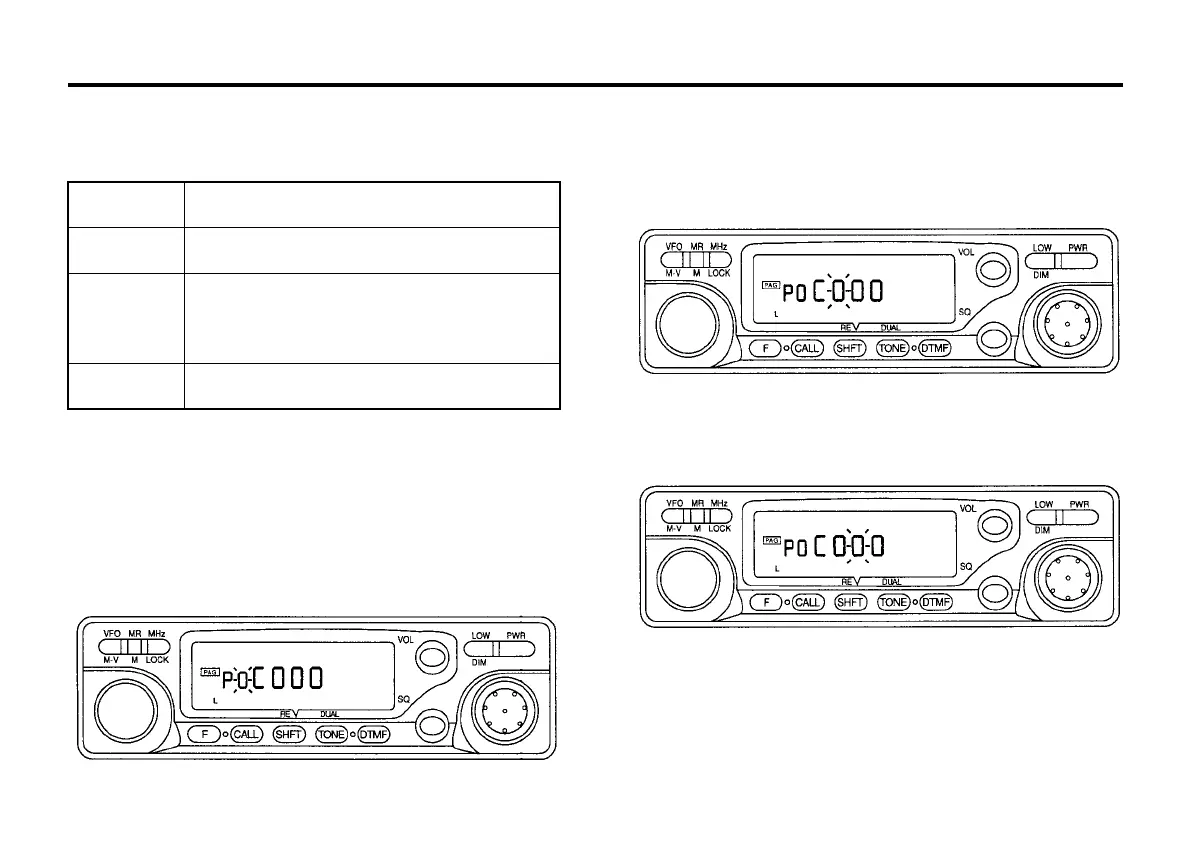
1. Press the DTMF key to enter the paging mode. The PAG indicator will
light.
2. Press the F key, then press the DTMF key while the F indicator is on.
The code setting mode will be entered and the memory channel
indicator will flash.
3. Set the desired memory (0 to 3 or A) with the tuning control (or key 0
to 3 or A on the microphone with DTMF keypad).
4. Press the DTMF key. The first digit will flash.
(This operation is not necessary if DTMF microphone is used)
5. Set the desired number with the tuning control and press the DTMF
key (or key 0 to 9 on the microphone with DTMF keypad). The first
digit be set, and the second digit will flash.
PA
Use
Stores your individual ID code in memory.
P0
Automatically stores the calling station's code
during reception. Can temporarily set code for the
station.
P1 ~ P3
Stores group codes and local station codes in
memory.
6. Set the second and third digits with the tuning control, and press the
DTMF key.
7. If, after 10 seconds, no key has been pressed, or a key other than
DTMF is pressed, the code will be set.



 To Next Page