44
Installing accessories
DTMF unit DTF147
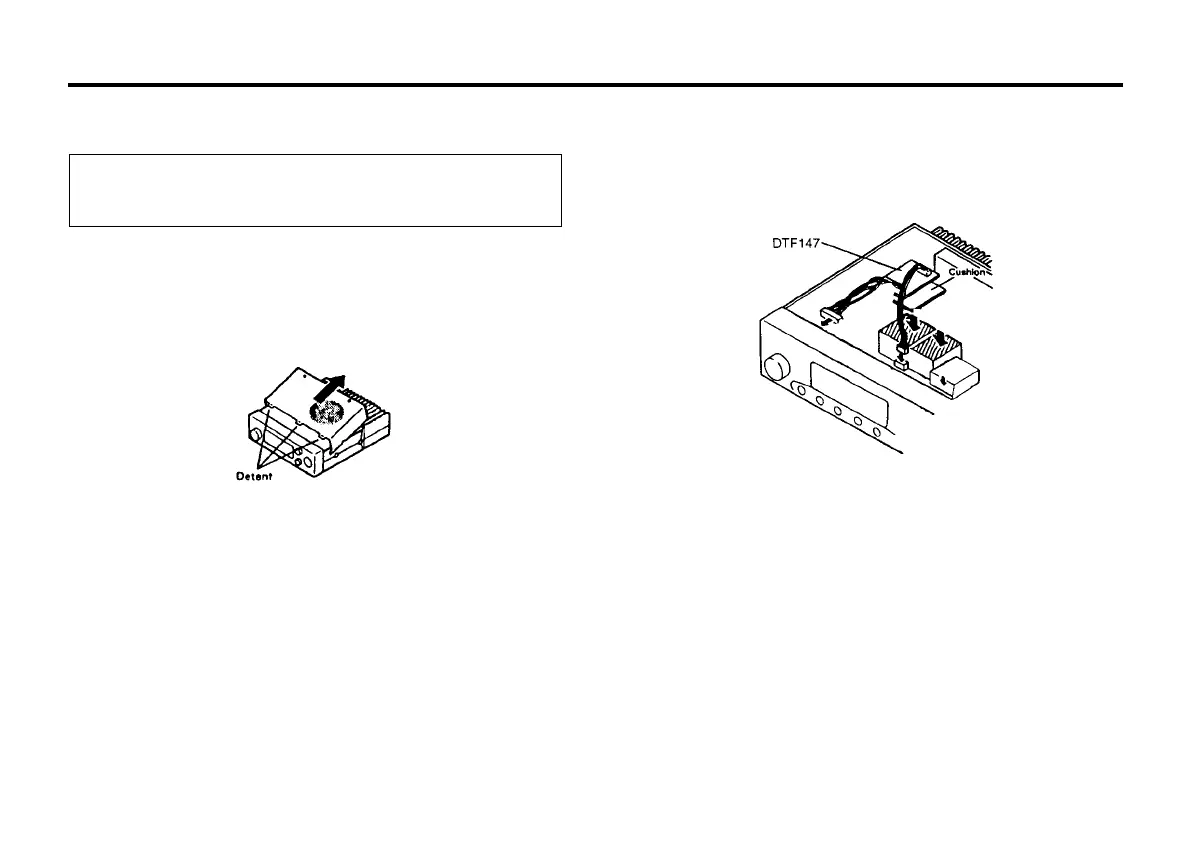
1. Remove the 2 screws securing the top cover.
2. Carefully remove the top cover.(Fig. 1)
CAUTION
Before installation, be sure to disconnect the DC power supply,
or battery, or damage may occur the equipment.
3. Remove the backing from the small cushion provided with the
DTF147 and attach it to the back of the DTF147.
4. Plug the three connectors into the sockets in the units.
5. Attach the cable from DTF147 as shown in Fig.2
Fig. 1
Fig. 2
6. Replace the cover and tighten the screws to complete the
installation.
● Installing DTF147
Attach this unit on the top of VCO shield (Fig. 2)



 To Next Page