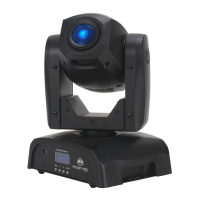
Pocket Pro Fuse Replacement
Disconnect the power and remove the unit’s power cord. Once the cord has been removed locate
the fuse holder above the power connection. Using a phillips head screwdriver, unscrew the fuse
holder. Remove the bad fuse and replace with a new one. Screw the fuse holder back into place.
Pocket Pro Cleaning
Due to fog residue, smoke, and dust cleaning the internal and external optical lenses and mirror
should be carried out periodically to optimize light output. Cleaning frequency depends on the
environment in which the xture operates (i.e. smoke, fog residue, dust, dew). In heavy club use we
recommend cleaning on a monthly basis. Periodic cleaning will ensure longevity, and crisp output.
1. Use normal glass cleaner and a soft cloth to wipe down the outside casing.
2. Use a brush to wipe down the cooling vents and fan grill.
3. Clean the external optics with glass cleaner and a soft cloth every 20 days.
4. Clean the internal optics with glass cleaner and a soft cloth every 30-60 days.
5. Always be sure to dry all parts completely before plugging the unit back in.
Pocket Pro Trouble Shooting
Trouble Shooting: Listed below are a few common problems that you may encounter, with solu-
tions.
No light output from the unit:
1. Be sure the external fuse has not blown. The fuse is located on the rear panel of the unit.
2. Be sure the fuse holder is completely and properly seated.
Unit does not respond to sound:
1. Low frequencies (bass) should cause the unit to react to sound. Tapping on the microphone, quiet
or high pitched sounds may not activate the unit.
ADJ Products, LLC - www.adj.com - Pocket Pro User Manual Page 30










 To Next Page