ADOS S.R.L. Buccinasco (MI)
492-MTU10006 Rev. 4 Page 37 of 49
6.3.2 Modifying the value of the operating parameters
Entering the configuration from the parameter selection menu the instrument indicates the value or the code
of the parameter on the primary display.
The auxiliary display flashes to indicate that the instrument is prepared to accept the change to the value of
the parameter.
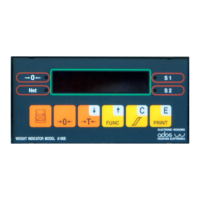
Press the F key to increase the value of the parameter selected (after reaching the maximum it returns
automatically to 0).
If the data displayed is a weight (for example a relay threshold) the increase will occur on the basis of the
configured resolution.
By keeping the F key pressed, the increase gradient is increased automatically up to a maximum of 128
times the base value.
Press the N/G key to decrease the value of the parameter selected (after reaching the minimum it returns
automatically to the maximum).
If the data displayed is a weight (for example a relay threshold) the decrease will occur on the basis of the
configured resolution.
By keeping the N/G key pressed, the decrease gradient is increased automatically up to a maximum of
128 times the base value.
Pressing the numeric keys directly sets the number of the parameter to be configured.
Press the >0< key to clear the value of the selected parameter.
Press the C key to cancel the configuration request and return to the selection menu of the next parameter.
Press the E key to confirm the modification made.
The instrument checks if the value set is formally acceptable and displays the following message for 2
seconds:
D O N E
and returns automatically to the selection menu of the next parameter.


 To Next Page