USING THE SYSTEM
22
USING THE SYSTEM
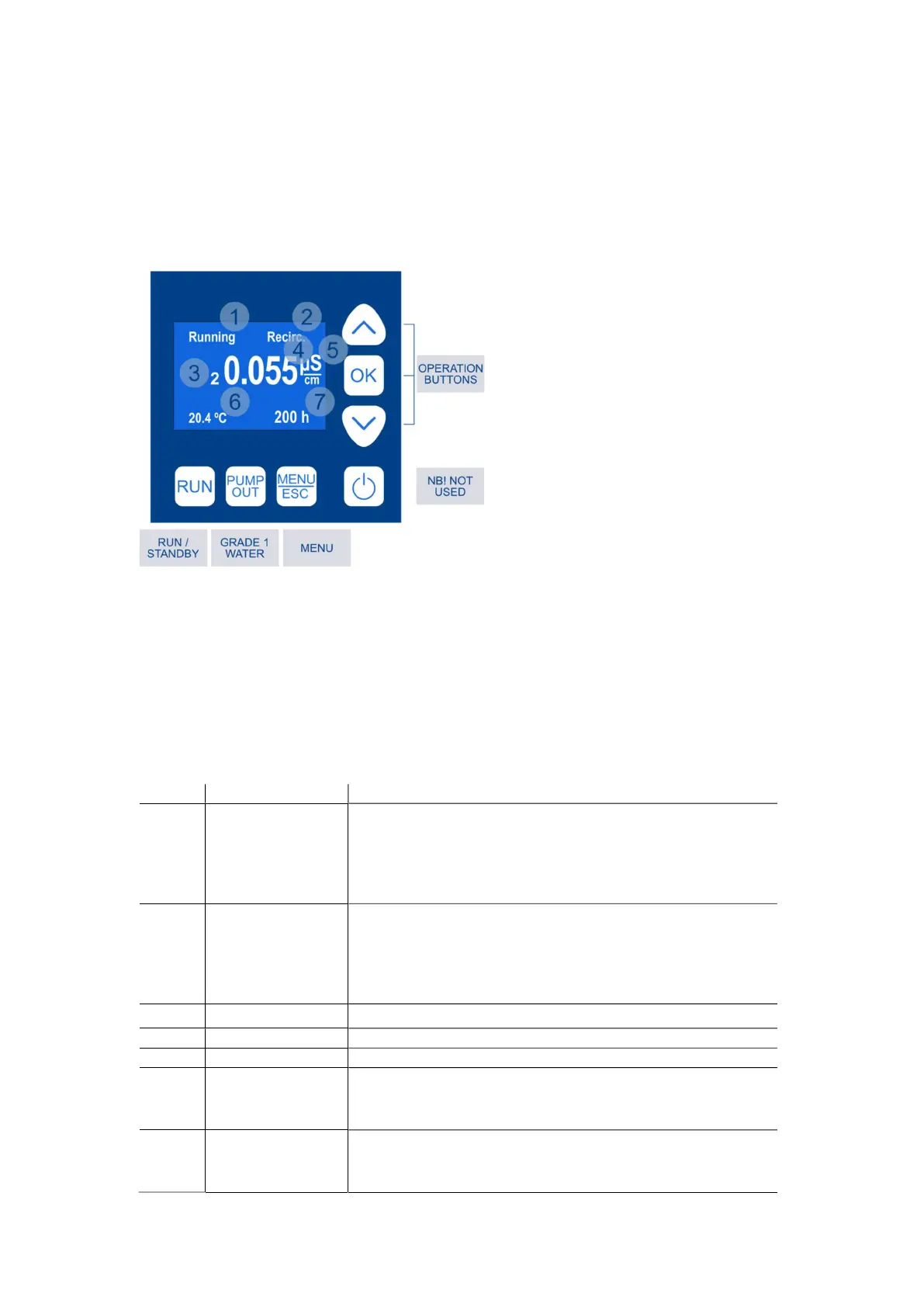
Display
All functions are accessible via control buttons at the front panel.
The LCD screen displays information regarding water quality, operation status, errors and button
functions.
Description:
1 – Operation status/ Error messages
2 – Recirculation status
3 – Conductivity sensor
4 – Water quality
5 – Measurement unit
6 – Water temperature
7 – Filter life
Detailed description of each line can be found in the table below:
No. Line Description
1 Operation status Shows current status.
Possible messages are:
- “LowPres” – no feed water pressure;
- “TnkFull” – tank is full or disconnected;
- “Running” – the unit is filling the tank
1 Error messages Errors occurred during operation.
Possible errors are:
- “DI Err” – deionization module has to be replaced;
- “Filter” – pre-filter has to be replaced;
- “TankS” – tank sensor may have failed
2 Recirculation Indicates recirculation process with message “Recirc.”
3 Conductivity sensor Shows active water quality sensor
4 Water quality Displays quality of water filling the tank (Grade II)
6 Water temperature
Displays water temperature.
Water temperature measurement is necessary for accurate water
quality measurement
7 Filter life Shows time left till pre-filter replacement.
Please note that in case of poor feed water quality, pre-filters may
be clogged before the counter reaches zero



 To Next Page