USING THE SYSTEM
25
Operating modes
[1]
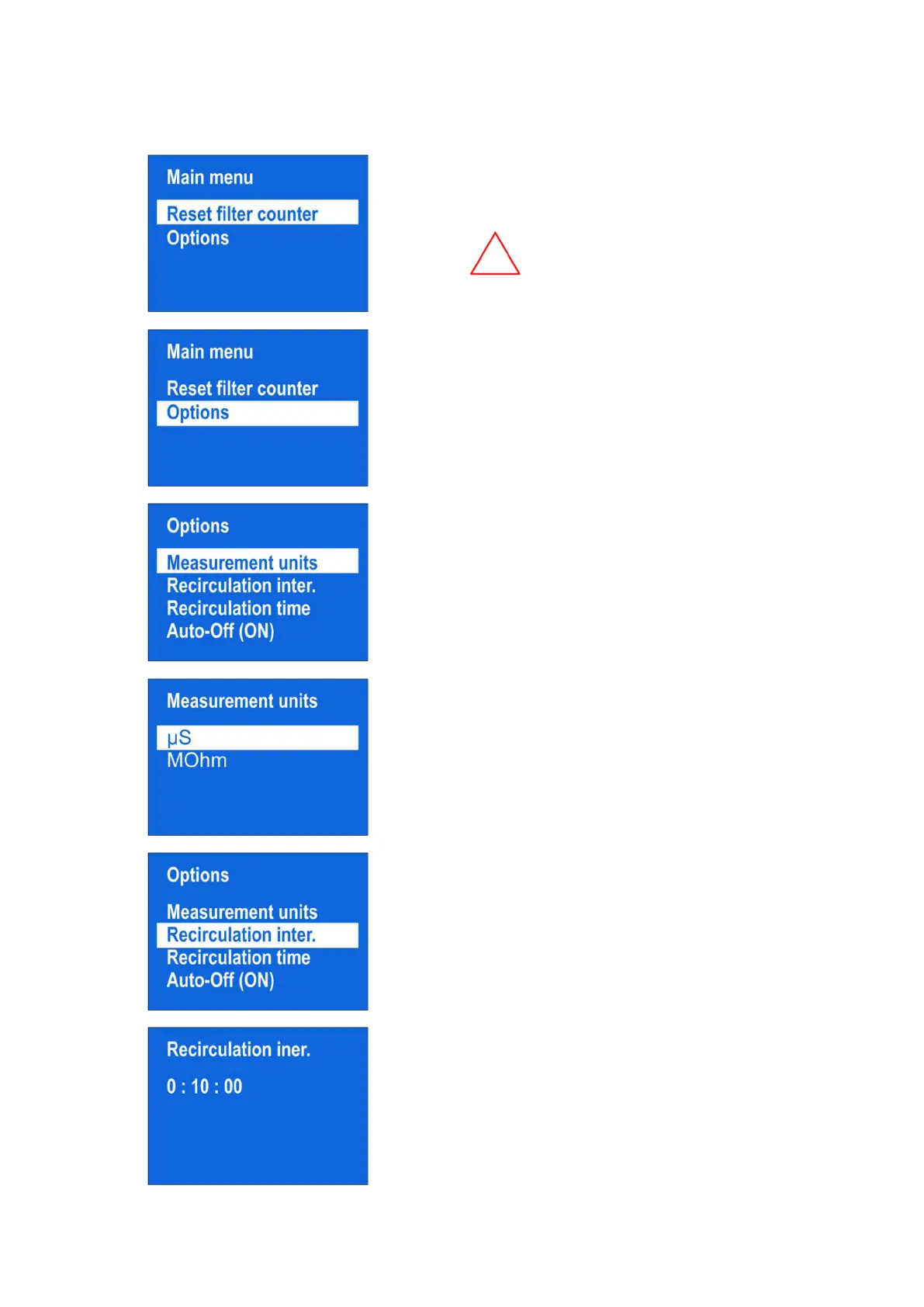
To enter the Menu, press the “MENU” button.
The display will show menu, consisting of a
“Reset filter counter” and an “Options” menu.
In case if the pre-filters are replaced,
you need to reset the counter by
pressing the “Reset Filter Counter”
button
[2]
The operations in “Options” menu are described
in further text
[3]
In the “Options” menu, you can choose the
“Measurement units”
[4]
You can switch between unit MΩ*cm and unit
μS/cm
[5]
In the “Options” menu, you can choose the
“Recirculation interval”
[6]
You can set a suitable recirculation interval



 To Next Page