INSTALLATION
19
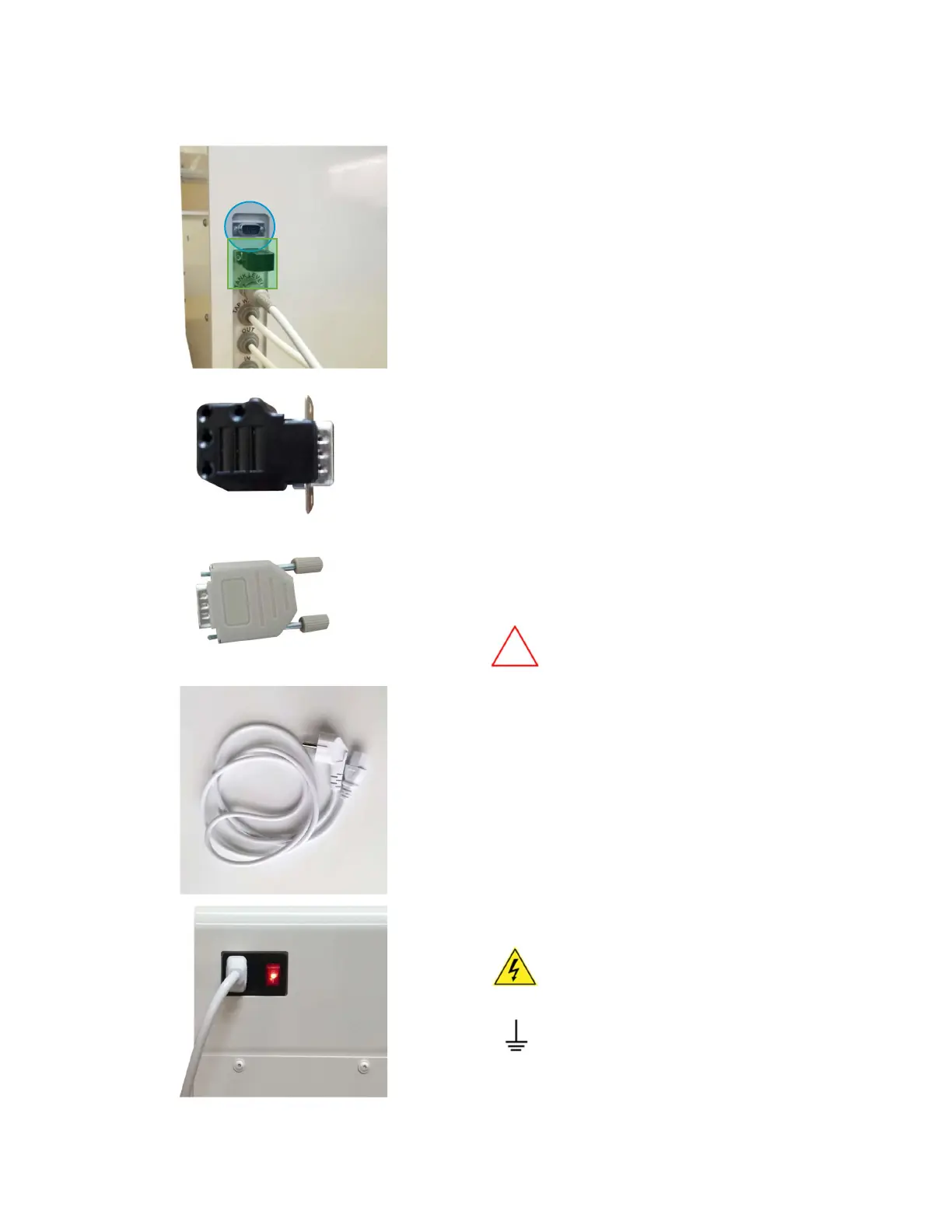
Connection to PC, validation port and power plug
[1]
Connection to PC (marked with BLUE circle)
and connection to operation/ validation
dongle (marked with GREEN square) is located
on the left panel of the system
[2]
Operation dongle is used for receiving
conductivity measurement
[3]
Validation dongle is used for system validation
by performing IQ/OQ.
Refer to chapter “Sensor validation” for
further information about validation process
It is available as an additional
equipment, part no. 410913
[4]
Locate the power cord
[5]
Plug the power cord into the system.
Plug the other end of the power
cord into an appropriate source of
electrical power.
Make sure the system is properly
grounded.



 To Next Page