USING THE SYSTEM
32
Operating Q-Front N tap water systems
- Open the tap water supply.
- Switch on the system using power switch on the left side of the unit.
[1]
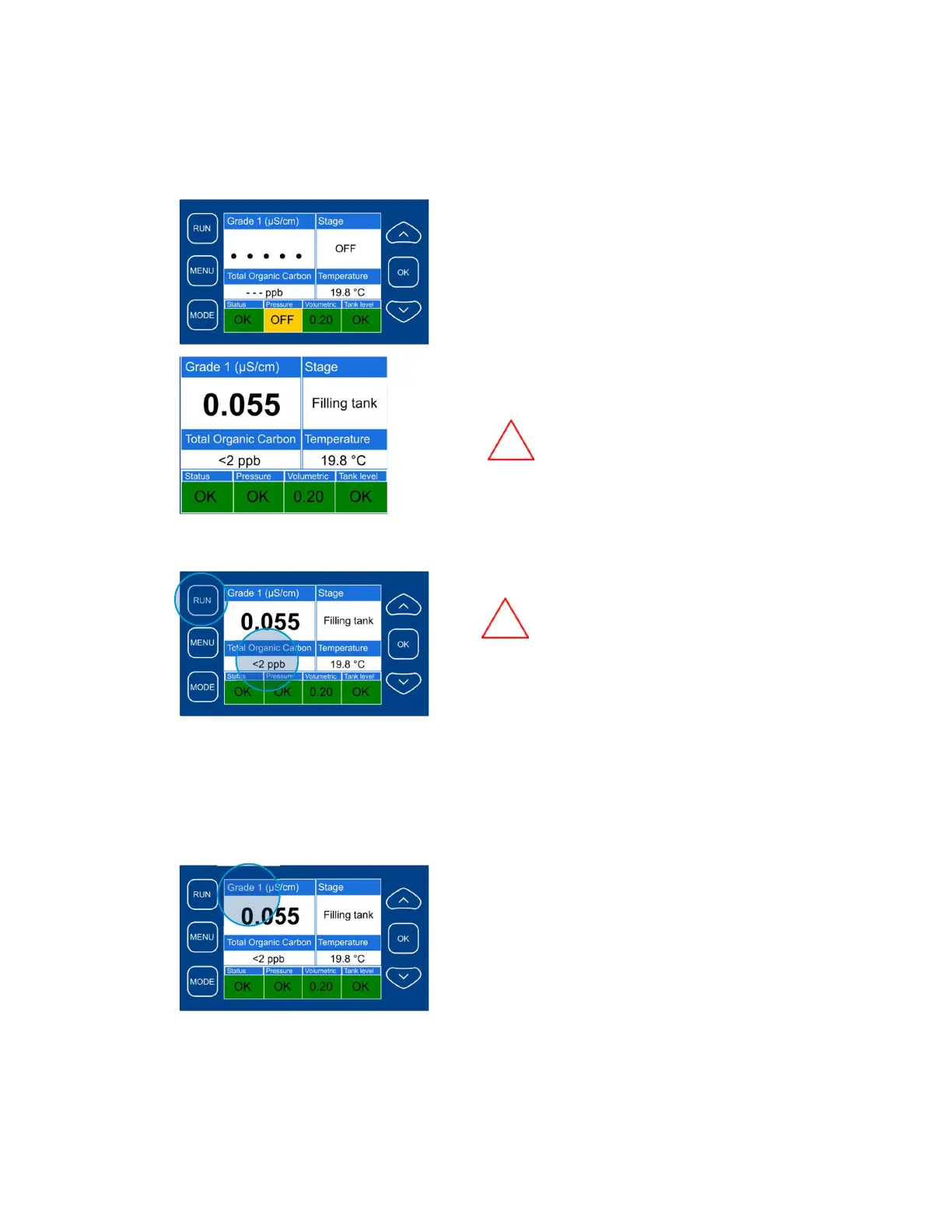
- Press “Run” button on the keypad;
- The display indicates the status window
after few seconds;
- Unit will flush the RO system and then star
to produce Grade II water;
- Allow half an hour for output conductivity to
settle
[2]
The status window shows the system status and
temperature.
There is also indication of water quality.
However, the precise reading of water
quality can be obtained only when:
- the system is in “Filling tank” mode;
- the system is in Grade I “Dispense”
mode;
- the system is in “Recirculation” mode;
- after performing “Purge air”
[3]
The display shows TOC reading.
However, the TOC reading will be
shown when:
- the storage tank is at least partially filled
with water;
- at least one recirculation cycle has
finished;
- the system is in “Filling tank” mode;
- the system is in Grade I “Dispense” mode;
- the system is in “Recirculation” mode;
- after performing “Purge air”.
Normally it takes about one hour after the system
has been switched on and the “Run” button has
been pressed
[4]
The purified water quality is controlled by two
sensors:
- The Grade II sensor that measures
conductivity for Grade II water, flowing
into the storage tank;
- The Grade I sensor used for controlling
quality of Grade I water that is
dispensed via the dispense port



 To Next Page