USING THE SYSTEM
33
[5]
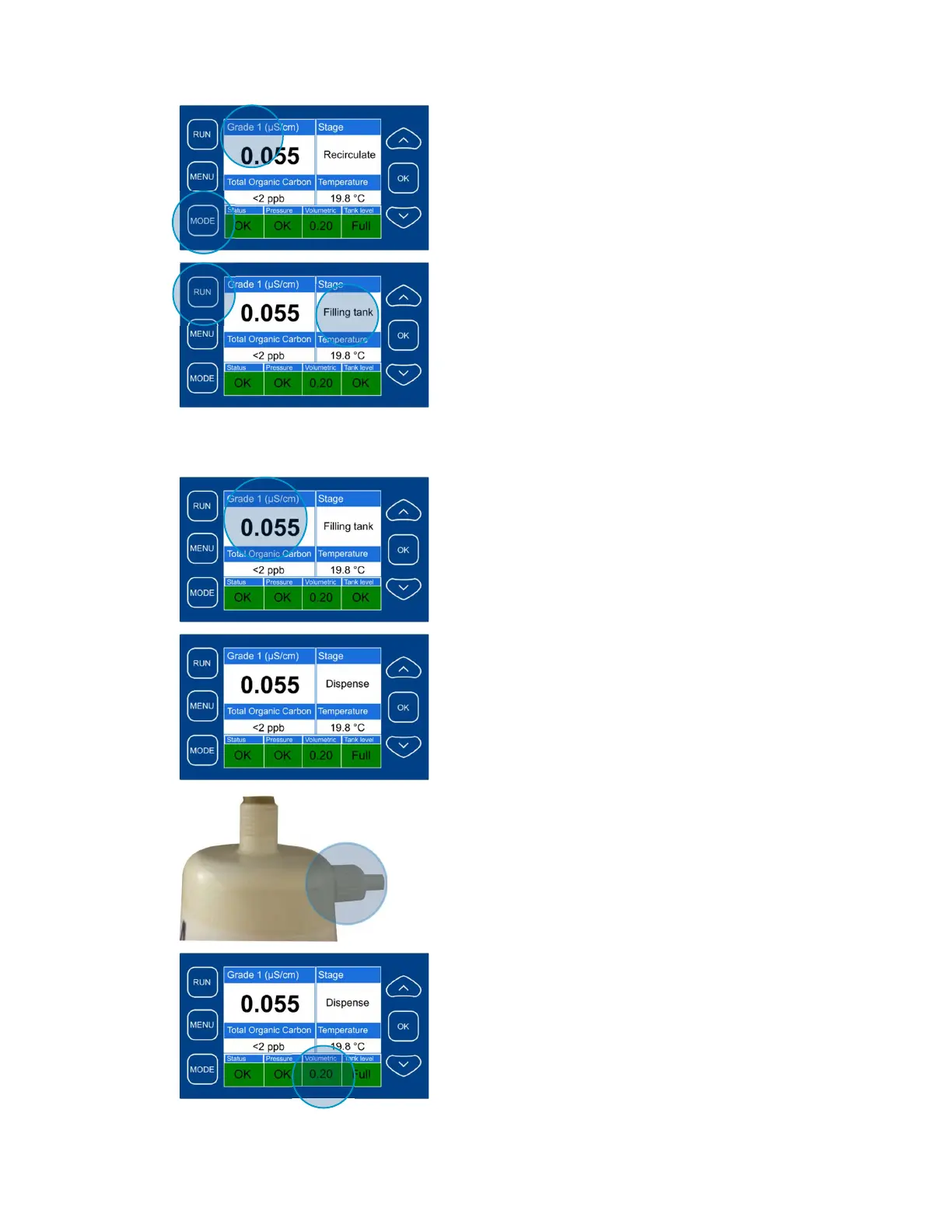
The system shows automatically either Grade I
sensor reading or Grade II sensor reading,
depending on in which mode it is.
You can switch between Grade I and Grade II
manually by pressing “Mode” button
[6]
To fill the tank with purified water:
- press the “Run” button and hold it for 2
seconds;
- If tank is not full or it is disconnected and
the feed water pressure is enough, the
display shows “Filling tank”;
- Now the Q-Front N system is filling the
tank with Grade II water;
- As soon as the tank is full, the system
shuts down the water supply and shows
the “Tank Full” message
[7]
When the system is in “Filling tank” mode, the
reading of the Grade I water sensor is shown on
the display
[8]
To dispense Grade I water:
- Use universal flexible dispenser;
- The system rinses the tubing for 5-10
seconds;
- Then Grade I water is dispensed via side
mounted 0.22 m dispenser (Trace, HPLC
and Bio UF configuration)
[9]
In Bio configuration ultrafilter has to be installed
instead of 0.22 m dispenser.
To dispense Grade I water via ultrafilter:
- Loosen the degassing valve a little bit to
get rid of air;
- Press the “Dispense” button again, to stop
water dispensing
[10]
If volumetric dispense is on, water dispensing will
be finished after the pre-set volume has been
dispensed.
The volume can be set either:
- through menu command;
- or by using teaching mode



 To Next Page