USING THE SYSTEM
24
Introduction to Q-Front N operating modes
[1]
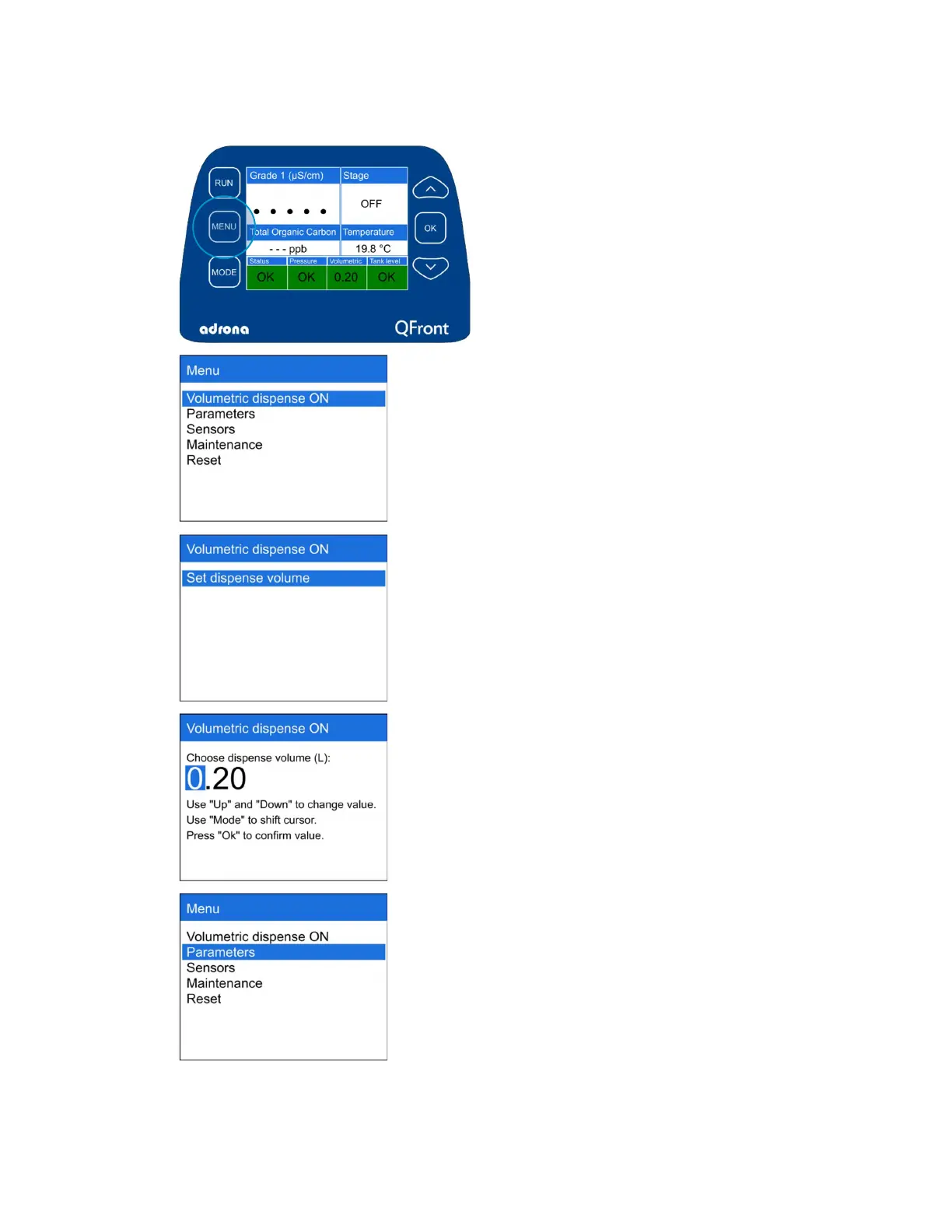
To enter Menu, press the “Menu”
button
[2]
The display will show menu, consisting of:
- Volumetric Dispense;
- Parameters;
- Sensors;
- Maintenance;
- Reset
[3]
VOLUMETRIC DISPENSE ON
To enable volumetric dispense function, enter
the first section “Volumetric Dispense ON” and
press “Set dispense volume”
[4]
Set the dispensing volume as described on the
display
[5]
PARAMETERS
Choose section “Parameters” if you need to
change measurement units, to set date or
recirculation parameters



 To Next Page