OPC8000 series 42
© ADS-TEC GmbH • Heinrich-Hertz-Str. 1 • 72622 Nürtingen
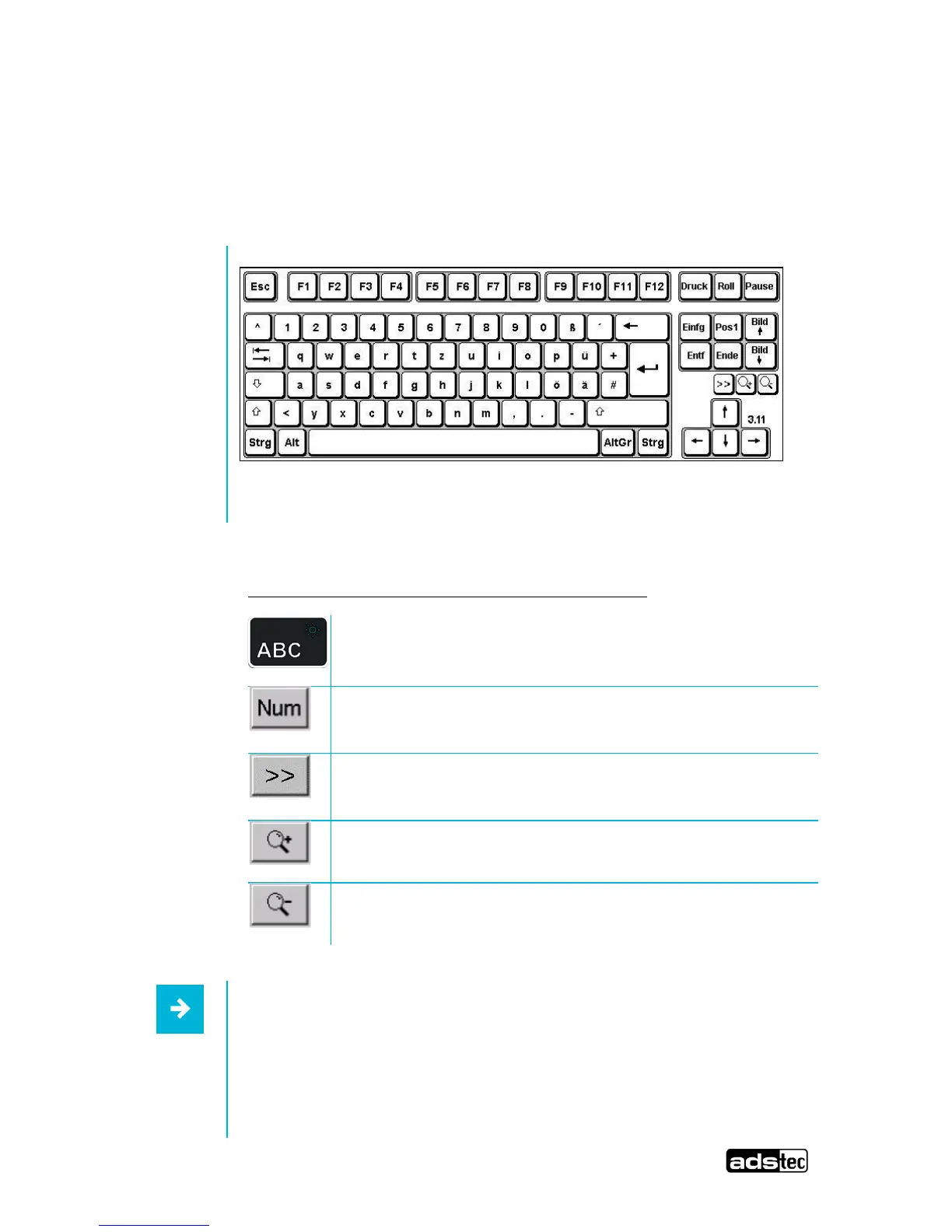
6.2 Soft keyboard
If an operating system is installed ex works, the soft keyboard is also preinstalled. If the
operating system is delivered separately with the device, the soft keyboard still needs to be
installed. By using the soft keyboard, data can be entered via the touch screen like with an
external keyboard.
:
Operating the soft keyboard for version 3.11 and higher:
Activate and deactivate the soft keyboard for letter/character
input using the touch screen
Switches numeric keys on and off (only if numeric keys are
visible)
Switching between different representations (Alphanumeric
keys Numeric keys Function key bar)
Soft keyboard representation, zoom in
Soft keyboard representation, zoom out
Information:
If functions are to be called for which two keys must be pressed
simultaneously on a standard keyboard (e.g., Alt + F4), these keys
are to be pressed in sequence on the soft keyboard. The Shift, Alt
and Ctrl special keys must always be pressed first.
Due to differences in programming of a large variety of software



 To Next Page