553
Advanced Diagnostics USA Manual for MVP & TCODE PRO – Copyright 2014 Advanced Diagnostics USA INC.
VEHICLE SELECTION
MITSUBISHI
NISSAN
SUZUKI
> TOYOTA
V.W./AUDI GROUP
VEHICLE SELECTION
Immobilizer
> REMOTE
PROXIMITY
ECU IDENTIFICATION
TOYOTA TYPE 4
PRESS ENTER KEY
SWITCH IGNITION ON
PRESS ENTER KEY
DIAGNOSTIC MENU
ECU IDENTIFICATION
> SPECIAL FUNCTIONS
DIAGNOSTIC MENU
ERASE REMOTES
> PROGRAM REMOTE
PROGRAM REMOTE
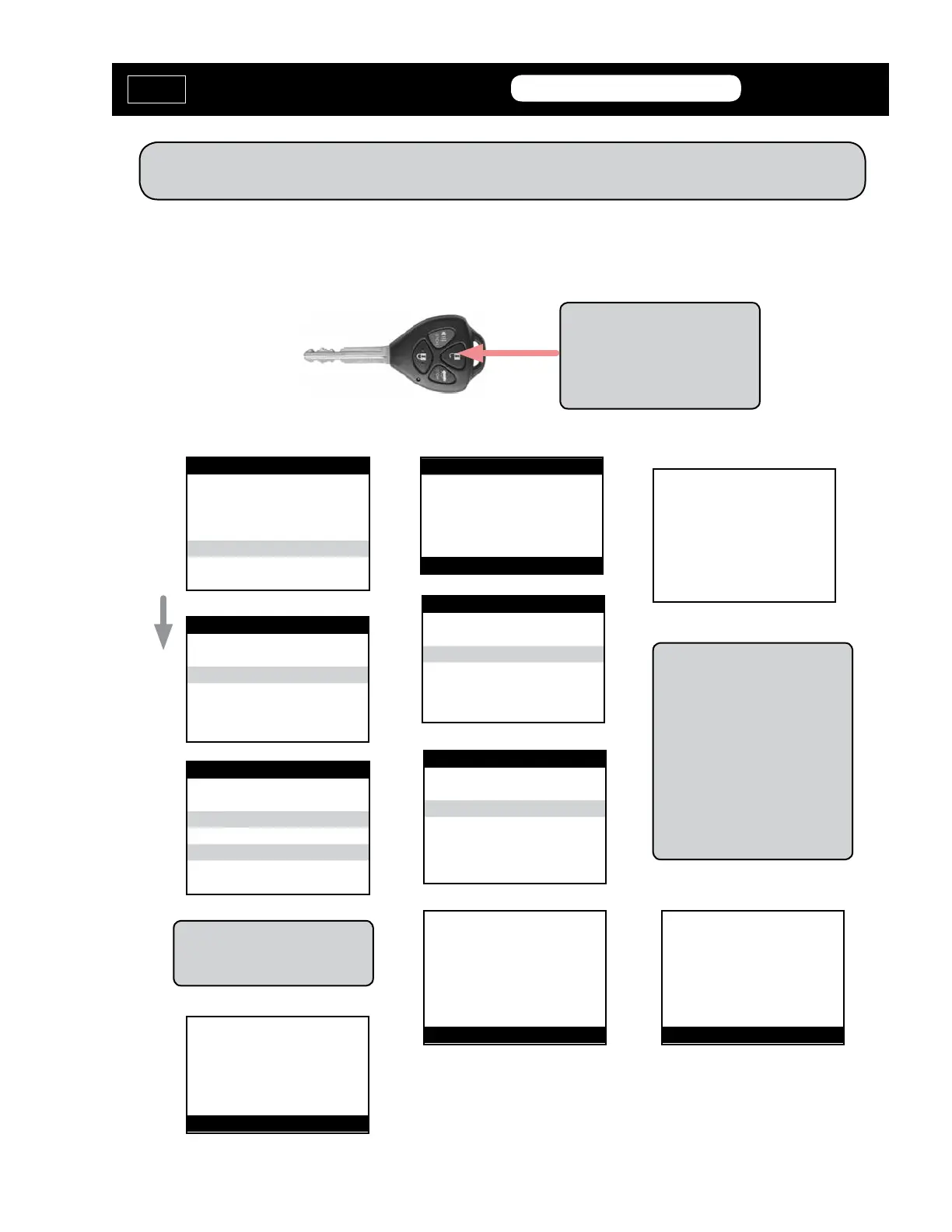
PRESS LOCK & UNLOCK
TOGETHER FOR 4 Sec.
PRESS UNLOCK BUTTON
FOR 1 SEC
BACK’ TO EXIT
PROGRAM REMOTE
PROCEDURE COMPLETE
PRESS ENTER KEY
Note: Press the Lock & Unlock
buttons together for 4 seconds
and quickly press Unlock button
for 1 second. You must be fast
on the button operation.
PRESS the BACK
BUTTON to COMPLETE
THE PROGRAMMING.
PROGRAM REMOTE - TYPE 4
PROGRAM REMOTE
SYSTEM WILL BEEP
WHEN COMPLETE
PRESS ENTER KEY
(Use this method to program the Remote portion of remote head keys
And also for programming separate remotes)
The RKE program separate from
the transponder on LEXUS &
TOYOTA remote head keys
VEHICLE SELECTION
TYPE 1
> TYPE 2
TYPE 3
> TYPE 4
Use the Grid earlier in this sec-
tion for proper system selection.
MVP &
TCODE
TOYOTA
ADVANCED DIAGNOSTICS USA
powered
by



 To Next Page