539
Advanced Diagnostics USA Manual for MVP & TCODE PRO – Copyright 2014 Advanced Diagnostics USA INC.
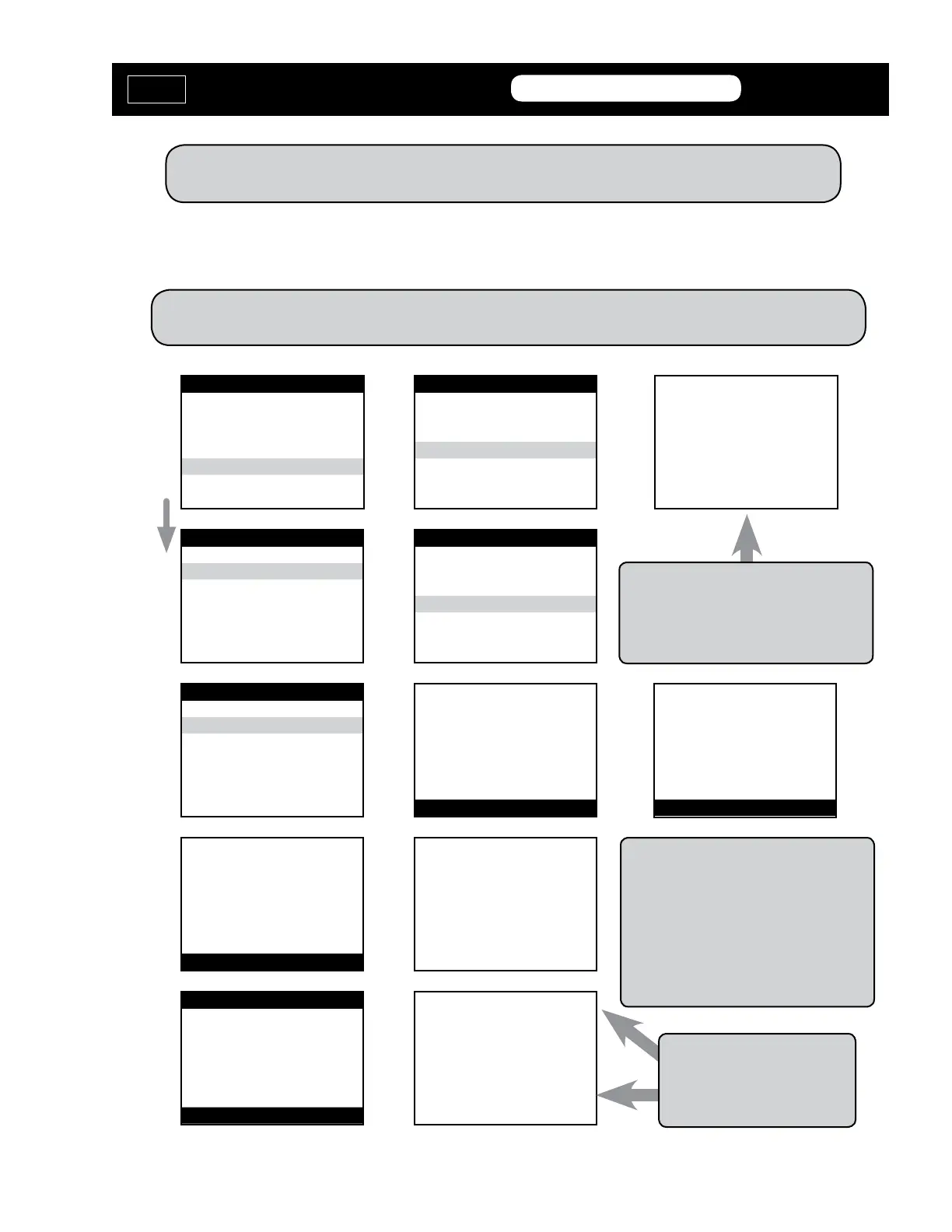
VEHICLE SELECTION
MITSUBISHI
NISSAN
SUZUKI
> TOYOTA
V.W./AUDI GROUP
VEHICLE SELECTION
> Immobilizer
REMOTE
VEHICLE SELECTION
> TYPE 1
TYPE 2
ECU IDENTIFICATION
TOYOTA/LEXUS TYPE 1
PRESS ENTER KEY
SWITCH IGNITION ON
PRESS ENTER KEY
DIAGNOSTIC MENU
ECU IDENTIFICATION
FAULT CODES
> SPECIAL FUNCTIONS
DIAGNOSTIC MENU
RESET Immobilizer
ADD MASTER KEY
> ADD VALET KEY
ERASE KEYS
ADD VALET KEY
WARNING
FOLLOW NEXT SCREENS
QUICKLY & CAREFULLY
PRESS ENTER KEY
ADD VALET KEY
SWITCH IGNITION OFF
REMOVE MASTER KEY
WITHIN 20 Sec
AND THEN PRESS ENTER
TIME ELAPSED: 1 S
NOTE: If you do not have an existing Master key, you must use the “Reset Immobilizer” procedure to Reset
the Immobilizer system. A Valet key will not work as a substitute for a Master Key.
ADD VALET KEY
INSERT NEW VALET KEY
WITHIN 10 Sec
LEAVE IGNITION OFF
AND THEN PRESS ENTER
TIME ELAPSED: 0 S
ADD VALET KEY
TIME ELAPSED: 2 S
ADD VALET KEY
PROCEDURE COMPLETE
TIME ELAPSED: 59 S
PRESS ENTER KEY
Note: This usually takes about 60 seconds.
If the timer goes past 120 seconds, stop.
The key is most likely now programmed.
Disconnect & try key.
Note: If you get an Error message screen,
disconnect from the OBD2 port and
remove the key. Wait 20 seconds and
start over. On this Type, each key must
be added separately. Disconnect from the
OBD2 port and remove the key. Wait 20
seconds and start over to add another key.
Note: Read carefully & follow the
screen prompts.
Insert a Master key that is already registered into the vehicle. Turn the ignition lock to the “ON”
position. The Security Light must be out when the key is in. Connect and follow screens.
ADD VALET KEY - TYPE 1
MVP &
TCODE
TOYOTA
ADVANCED DIAGNOSTICS USA
powered
by



 To Next Page